
- Title: Resurrection Remix 5.7.1 A
- Listed: July, 2016
- Last modified: 07/21/2016 2:59 pm
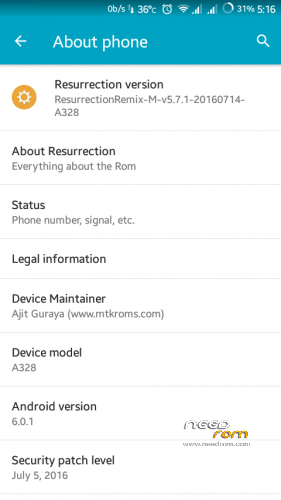
- Version: 6.0.1
You must be logged for ROM download.
13178 total views, 1 today
1 Total favorites


 Member Info
DESCRIPTION
The new version of Resurrection Remix. Gapps sewn.
Android Version: 6.0.1
v5.7.1 http://www.mtkroms.com/2016/06/stable-resurrection-remix-570-for-mt6582.html
Patch cancel memory substitution included
Memory changeling patch included too
What's Working :
+ Network
+ Wi-Fi
+ Sound
+ USSD
+ SMS (sending and receiving)
+ Dual SIM
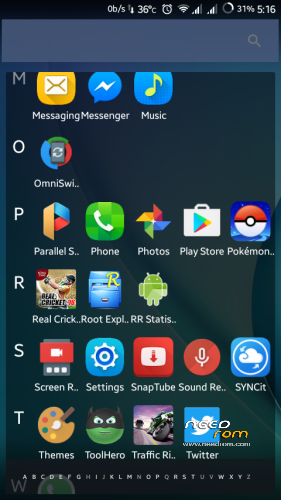
+ Gapps
+ Memory (memory 2)
+ MTP
+ Camera [Photo + Video], 1080p without stuttering
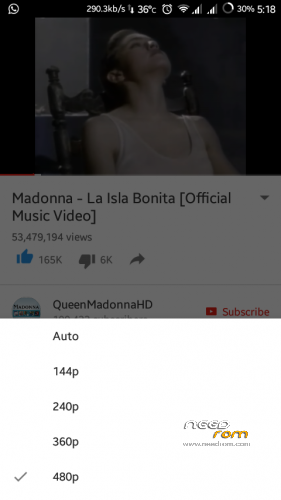
+ 480p YouTube
+ Bluetooth
+ Screencast
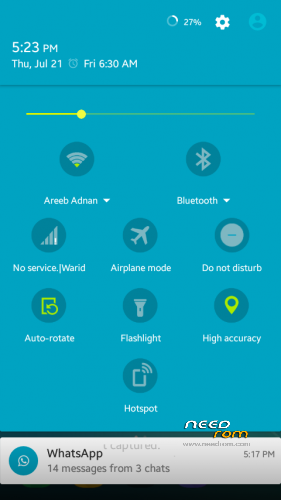
+ HotSpot
+ Subjects CM
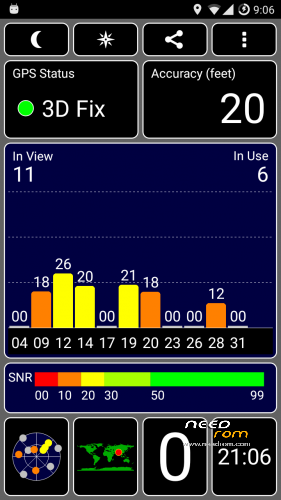
+ GPS
+ FM Radio
-VPN .. works in Psiphon
Vpn is working now in Lollicraft cm based on both wifi and Cellular data using Psiphon
Follow the steps-
For Wifi-
1. Go to psiphon and choose Browser-Only mode do not tunnel whole device.
2. Go to its logs tab and check the port of http proxy.
3. Now open WiFi setting and long press to your WiFi network (from which u are connected) go to modify tab and from check the advanced options.
4. Chosen manual proxy option and put host name as 127.0.0.1 and port as the no. which you noted in step 2 (eg. 8080) and click save.
For Cellular Data-
1. Go to psiphon and choose Browser-Only mode do not tunnel whole device.
2. Go to its logs tab and check the port of http proxy.
3. Now open Setting> Sim cards> Sim 1 / Sim 2 settings / Access Points Names and click on Connected APN
4.In Proxy put 127.0.0.1 and port as the no. which you noted in step 2 (eg. 8080) and click save.
Enjoy you have set up a VPN connection successfully.
You can open your browser and check your IP
Note: You have to undo this after you do not need VPN by changing manual proxy to none.
do Wipe
1) Dalvik / ART Cache
2) System
3) Cache
4) Data
5) Internal Storage
Next, reboot the TWRP, then install the firmware.
Successful use !!!)
Credits :
Ferhung - The man behind CM13 for MT6582
Fire855 - Another legend
Hyperion70
www.mtkroms.com
Ajit Guraya – Compiled Resurrection Remix v5.7.1 for MT6582 from source and fixed camera !
Minh Quoc and Karim Gahgah – For video recording fix
Aniruddha Adhikary - For his amazing USSD Fix
Sergey Kochetkoff – For his amazing GPS fix
Team Roger That - Ajit Guraya, Diparth Shah, Pawan Diyal, Ashutosh Dubey, Waseem Maya, Ankit Bhatangar, Rohan Taneja, Vipul Jha, Pranav Reddy
Resurrection Remix Devs/Team - www.resurrectionremix.com
Required blobs (Really huge thanks) :
nofearnohappy, Varun Chitre, Ariafan, Vald.masti, Fire855, Alex
※Please make a backup of your device before installing or updating ROM
VERY BAD!!
GPS not work!!!!! just in high precision mod, please fix it !!
how to instal these zip
Fix for SDcard
Emulated memory patch
and in which order ?
which zip is installed first?
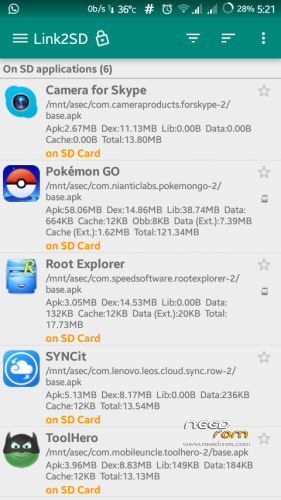
there is a problem in app2sd
how exactly configure the memory ?
Add sd card to interne memory?
format as internal is failing i get the standard, card is too slow, move files, not enough space – corrupted, with an original sandisk class 10, works fine on other cm13 builds. format as standard card works ok.
@progamingromania GPS is working, put in high persision mode, install gps test – delete agps data, get new agps data, wait for 1st fix and everything will work fine in any gps mode after the first initialisation. As it's a custom build for worldwide distribution it doesnt know which satellites are in view in your area you need to help it for the first fix by using high persision, it will then write to the gps.conf file your coordinates so future fixes wont need high presision, hope this explanation helps.
tried 6 brand new cards, all branded originals, same issue with all cards
SOLUTION FOR INTERNAL SDCARD ISSUES
OK so here is the work around….
ignore the setup for sd card, formatting is your choice it is not mandatory no data will be lost during this process.
download the sd card fix from this rom https://www.needrom.com/downlo.....-cm13_a328-zip/
reboot into recovery apply the fix, reboot.
android storage/usb will report as corrupt but if you check via something like es file manager it will report the full amount of storage including the sdcard.
I have now got the RR-sdcard-fix to work, the trick is when you do your factory data reset before installing RR, do an advanced wipe and clean the internal storage.
Took me 4 install attempts to get this running correctly i think there is a couple of bugs in the sdcard fix that need to be resolved so people who are not so technicaly minded can do this easily.
Like I mentioned above GPS is stil a little buggy but it does work but expect you first fix to take 5-10 minutes but i do have it working correctly in device only mode for all those that feel the need to catchee pokemon!