
- Title: THL T11 NBSP v5 RoM by frakk
- Listed: September, 2015
- Last modified: 09/15/2015 12:07 am
- Version: 4.4.2
You must be logged for ROM download.
43999 total views, 6 today
14 Total favorites
 Member Info
DESCRIPTION
NBSP v5 2015.09.15.
THL T11 NBSP ROM
(THL T11 New Base Stock Plus)
New Base: thl T11 Original KK
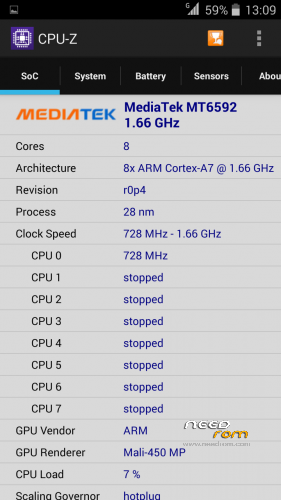
(Official ROM THL T11 version: thl_T11.159A.A2.KK.FHD.B1B5.EN.16P128.OV8825.MT6592GW.20141014)THL T11
Full description:
- Android 4.4.2
- 100 % Deodex
- Multilanguage version (default language:English)
- Gapps include
- Root (SuperSu)
- LED notifications OK
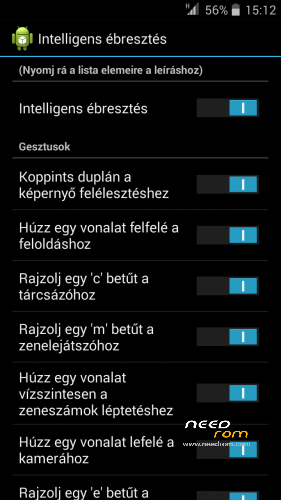
- Smart Wake OK
- Full White Statusbar Icon's
- Missing SIM-cards notify disabled
- Remove the Google search bar of Launcher
- GPS conf file Europe (other continent update above)
- Stock camera records mp4 format (not 3gp)
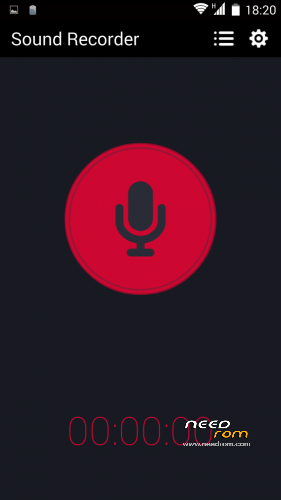
- Soundrecorder replaces another (AAC recording, not 3gpp)
- Ringtones, alarm, notification and system sound replaces Lollipop sound.
- Build.prop edited
- USB Debugging icon from Status Bar Disable
Plus Application:
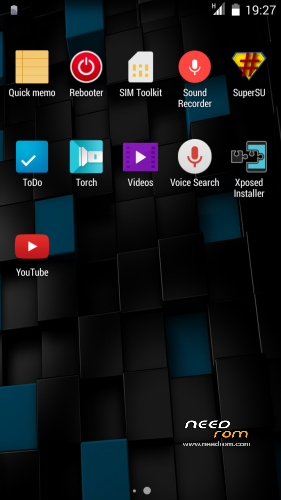
- Add Stock Backup and Restore appilcation
- Add Browser bookmark sync email accounts
- Add Rebooter
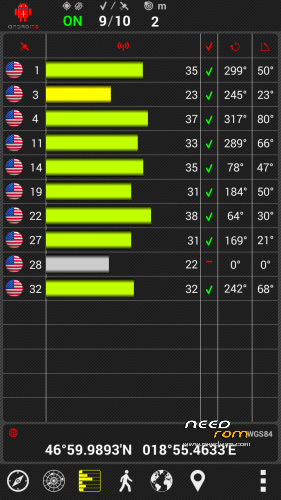
- Add GPS Test app
- Add Mobileuncle MTK Tools
- Add Xposed
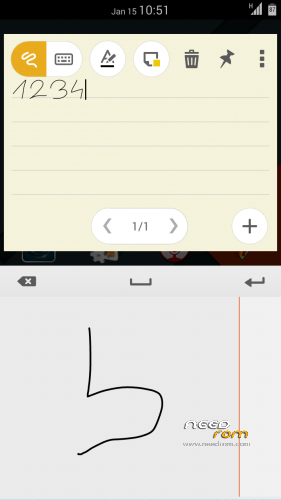
- Add QuickNote
- Add cLock widget
v5 features:
- Loud volume warning notification removed!
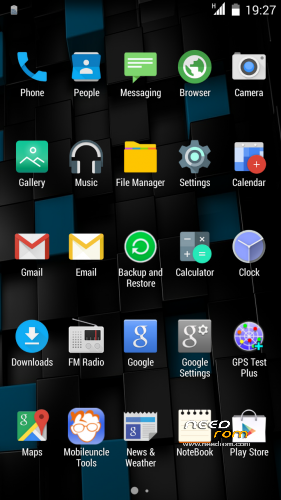
- plus material icons (browser, gallery, music, calendar, etc..) added
- plus old school (retro) ringtones added
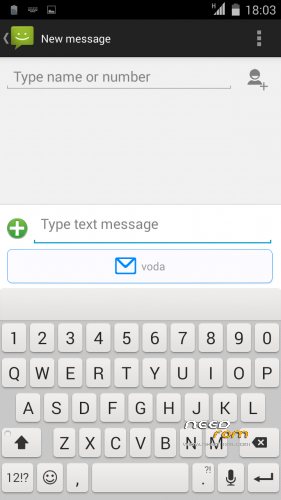
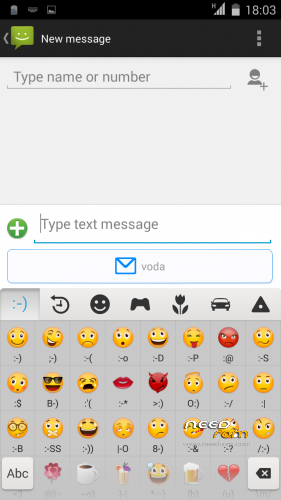
- plus new Keyboard (dark, white, mixed theme include) with numeric ROW!
- plus many Emoji added
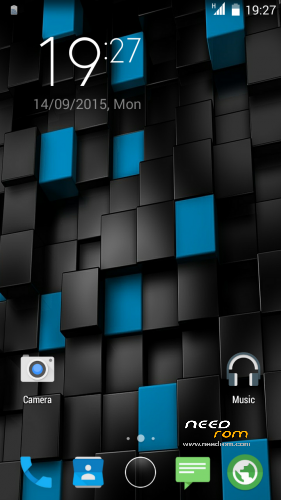
- new default wallpaper
- Smart Wake Hungarian language added (own translation)
- MIUI v6 Clock widget Hungarian language and date format added (own translation)
- REBOOTER Hungarian language added (own translation)
- Charging LED turns off 90%
- GPS Conf Europe incude (Asia, North America, Oceania, South America patch above)
- New Ring App drawer
- The Applications menu is a 5×5 grid
- New bootanimation
- Ringtones, alarm, notification and system sound replaces Lollipop sound.
- New Black THL Bootlogo
- New default wallpaper
- New 10 Local wallpappers
- MIUI v6 clock widget
- Basic icons are replaced, lollipop icons
2015.09.15.
v4 to v5 version update
If you do not want to install the entire system, in one update patch
Installation in the usual manner.
Full Wipe you do not need.
Recommended : Wipe Dalvik Cache.
Potential KK Problems and Solutions:
If you do not see 3rd party widget, when I Move apps to internal memory the problem is solved.
Or set Settings/Storage/Prefered insall loction/Let the system decide - choose
Please make a backup of your device before installing or updating ROM
CWM:
Step 1: Download the custom ROM copied to an external SD card root directory.
Step 2: the shutdown state. While holding down:
– Power button + volume button up, to enter the recovery mode.
– Wipe Data / Factory Reset -> delete all user data.
– Wipe Cache Partition -> Wipe cache.
– Advanced -> Wipe Dalvik Cache.
Step 3: Return to recovery main interface Install zip from sdcard -> choose zip from sdcard -> Select your ROM.
Step 4: Brush complete, restart
The phone Patience required – first boot takes a while.
THL T11 NBSP ROM v1
THL T11 NBSP RoM v2
plus updates:
1. UPDATE 2015.01.20:
2. UPDATE 2015.01.30:
THL T11 NBSP RoM v4
Please make a backup of your device before installing or updating ROM
CWM:
Step 1: Download the custom ROM copied to an external SD card root directory.
Step 2: the shutdown state. While holding down:
– Power button + volume button up, to enter the recovery mode.
– Wipe Data / Factory Reset -> delete all user data.
– Wipe Cache Partition -> Wipe cache.
– Advanced -> Wipe Dalvik Cache.
Step 3: Return to recovery main interface Install zip from sdcard -> choose zip from sdcard -> Select your ROM.
Step 4: Brush complete, restart
The phone Patience required – first boot takes a while.
※Please make a backup of your device before installing or updating ROM
I love this rom, generally works fine, but I'll have to uninstall it, taking coverage wifi, randomly wifi stops working, still indicates the amount of signal, including arrows sending and receiving of data, but not really lets you browse or use data applications …
I have disabled all the wifi settings related to saving energy to find out if that is the problem, but still leaves the wifi working (the icon is active…)
I have checked that keeps the IP but not send or receive data to work I have to turn it off and back on …
Also the phone is restarted just randomly … (3 times yesterday, today during this morning was restarted 2 times …)
Any solution so you can continue using it?
I was not random restarts.
Wipe were okay before installing?
i've experience with kk official rom, and i quold like to know if in this rom too there's the same problem:
about wifi+connection data off when screen off: nobody has the same problem?
i made a test: screen off, my friend send me a whatsapp; my phone doesn't receive anything; when i wake up my phone, then it connect to internet and message arrives.
any feedback?
db
I was not random restarts.
Wipe were okay before installing?
Yes, I did 3 wipes before installation …
I'm not entirely sure, but restarts last've detected that applications had been updated … Can be the cause of restarts that when auto-update apps the phone just restarts?
I do not understand.
I cant connect my phone to my Windows or my Linux PC, it just start charging
as before:

1.In the main screen of your Android device, use your finger to pull down the top status bar. Then touch USB Connected.
2. Touch Connect USB storage.
@Thunfischsalat
It maybe be an sub issue. Try with other usb cable. I think your actually usb cable is only for recharge device.
Db
Everything worked perfectly until I tried to make an outgoing call and got :
“Unfortunately the Process.com.android.phone Has Stopped”
After downgrading back to 4.2.2 the problem was solved but I could really use the 4.4.2 upgrade,
Has anyone encountered this problem and knows how to handle this ?
I have no problem with the outgoing and incoming calls
Even with the automatic in-out calls audio recording is work.
Hello: I have the same problem here. If you find the fix, please don't forget to put the solution here.
Thank you!
Good Morning,
If I upgrade from V1 to V2, Do I have to do the wipes or I can update directly on the rom v1?
Thanks
Theoretically possible, although not tried.
Make a cwm backup, then refresh.
If you have trouble loading back up to the previous.
(but I prefer a clean work (full wipe))Do you mean it is not an update? So it is new room. Update size is very big like a normal room @Frakk. Nice work thanks for all.
Yes, it's a full version( THL T11 NBSP v2 RoM )
Channge log:
- Charging LED turns off 100%
- GPS Conf Europe incude (Asia, North America, Oceania, South America patch above)
- Original DeskClock back (Add your own music possible)