
- Title: THL T11 Official + Russian Mods by frakk
- Listed: December, 2014
- Last modified: 12/11/2014 3:15 pm
- Version: 4.4.2
You must be logged for ROM download.
17326 total views, 1 today
82 Total favorites
 Member Info
DESCRIPTION
THL THL T11 Official + Russian Mods by frakk
(I did not take the mods, just put together a firmware)
Base:Official ROM THL T11 version: thl_T11.159A.A2.KK.FHD.B1B5.EN.16P128.OV8825.MT6592GW.20141014
- Android 4.4.2
- 100 % Deodex
- Multilanguage version (default language:English)
- Gapps include
- Root (SuperSu)
- Add. Black THL Bootlogo
- Add. Android Bootanimation
- LED notifications OK
- Smart Wake OK
- Full White Statusbar Icon's (JCampano THL T100 Cm11 rom except)
Plus:
Base THL T11 KK 141014 V2 + All Russian Mod's
(Thanks to mod's: dr.dimo, grisha84, Arhitektor58, region98, DanVit, Nikoz47, Well83, JCampano)
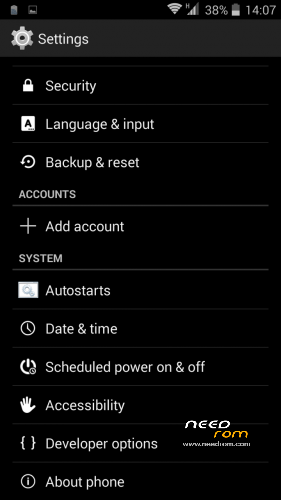
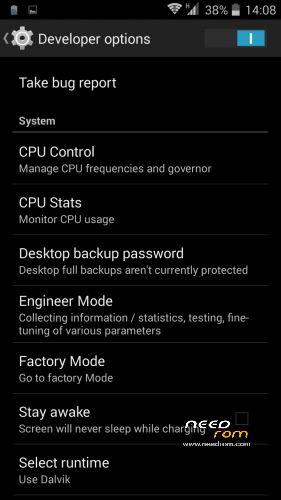
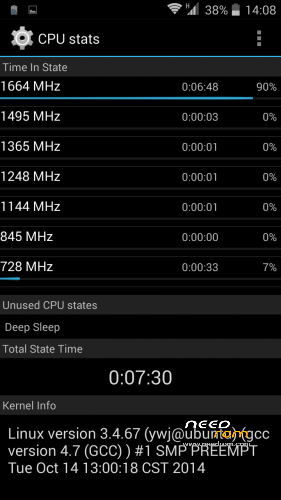
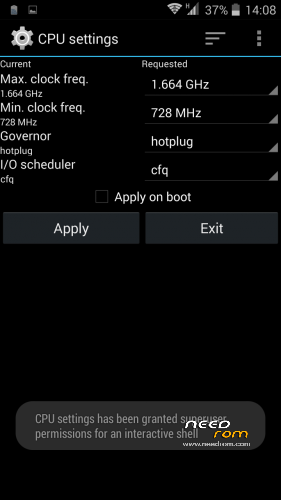
- Advanced Settings Menu: Autostart, CPU Settings, CPUstats Tasks, Engineer Mode
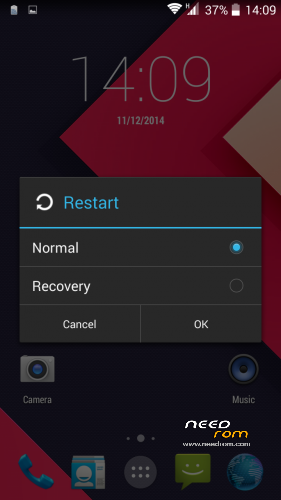
- Extended Restart Menu – Restart normal and Restart CWM option
- Missing SIM-cards notify disabled
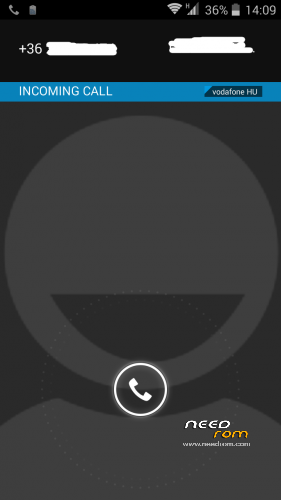
- Full screen photo on incoming / outgoing call (the basis of your own Dialer.apk)
- Remove the Google search bar of Launcher3
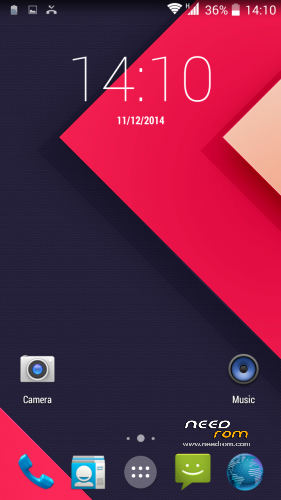
- Default Rocky beach wallpaper change material design wallpaper.
CWM.
Step 1: Download the custom ROM copied to an external SD card root directory.
Step 2: the shutdown state. While holding down:
– Power button + volume button up, to enter the recovery mode.
– Wipe Data / Factory Reset -> delete all user data.
– Wipe Cache Partition -> Wipe cache.
– Advanced -> Wipe Dalvik Cache.
Step 3: Return to recovery main interface Install zip from sdcard -> choose zip from sdcard -> Select your ROM.
Step 4: Brush complete, restart
The phone Patience required – first boot takes a while.
※Please make a backup of your device before installing or updating ROM
Will give this a try
Hope the reboot problem is fixed
I have not noticed such a thing, I hope this does not.
Hi
Might sound stupid but how do you remove icons from the main screen
I am trying to remove the clock but cannot find the delete fuction
Thanks
Ok just found it but a bit strange that you have to drag and drop the icon over the 3g symbol at the top right of the screen
Also there is no X to show you where to drop files for deletion
Thanks
Know bugs?
you can,t add any thirt party widgets
but thats count for evey kitkat rom for t11
Does anybody know how to fix the third party widgets?
@frakk
gravitybox module does not work in Xposed
what is the solution?, kitkat installe several versions 3.4.9, 3.5, 3.4.3 and 3.4.8 also the version 3.4.3 jb and not funcional
help
gravitybox found the solution
install version 3.4.9 and GravityBox app is installed into internal memory. If it was installed into phone storage or external storage,
move it into the internal memory first (applies only to devices having additional or external storage)
note: The new version 3.5 does not work for me, but if kk 3.4.9
But can gravity change icon battery or datadddate time? Thanks
yes
Does anybody know how to fix the third party widgets?
@chalolfc
can you give us a link of which version of xposed installer and which version of gravitybox we have to download to work the gravitybox? Thanks!
@thansof
solution is:
Xposed Installer
http://dl-xda.xposed.info/modu....._v32_de4f0d.apk
gravitybox 3.4.9
http://dl-xda.xposed.info/modu.....v119_86d3a3.apk
and GravityBox app is installed into internal memory. If it was installed into phone storage or external storage,
move it into the internal memory first (applies only to devices having additional or external storage)
But gravity don’t change icon battery or date