
- Title: thl T11 Original KK
- Listed: December, 2014
- Last modified: 12/26/2014 2:16 pm
- Version: Official thl T11 KitKat 4.4.2
You must be logged for ROM download.
20582 total views, 3 today
7 Total favorites

 Member Info
DESCRIPTION
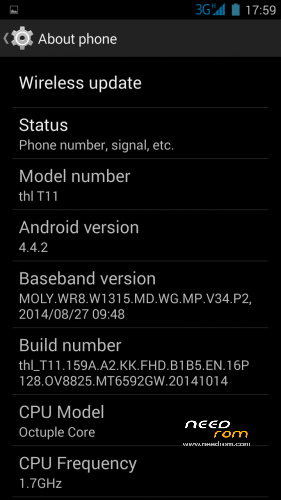
Official ROM THL T11 version: thl_T11.159A.A2.KK.FHD.B1B5.EN.16P128.OV8825.MT6592GW.20141014
Based on comebuy store-bought original phone backup. Created : dsixda/Android-Kitchen (by 105kacsa)
- Odex
- Multilanguage version
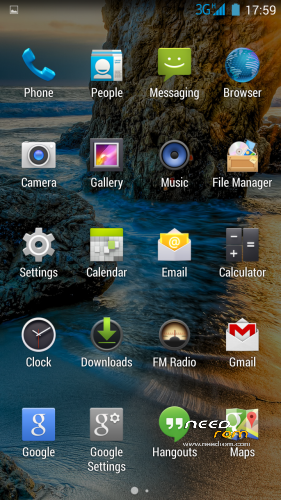
- Gapps include
Added :
- Root (SuperSu Free) and busybox No more change !!
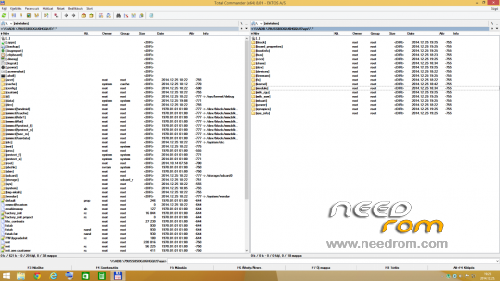
Full ADB support
If you are happy for my work, remember to donate on paypal
Install ROM:
CWM
Step 1: Download the custom ROM copied to an external SD card root directory
Step 2: the shutdown state. While holding down:
– Power button + volume button up, to enter the recovery mode.
– Wipe Data / Factory Reset -> delete all user data
– Wipe Cache Partition -> Wipe cache
– Advanced -> Wipe Dalvik Cache
Step 3: Return to recovery main interface Install zip from sdcard -> choose zip from sdcard -> Select your ROM
Step 4: Brush complete, restart the phone Patience required – first boot takes a while.
If you are satisfied or 
※Please make a backup of your device before installing or updating ROM
Hola @kaulitzrm77, puedes recomendarme en tu opinion la mejor KK para el T11?
Hi. Could you recomend me the best KK for T11?
"Smart Wake" is not working for me.
In menu "system settings/security/lock screen", is mandatory to have selected some of the lock screen option. For example: "Slide", "Face Unlock", "Pattern" or some of them.
If you select Lock Screen "Without Security" then, "Smart Wake " does not work.
One of the first things I do when I install a new rom is turn off the "lock screen security" in order get a more quick access to everything. A matter of personal taste, you know.
This is the reason why that feature was not working for me.
A littlel bug that 105kacsa will fix soon sure. I hope.
Hope this helps.
Cheers.
Everything worked perfectly until I tried to make an outgoing call and got :
“Unfortunately the Process.com.android.phone Has Stopped”
After downgrading back to 4.2.2 the problem was solved but I could really use the 4.4.2 upgrade,
Has anyone encountered this problem and knows how to handle this ?
sets the hours solves the problem
everything works fine. thank you
Hello there!
Hope for your help. I flashed my phone with this ROM, but afterwards I've got no more IMEI, neither for SIMno 1, nor for SIM no 2. So in result no SIM card is recognized, I tried different ones (which are surely OK, both of them work fine in different other phones).
I tried to reset the IMEIs to their default values (took them from the sticker underneath the battery), but this doesn't work for me. I used MTK Droid Root & tools, also I tried "Engineer Mode MTK" from iside the phone, bu none of them both work.
Has anyone a suggestion for me how to reset the IMEIs successfully? Or maybe from where I can get a backup NVRAM file for this phone (unfortunately I didn't make a backup file, before I flashed the phone)?
Thanks in advance for your help!
Always the original ROM is the best for your smartphone !