
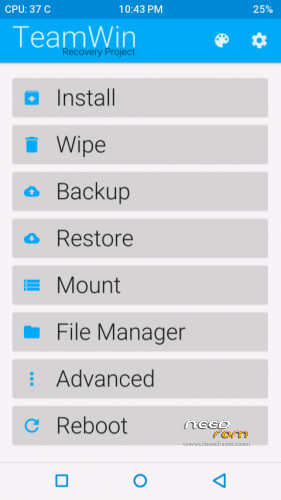
- Title: TWRP 2.8.6.0
- Listed: January, 2016
- Last modified: 01/10/2016 5:57 am
- Version: 2.8.6.0
You must be logged for ROM download.
12729 total views, 1 today
1 Total favorites
CUSTOM
 Member Info
DESCRIPTION
Flash it using Mobile uncle tools or SP Flash upgrade tool
※Please make a backup of your device before installing or updating ROM
Getting mount errors while wiping or installing
If you are getting cache mount errors, go to wipe, select cache, select fs options, select ext4 and change fs. It will take about 10 minutes or more. After it you shall not get any cache mount errors.
If you are getting preload mount error, that's ok, it doesn't cause any harm
I am getting preload mount error, that's ok? But…it froze on formatting cache or i need to wait much longer then on previous twrp version?
I am getting errors in wiping.
Also the phone locks and the touch screen is not responding
Well, TWRP 2.8 formats the partitions as exfat4 (which is best format), therefore it takes more time for wiping. But in TWRP 2.7 or 2.6 or lower, it formats partitions as exfat3 or exfat2 <these are probably lower than exfat4.
If errors still persist, try reflash the recovery. GOOD LUCK