
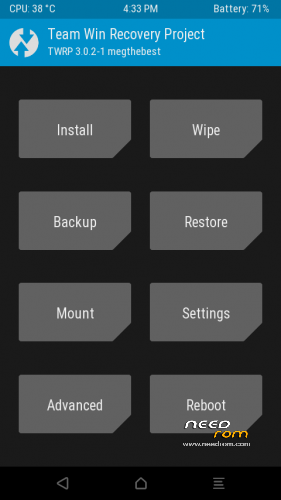
- Title: TWRP 3.0.2-1 Vienna
- Listed: May, 2016
- Last modified: 05/14/2016 1:11 am
- Version: TWRP 3.0.2-1 megthebest
You must be logged for ROM download.
12518 total views, 1 today
6 Total favorites
 Member Info
DESCRIPTION
TWRP 3.0.2-1 for Ulefone Vienna
Multilanguage, more than 10 languages!
Tested With LATEST ROM ot 7th may 2016
Download and Install correctly Mediatek Preloader drivers before using Flashtool
( Take care on Windows 8.1/10 drivers, you need to disable driver signature before install:)
https://www.youtube.com/watch?v=50pD0mONm44
http://laurentiumihet.ro/technology/windows-10-mtk-vcom-usb-drivers-for-32-64-bit-drivers-installation-tutorial/
https://thebroodle.com/microsoft/windows/install-mediatek-mt65xx-usb-vcom-drivers-windows-8-8-1/
1- With flashtool load MT6753_Android_Scatter-TWRP.txt
2- Select download and connect smartphone to pc (smartphone must be powered off)… in few seconds will start the process and the new TWRP will be flashed
to enter recovery, you need to boot in android, activate developers option menu, activate debug usb and use ADB commands to reboot in recovery mode: http://forum.xda-developers.com/showthread.php?t=1853159
To have root flash with TWRP the archive supersu.zip 2.71 found here: https://download.chainfire.eu/932/SuperSU
INTERNAL MEMORY is accessible in TWRP browsing DATA/MEDIA folder
TWRP BACKUP if choose internal memroy, IS STORED in DATA/MEDIA/0/TWRP
Consider donate if i help you!
And please rate me 5 stars
※Please make a backup of your device before installing or updating ROM
Good but i would fix the Storage paths to match the Data/media walkaround
If you have an sd card, path is more easy..
Can't enter to recovery with key combination Vol- and power button?
No, unfortunately in this firmware is not present the recovery boot with keys during power on
How can I enter to recovery mode?
The easiest way is to take an app from google play, I use Reboot Recovery
https://play.google.com/store/.....boot&hl=es
@EcoAlfa
what do you think?? . we go here tp root the device, then you offered the tool which need the rooted already to run !!!!!
Does it base on android 5.1 rom ? I am using 6.0 now but I want to downgrade to 5.1, can I keep TWRP_302 Android 6 or flash it again? or I have to flash this TWRP 3.0.2-1 Vienna base on 5.1 ( if it does) ?
this is not working with the august 2016 android 6 image
thanks