
- Title: TWRP 3.0.2
- Listed: May, 2016
- Last modified: 05/01/2016 10:53 pm
- Version: 3.0.2
You must be logged for ROM download.
15774 total views, 1 today
10 Total favorites
CUSTOM
 Member Info
DESCRIPTION
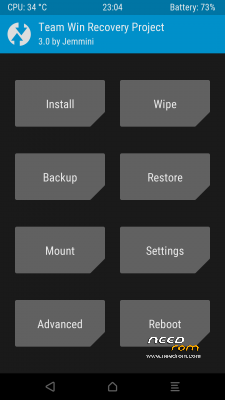
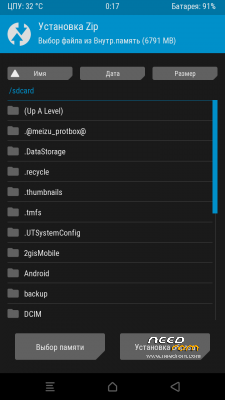
TWRP 3.0.2 FOR DOOGEE X5
now you can mount usb storage
※Please make a backup of your device before installing or updating ROM
Link not working
link updated , sorry
Thank you
Your welcome
thanks, better than the first
thank you MOUNOUR65
YOUR WELCOME
Thanks for this recovery I used it to port for cubot note s, it works fine and better than the previos one 3.0.0
the links have bunch of ads!!!!
This link not work , pzl fix bro
This doesn't work on my new motherboard doogee X5. any help?
How to install TWRP to your phone:
1. Install DOOGEE X5 Drivers! : http://data.hu/get/9535940/And....._CDC_Driver.zip (You need to disable Windows driver verifycation, then right click on the Android_Gadget_CDC_driver.inf and mtk_sp_usb2ser.inf click install. Then goto 32 or 64 bit folder, and install usb2ser_Win764.inf files like this method.)
2. Download SP Flash Tool : http://data.hu/get/9535943/SP_.....1524.00.000.zip
3. Download official Doogee X5 V17 rom: https://www.needrom.com/downlo.....ad/doogee-x5/
4..Run as administrator flash_tool.exe. (important – as administrator!)
5. Click Scatter-loading and select from the unzipped official doogee x5 v17 rom, this file: MT6580_Android_scatter.txt
6. Then, just the recovery line be checked, all other line get unchecked. Double click to recovery, and select from unzipped DOOGEE X5 – TWRP Recovery 3.0.0_0 the recovery.img file.
7. Turn off your phone, remove the battery, then put back battery, and connect the phone with USB cable.
8. Click DOWNLOAD button, wait a second, and done!
How to enter to the TWRP Recovery:
Just turn off your phone, and press POWER + VOLUME UP Button for 3-4 seconds, until the phone turned on.
With Volume up button, select "RECOVERY MODE" and press volume down.
I hope you done this install succesfully!
Link not working
thanks, cool