
- Title: TWRP Easy&Clean Install
- Listed: September, 2014
- Last modified: 09/28/2014 2:23 pm
- Version: 4.4.2 locked bootloader
You must be logged for ROM download.
31311 total views, 1 today
2 Total favorites
CUSTOM
 Member Info
DESCRIPTION
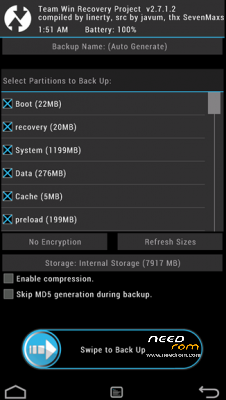
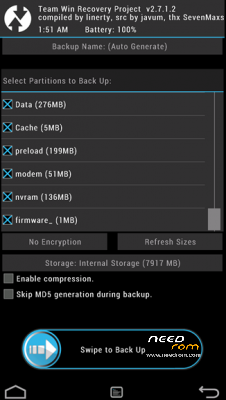
-unzip flashrec.zip
-run flashrec.bat
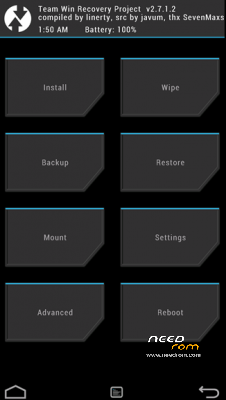
-Hold-down-don’t-let-go the "VOL DOWN" + "VOL UP" buttons. Press "POWER ON" button until
you feel a vibration, let go "POWER ON" button. Once you see the “TWRP screen” (i.e. Black-White
logo), let go "VOL DOWN" and "VOL UP" button.
※Please make a backup of your device before installing or updating ROM
Thank you bro
u r wellcome bro .)
Dear can you make vidio
dear bro,
- install adb drivers on system
- select usb debug mode (adb)
- run flashrec.bat
easy and clean install bro .)
Dear I’m try it but I will try again no problem
Anyway thanksssssss
Hi.
Had 4.2.2, installed twrp by your guide in the description. Tried to install the 1437 rom, it said it failed. Now I try to reboot to the system, only lights the blue led on top, the screen is black
Please tell me what to do to install the rom and have my phone working again. Tank you
when I try to install the rom (LENOVO K910 VibeUI – 1437) it says: This package is for "kitone" devices: this is a "kiton". Previously I tryed to install the same package using clockwork, and then it said: This package is for "kitone" devices: this is a "K910". Is there something wrong with the package or am I doing something wrong?
hi bro,
- restart phone twrp
- touch mount section
- unmuount/uncheck system
- install zip coose your rom version "rom.zip,vibeui_1437.zip" do not restart phone press back
- touch mount section
- mount/check system
reboot system.
Woooow!!! Thanks, super easy and simple. Good work.
hi..i try to flash it but failed. i am first timer, can you explained in details how to do this?
hi bro, u can checked adb driver correctly installed on the system (Android ADB Interface), u can checked usb debuging mode enable.
Does the sideload work? I could not make a connection (though it could be something with my Windows driver).
Can someone confirm adb sideload as working?
not working for me, bro
@voidon i can tried adb sideload rom.zip command for work me now i`m install 1437 st my kiton device
- u can select adb sideload
- just a five or ten second wait
- good luck bro .)
Hello , bro i cant flash it say failed ur device locked.. Im using k910 dual sim , and 1437 vibe ui2.0 kitkat…
did you follow the instructions above step by sey
just be sure that u install proper device driver and run the flashrec.bat
- install adb drivers on system u can check (Android ADB Device) system device manager
- select usb debug mode (adb)
- run flashrec.bat
easy and simple install bro.
r u sure , it can flash on vibe ui 1437 , android kitkat , after flash it , i can go recovery press up n down vol button rite ?