
- Title: TWRP Unofficial 3.0.2-1 by cuvetto
- Listed: September, 2016
- Last modified: 09/03/2016 10:05 pm
- Version: TWRP 3.0.2-1 Android 6 29/08/2016
You must be logged for ROM download.
12203 total views, 1 today
2 Total favorites
 Member Info
DESCRIPTION
WARNING: This version is different compared to that of 11/08/2016, because Ulefone solved the problem on the kernel.
ROOT PROCEDURE FOR ULEFONE PARIS FIRMWARE MM 6.0 OFFICIAL (29/08/2016 VERSION)
1. Download and unzip the archive: http://goo.gl/o9neuF (TWRP+BOOT)
2. Download and put SuperSU on your phone or SD: take it from http://forum.xda-developers.com/showthread.php?t=1538053 (only version TWRP STABLE)
3. If you never used SP Flash Tool, install before the driver of Ulefone Paris.
4. Turn off the phone, remove the battery, open SP Flash Tool, select the scatter file from the archive, select RECOVERY.img and BOOT.img, click Download, connect your phone via USB and wait.
5. When everything is Ok, and you see on the center of your screen a green banner, disconnect the phone from the USB, turn on holding down the ON button and VOLUME +.
6. Choose "Recovery Mode" using VOLUME + and confirm the selection pressing VOLUME -
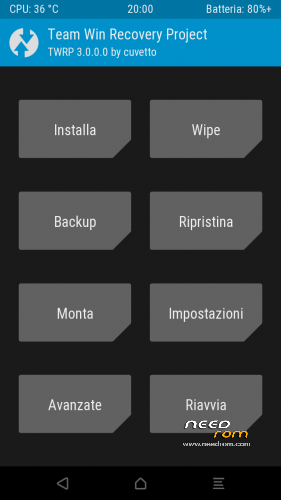
7. When start TWRP, select INSTALL, look for your SUPERSU file saved before, flash and reboot the phone.
8. MY COMPLIMENTS!! NOW YOUR PARIS WITH MM OFFICIAL, IS ROOTED!!!
※Please make a backup of your device before installing or updating ROM
all good, but link in item 1 doesn't work (at least for access from KZ)