
- Title: X5PRO STOCK ROM
- Listed: October, 2015
- Last modified: 10/13/2015 2:04 pm
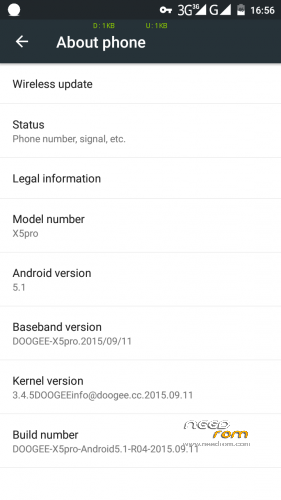
- Version: DOOGEE-Android5.1-X5pro-R04-2015-09-11
You must be logged for ROM download.
28570 total views, 4 today
8 Total favorites
 Member Info
DESCRIPTION
Stock Rom Android 5.1
Minimal GAPPs
No root
※Please make a backup of your device before installing or updating ROM
Make Nandroid backup, NVRAM backup before you start
Please ensure you have installed proper usb driver for Doogee X5pro
HOW TO FLASH ROM
Extract downloaded rom file, use SP flashtool to flash rom.
1. Switch off phone
2. Select scatter.txt file
3. Select OPTION-DOWNLOAD-HIGH SPEED, BATTERY AUTO DETECT
4. Tick Download All With Checksum
5. Click Download
6. Connect phone to usb
7. Once pc detected the phone, flash will begin
8. First red bar, then purple, yellow and finally GREEN in a box
9. Unplug usb and switch on the phone
ROOT
Place SuperSU 2.50 .zip in your sdcard root folder
Go to SETTING – ABOUT PHONE – WIRELESS UPDATE (click 3 dot)
Select LOCAL UPDATE and search for supersu.zip
Stock recovery will start flashing zip and phone reboot
Check out SuperSU app in tray and check root status
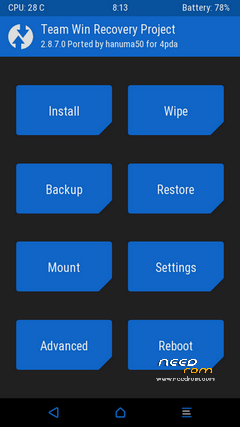
TWRP
Install FLASHIFY from Playstore
Download above TWRP 2.8.7 and extract the rar file
Run Flashify , click RECOVERY- CHOOSE A FILE and select recovery.img
Flashify will flash Twrp replacing stock recovery
※Please make a backup of your device before installing or updating ROM
Hello if someone have backup of nvram I would appreciate Your help. I just formatted whole data by unlocking oem and lost my imei. With nvram backup I could restore it by using MTK droid tools. Thx.
good night, is that the thread is already old, but come here for a problem, my phone auto-update, now only leaves the yellow doll and error, no command, eh tried everything and there is no way back, no program connects with, enters recovery mode from the menu, and there is the option to update by SDCA, as I can get update or return to the previous ROMs by SDCA?
Greetings and thanks
Using spflash tool, I have formatted the entire phone and downloaded this rom(all partitions including preloader) into my phone.
For some reason
attempt#1) phone got hard bricked. Had to re download the preloader through META mode.
attempt2#2) now when I try to power on, I feel the vibration but nothing comes up. Even when I connect my usb power charger, nothing comes up. I read from herehttps://sturmflut.github.io/me.....-little-kernel/ that battery charging animations are prompted by the lk("little kernel"). So my guess is that the lk is wrong.
Did anyone run into a similar situation as me?
I am actually in your situation but i dont feel any vibration
My phone is bricked when I tried to install your rom… What can I do