
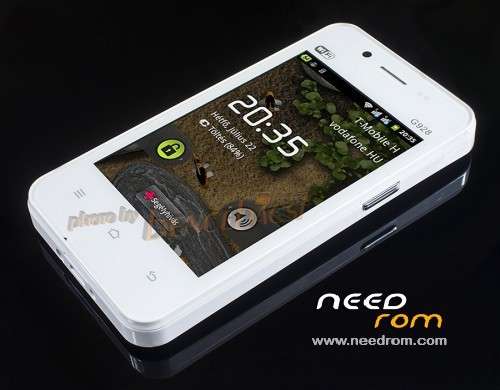
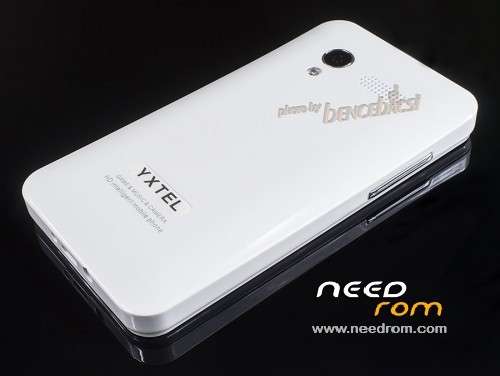
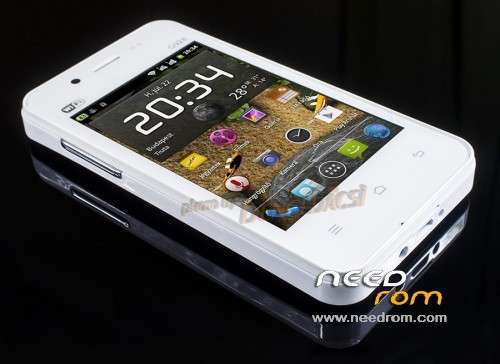
- Title: YXTEL G928
- Listed: September, 2013
- Last modified: 09/29/2013 2:46 pm
- Version: G928.1.0.4.20130513.115741
You must be logged for ROM download.
36017 total views, 5 today
2 Total favorites
CUSTOM


 Member Info
DESCRIPTION
This is a rooted custom ROM with unlocked boot.
Use at your own risk!
Flasher + driver is attached.
If you just want to unlock your (make it rootable) phone, flash the boot.img only.
※Please make a backup of your device before installing or updating ROM
How to root YXTEL G928
There's a Chinese root tool which can rott almost all sc6820 phones. That has Chinese UI but you just have to click on the green buttons.
http://www.mediafire.com/downl......3825_Setup.zip
root with mobogenie
Download kingoroot for windows and install and root with usb debugging. I will suggest you to please don't root your mobile it will damage your system.
Thank you . thank you very much bencebacsi, i successfully rooted my yxtel g928
Thank you
how have you rooted your phone i also own the same phone can you please tell me the steps
pls help how to install the rom pls help me.how to install
How to install custom ROM , while updating ROM from sd card Error is occurs, E:signature verification faild. how to solve it?
Installing a custom ROM via the factory recovery is not possible on any Android phone. You have to install a custom recovery to do that. You may try to create one on the following site:
http://builder.clockworkmod.co.....m/
Sometimes it works sometimes not. Sometimes the cwm recovery can be loaded succesfully but the buttons work only if you've checked the 'Touch Recovery' at the beginning of the building process.
check your firmware or rom version
i installed so many recovery image files but these are not supported…. how to install cwm in YXTEL G928
If you've got a working cwm recovery image for this phone, than the installing is simple. Just replace the recivery image contained by the pac file before flashing. Click on the double gear button, double click on the Recovery line then search for your cwm recovery file. If you want toy flash the recovery only, than uncheck all otfer items (exept the fdl files) and flash your phone.
https://www.needrom.com/wp-con.....files/yxtel.img This is the working CWM for YXTEL G928
hello bencebacsi .
thank your for this , i successfully rooted my device .
but i have this problem .
i accedentally deleted my go launcher and the system launcher ,
now im stock on my booting screen
what is the solution of this ?..
how to FLASH this phone ?
Hi,
In this case you don't have to reflash your phone. Connect your phone to USB in powered off state and you'll get the adb connection in a few seconds. Then you can copy a launcher apk into the system/app folder.
Hey i find the CWM for YXTEL G928
Download and Flash it….
thank you for reply sir
oh i solved my problem already
i didnt use any USB CABLES .
please i have same problem how did you solve yours
hey any one plz give working CWM for YXTEL G928
1.make sure you have installed all the drivers and you do not have the yellow marks under other devices
2. set the baud rate to 57600 which is the lowest (mine worked)
3.remove the battery and put it back
4. hold the volume (-) and the power button together then insert the usb cable and until it start flashing dont release the buttons, as soon as it starts release the buttons
just remember taking off the battery is very important everytime you wanna start flashing and putting it back
Your phone is not connected. The baudrate setting doesn't make sense, you may leave it at the maximum. Connect your phone to USB while pressing vol up or vol down button (dipending on your phone). Don't press the power button as it doesn't needed but can prevent the boot process. If you use Windows 7 or 8, than you have to press F8 before your windows boot process starts and choose 'Disable Driver Signature Enforcement' in the boot menu. Without that the needed drivers won't be loaded and you phone wouldn't be connected.
i am using another tool also but it says there is no device found
This tool is useless for Spreadtrum Android phones.
CWM for yxtel g928 please if anyone can help with this…
hey i am using yxtel G928 a accidently uninstal the system launcher and system es file explore and made factory reseted now it is not launching phone plzzz help me to solve plz plz