
- Title: TWRP 2.8.0.1
- Listed: October, 2014
- Last modified: 10/30/2014 2:15 pm
- Version: TWRP 2.8.0.1
You must be logged for ROM download.
28361 total views, 1 today
 Member Info
DESCRIPTION
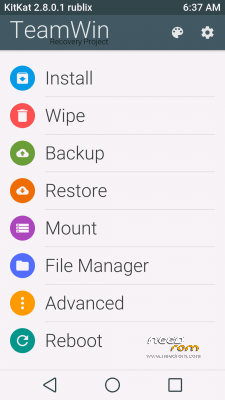
Installation should be made from inside another modded recovery. For those who still has the stock one, preferable way is to flash this recovery with FlashTool.
To flash this recovery with FlashTool, you need to extract recovery.img from the archive and use your stock scatter file.
Extra features made possible with this recovery:
- full SELinux support
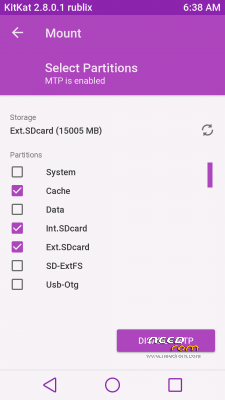
- mounting both internal (EMMC) and external (SD card) flash partitions while connected to PC
- mounting and file exchange with OTG USB flashdrives, formatted Fat32 or exFat (connect flash drive, then go to Mount and put a checkmark on the Usb-Otg option)
- USB mice work
- original OTA upgrades are supported
- adb fully functional
- battery charge support
Not my work! Found on NET a few day's ago!
※Please make a backup of your device before installing or updating ROM
Thanks.
Lets try it.
Thanks.
it's really good with some additional functions (otg), it's beautiful
Can be used on KitKat C2?
this is for KitKat, or you need to zopo c2? this twrp for zopo c2 does not fit
Thanks
Beautiful and easier to use
Thank you! work great, very easy to use!
Can be used on kitkat 980+?
sorry to ask this but how to install it on zopo 998 stock kitkat?
Installed it via TWRP 2.7.
Works like a charme, the new one 2.8 is much faster. Copied it on my SDcard as it (zip), choosed in TWRP "install", choosed the directory, where I stored it, executed the update, reboot, thats all. Fine work!
@edison658
normaly you can use mobileuncletools via install
very easy to use!
simple et efficace
i've a zp998 with stock kk (last firmware update) rooted with kingo root. Can i install it and how? Thanks