
- Title: ZTE AXON MINI (B2016 force touch AND B2015)
- Listed: November, 2016
- Last modified: 02/02/2017 2:15 pm
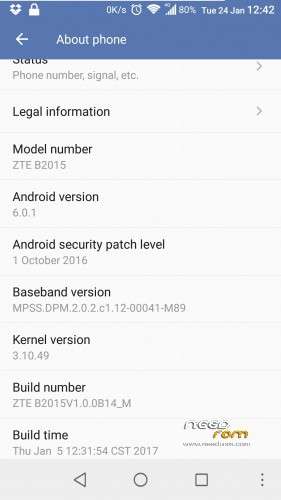
- Version: Marshmallow 6.0.1 version B14
You must be logged for ROM download.
47198 total views, 6 today
32 Total favorites
 Member Info
DESCRIPTION
EDIT12: Someone just noted on the XDA website that the ZTE_VIDEO (system app simply called "VIDEO") has a chinese spyware in it. I'll remove it from the ROM when I have time, but for now I'd recommend you to DELETE/UNINSTALL this useless app as there are many better alternatives on playstore (I use MY player- best but slow to load, or ES explorer or Quickpic, they all have player in them)
I have also updated the Intructions below to make it easier for you to understand the notes about the aboot file. many users bricking their phones for missing some important notes below.
_____________________________________________
EDIT11: A few different bootanimations available for download (the 7a-international is the one that comes with the ROM)
_____________________________________________
EDIT10: B14 ROM available!!!
- I left the setting app unchanged this time. I found a very neat file where you can choose what items of the settings manu to turn on/off. The file is system/etc/P839A01.settings. Feel free to play around, no reboot needed, simply close the setting app, change this file and open the settings app again to see the changes. No risk of bootloop either, I have alrteady turned everything on/off to see what changed.
- Force is still there, but now I have disabled it by default in a attempt to see if it improves battery life. To enable it simply change the build.prop line "ro.build.PTP_Feature=false" to true
- Added a bunch of build.prop tweaks. To restore it to the original, simply delete all lines below the note "#manually added".
- I cannot tell what else changed, the cumulative update to B14 was only 8Mb compared to B13, but as found in the ZTE website, some configuration files have been changed to "improve memory management". So far this rom is very smooth and seem to work better (or no worse) than B13.
- Dolby behaviour changed a bit. It stays on when plugging headphone in, but turns off when pressing "play". It still works though, but you have to press play then turn it on manually.
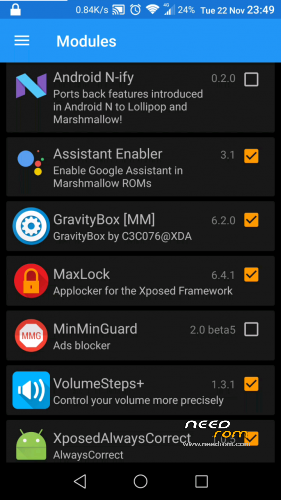
I have tested and xposed works well too.
B09, B12 and B13 are still available from my Mega account (on the OLD roms link).
…….
_____________________________________________
INITIAL NOTE:
Before placing your review, please kindly remember one simple thing:
You would NEVER be able to have a Marshmallow ROM on your ZTE AXON mini B2016, if it wasn't for our work (@Bormental, @Crisvendeta, myself, and some others from XDA).
Another relevant note: ZTE made this rom, not us, so if you are not happy with the rom itself please blame zte and not me, I'm here simply helping/sharing the way we found to keep our phones up-to-date. I doubt ZTE will ever update our devices, but I hope I'm wrong.
_____________________________________________
INTRODUCTION:
This ROM is based on the chinese stock from the B2015 phones. It only has English and Chinese language in principle, although the translation for other languages using apps like language enabler isn't too bad.
This M Rom gave new life to our poor axon mini. The stock lollipop ROM was slow and laggy.
It all started after @Bormental (from XDA) made a working custom twrp for this phone, which allowed us to backup and to flash anything. He also figured out that we can flash ANY rom from the B2015 model on the B2016, as long as we replace and use the Modem from the international lollipop for the B2016 phone.
All I did, other than removing some crappy stock apps and the stock recovery (otherwise it would replace twrp), was to replace the modem, the logo screen, the boot animation (all from the international ROM), edited the settings-ZTE app, transferred the "force touch" capability from the last B10 into the B12/13/14 and added the gapps into the system.
I have also added some other google apps (keyboard, dialer, contacts, tts, etc) and es file explorer.
The ROM is cleaner now, more like a proper aosp, but there is still some ZTE stuff around, which are needed to have a fully functional system.
So……moving on to our business…..
IMPORTANT: IF YOU JUST INSTALLED TWRP VIA ADB AND CAN BOOT INTO TWRP RECOVERY, THEN IT MEANS IT IS WORKING FINE…EVEN IF YOU THINK IT IS NOT…. IT DOES WORK OK, AND YOU DID NOT READ THE INSTRUCTION BELOW ABOUT THE ABOOT FILE.
NEVER…..EVER, INSTALL THE STOCK RECOVERY BACK, UNLESS YOU INTENT TO SEND THE PHONE BACK TO ZTE, AND EVEN FOR THAT THERE IS A SPECIAL PROCEDURE TO INSTALL THE STOCK RECOVERY BACK, ASK IF YOU NEED.
_____________________________________________
STEP-BYSTEP:
if you have lollipop:
1.1- Root and install twrp;
1.2- IMPORTANT: NOW USE THE RECOVERY TO MAKE A BACKUP, so you make sure you test the recovery too BEFORE wiping your system;
1.3- reboot recovery/wipe/advance/ wipe system, data and cache;
1.4- flash the latest B14.zip (ROM);
1.5- then flash superSU 2.62; than (optionally) flash xposed;
1.6- reboot system (no need to flash aboot6 in this case, the ROM already has it);
1.7- First boot will take a little while to boot, wait up to about 5-7minutes.
If you already are on M rom (B09 or B12 or B13):
2.1- you already have TWRP, so just reboot recovery and flash the aboot5*** file;
2.2- flash B14.zip (ROM); then (optionally) flash superSU 2.62; than (optionally) flash xposed. Follow this exact order if you already have xposed. If you leave to flash xposed later, your system will try to "update 60 apps" in the first boot, then "update 130 apps" after you flash xposed. Flashing all at once avoids this waste of time.
2.3- reboot system. First boot WILL take a while to boot, wait up to about 10 minutes.
_____________________________________________
IF YOU DON'T READ THE NOTES BELOW you are taking a BIG RISK TO BRICK YOUR PHONE AND MAY NEED TO SEND IT BACK TO ZTE. But don't fear, Just do it right and you will be OK.
***IMPORTANT NOTE ABOUT THIS ABOOT FILE:
this twrp was developed for the android 5 (L) version. Once your have installed android 6 (M) you must flash this aboot5 and reboot recovery before:
3.1- doing a nandroid backup;
3.2- Flash files larger than ~350Mb (superSU and xposed CAN be flashed without this);
After doing the operation you want to do in the recovery, you MUST flash the aboot6 file BEFORE rebooting the system.
NOTE A- failing to flash aboot5 before recovery operations will cause the screen to turn black.
NOTE B- failing to flash aboot6 after backing up your system/data, will cause a bootloop.
However both failures above are harmless, you won't loose anything, just restart recovery, flash the correct aboot file and you are good to go again.
—-> FAQ: I'd love to brick my phone in such a way even zte will have trouble in bringing it back to life. How do I achieve this?
This easy and is the only way I can think you can manage to brick your phone: (never do it!)
4.1) install twrp,
4.2) then try flashing any M ROM (or simply flash the aboot6 zip)
4.3) To conclude, simply install the stock recovery either from twrp itself or from adb.
4.4) DONE, your phone WILL be a BRICK, and only ZTE may fix it. I think this is exactly what you wanted?
_____________________________________________
&&& Notes about google Play store:
5.1) Once the system boots up, go straight to MI-assistant app;
5.2) open it and hit the big green button in the middle. wait until it finishes;
5.3) on the second result row (autostart) you MUST allow play services to autorun;
5.4) Finally you can add your google account.
__________________________________________________ ______
WARNINGS:
6.1) DO NOT flash roms for the B2015 directly downloaded from ZTE or you WILL loose the twrp recovery; These original files MUST be modified before flashing so you keep your twrp intact;
6.2) IF YOU HAVE A BOOTLOOP. @Crisvendeta (the founder of the axon mini XDA thread) discovered this useful trick to boot into recovery during a bootloop
(quick EDIT: someone in XDA just discovered the vol+ isn't needed to turn the phone off)
6.2.1) vol+power for 10 seconds – phone will reboot
6.2.2) keep holding vol+power for 10 more seconds – phone will reboot again;
6.2.3) keep holding vol+power…..in about 5 seconds, as soon as the screen turn off, release the buttons. Phone will turn off.
6.2.4) Now you simply vol+power to start in recovery mode, as usual. So please don't panic, as long as you have twrp you are safe.
Enjoy a much better phone!
※Please make a backup of your device before installing or updating ROM
This link is sorry http://4pda.ru/forum/index.php.....#038;p=56569198
Hi!
On easy-Firnware webpage there is firmware FTV1.0.0B06.
https://easy-firmware.com/inde.....y&id=26358
Does anybody know what difference is FTV1.0.0B04 and above?
No I don't know if B06 is M or L ROM.
I know B04 is L, B08,09,10,12,13 are all M
B06 is a mistery to me, and the site is for members so I cannot download to check.
Regards
Good day, thx all. I sucsesfully install 6.0.1 accordign this manual.
One more question: Does we have way to get root on 6.0.1?
Yes, once TWRP is installed, it is very easy to root.
All you need is posted here, just read.
Cheers
Problem, that after i install from TWRP new ROM from this manual, i cant lounch TWRP. And SUperSu – don't work (write that don't have binary file).
I try to get root from KingRoot – but don't have result.
When i plug in "+" volume during the boot -> lounched stock recovery =(
im Sorry but You Didn’t install twrp at all.
first you have to be still in the stock lollipop ROM.
once you root your phone you can finally try to install twrp.
until you install trwp correctly, don’t even try to flash M ROM
by the way, what language is best for you?
good luck
Native language – russian.
How it's possible (about TWRP) – with TWRP i install M ROM? – just after installation i can't reboot to TWRP (possible i do something wrong and TWRP rolbacked)?
Mow i'm on M ROM from this theme. SuperSU don't work (write something about don't have binary files).
Firstly i root my phone on stock ROM (5.0) throgh KingRoot. after this i will install TWRP through Flashify.
And like i said before, after i install ROM M from this theme -> my TWRP rollbacked to stock and SuperSU don't work(sry i delet it at all).
If you have possibility and wishes to help: you can chat with me directrly through skype: nolik-_-
ok.
first of all, tonight, in a few hours from now I’ll post the Russian translation of all the instructions.
if you flash M rom from zte, your recovery (twrp) will be lost.
you must flash my modified ROM to avoid losing twrp.
please read the Russian instructions first then see if you still have any questions.
cheers
Hello. I have install your B14 firmware on my b2016. Now i want go back to stock rom. What can i do, to go back to stock rom, when i can't root your custom rom and can't use twrp. Only standard recovery is enabled. Please help.
How Can i now instal twrp without root, because installing your rom has disabled my root and erased my twrp recovery. Please help
Maybe only install twrp now on marshmallow 6 on device to have access to recovery.
Rootin doesn't work, twrp installing failed . Google services doesen't work. I want go back to b2016 rom, stock original. Please help.
Mr. demenicis, can you help me? This is very important for me. Maybe you have working files to go back to stock or add working twrp to device?