
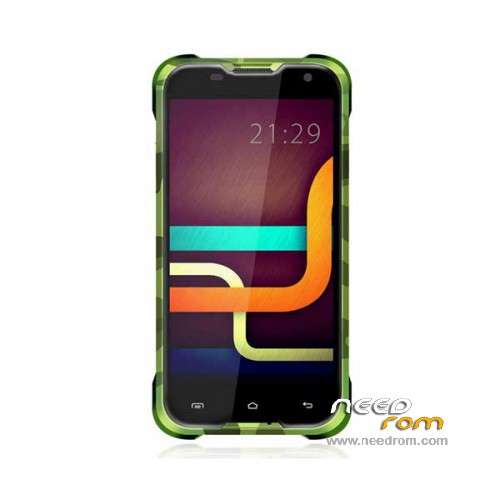
- Title: Blackview BV5000
- Listed: March, 2016
- Last modified: 05/16/2016 1:19 am
- Version: ROM Android 5.1
You must be logged for ROM download.
18415 total views, 1 today
13 Total favorites
 Member Info
DESCRIPTION
ROM Phone Blackview BV5000 - ROM Android 5.1
ONLY MT6735M
ROM 2 – Official ROM Blackview BV5000 version: BV5000_C1_Blackview_V1.1_20160419 – t89j-jk-bv5000-hd-33pgu-128g16g-1851 – full_hct6735m_35gu_l-user 5.1 LMY47D
I don't know if this rom is compatible with ROM 1
————————————————————————————————————————————————————————————
Update Official ROM 1 – Blackview BV5000 version: BV5000_C1_IGET_V0.4_20160324 – t89j-jk-bv5000-ce-hd-33pgu-128g16g-1851 – full_hct6735m_35gu_l-user 5.1 LMY47D
————————————————————————————————————————————————————————————
ROM 1 – Blackview BV5000 version: BV5000_C1_IGET_V0.3_20160318 – t89j-jk-bv5000-ce-hd-33pgu-128g16g-1851 – full_hct6735m_35gu_l-user 5.1 LMY47D
Gapps include – No Rooted
Language support: Multilang
Install ROM:
Install with SP MDT:
1). Turn off the smartphone. Cable is not connected to the computer.
2). Remove the battery and insert it again
3). Connect your phone to a computer cable. The operating system detects a new device
4). Disconnect the cable from the computer.
5). Run SPMultiPortFlashDownloadProject.exe
6). Choose File> Open File Agent download and specify the file MTK_AllInOneDA.bin (it is in the folder SP_MDT).
7). Click Scatter File and select the MT6735M_Android_scatter.txt file (it's in the folder with the rom).
8). Click "Start all".
9). Connect your phone to a computer cable. The program should see and blink. If the phone is not detected, then unplug it from the computer,
remove and insert the battery (if the battery is removable) and reconnect it to the computer.
10). After (OK) click Stop and disable any phone.
11). Completed.
※Please make a backup of your device before installing or updating ROM
Any changelog available'?
What's new on v0.4?
i have a "read login fail" when i Start the DownloadProjekt exe.
I does not runs.
Hello,
go to google and search for Pack-SPMDT-v3.1604.00.00, this is another version and it solved problem for me.
Me too, read login fail? any help?
Hello,
go to google and search for Pack-SPMDT-v3.1604.00.00, this is another version and it solved problem for me..
Hello,
In point 8 i get this error all the time, any clue (i only have com 1 selected)?
—————————
FAIL
—————————
Warning: Maybe error as follows:
(1)COM ports number repetitive or invalid
(2)Brom and preloader have the same comport number!
Please modify them in INI file or scan again.
—————————
OK
—————————
Thanks a lot in advance
Finally I was able to flash my bro’s bv 5000/after a very hard work and dedication…
But pls I need a working recover.img for this device. Thabks
hello for bv 5000 / bin file is not fully loaded , please check scatter an load setting ?Is there another mdt file thanks
window 10 ( french man )
works good