
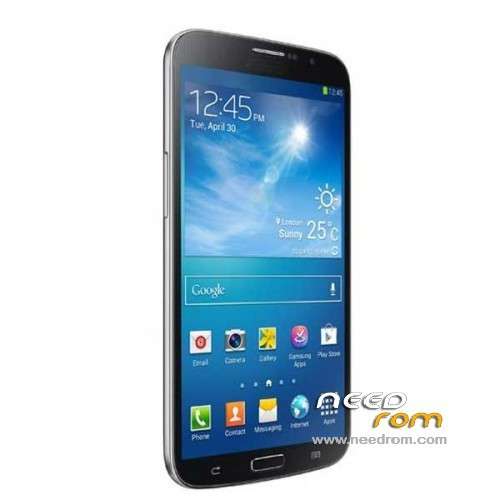
- Title: HDC S4 GT-i9500 Pro MT6575
- Listed: December, 2013
- Last modified: 12/20/2013 2:01 am
- Version: ROM Android 4.2.2 (4.0.4)
You must be logged for ROM download.
61073 total views, 3 today
7 Total favorites
 Member Info
DESCRIPTION
ROM Mobile HDC S4 GT-i9500 Pro- ROM Android 4.2.2 (4.0.4 )
Features ROM:
Official ROM HDC S4 GT-i9500 Pro Version : V18_75_WVGA_V1.1_20130628_2046_V1.0.2_ZH_S
ATTENTION This Mobile is a big Fake:
MT6589 1.6GHz(Real MTK6575)
2GB RAM(Real 1GB)
8GB storage(Real 4GB)
Android 4.2.2 OS (Real 4.0.4)
800*480 pixel (True)
Gapps include – No Rooted
Language support : Multilang
Install ROM:
- Unpack FlashTools, and Click on Flash_tool.exe
- Select a the MT6575_Android_scatter_emmc.txt in ROM
- Wait file to be added into Flash Tool
- choose Option->USB Model,click USB Model
–> Choose Option->DA DownLoad All->Speed->High Speed, click High Speed
- Turn off your phone, remove the battery.
- "Press F9 (hit Download button)" OR " if upgrade ROM Firmware->Upgrade "
- and connect your phone into the computer via USB data cable.
- The process will start and a red progress bar will appear after color purple, yellow.
- And green circles display
- Finish !
- You can now safely disconnect your phone and turn it on.
※Please make a backup of your device before installing or updating ROM
sir…i have flash with this rom…but i get error 8038…how to fix sir…please help….
this rom is not for your phone….
Sir , i installed this rom on my s4 mt 6575 everything went correct ,even the green circle appeared , but when i unplugged my device n tried to start it its not responding at all… its not charging ,the power button is not responding , even its not connecting to pc…PLEASE help me …
Sir , i installed this rom on my s4 mt 6575 everything went correct ,even the green circle appeared , but when i unplugged my device n tried to start it its not responding at all… its not charging ,the power button is not responding , even its not connecting to pc…PLEASE help me …
That's what happened to me i need help
Same for me, after installing several roms, including this one, my phone is still dead, flash tool can flash the roms but my phone is NAND, not EMMC, I flashed the NAND rom but my error was, not unchecking the preloader box before flashing, once the preloader was replaced my phone died.
It doesn't charge, doesn't respond, can't go into recovery, nothing. I contacted mediatek but they have not replied
My phone not work after installed this rom on my s4 mt 6575
my device start its not responding at all… its not charging ,the power button is not responding , even its not connecting to pc…PLEASE help me
hello, i followed the tutorial and everything went well, but i have the same problem on my alsmadi_86 s4 gt-i9500 MT6575, the phone will not boot and will not load. So if someone have one solution, it will not be refused
O M G no one help us ?????
i've tried so many flash rom available on net till my phone is fully bricked just like u guys.its unable to boot/re-flash .. and cant be detected anymore with SP flash tool.this is due to wrong rom bootloader. i google to find solution for this.i came to know that dead phone can be alive back using the test point method from here http://forum.xda-developers.co.....d.php?t=1943442
since my phone totally bricked,why not i give it a try before i throw it away.it took me some time to figure out the test point on pcb board.finally i managed to get the SP flash tool detected and runing then flashing with this rom.
mine is single sim S4 clone MTK6575_S01 flashed with this file now is DEAD, tell me how to make it alive again , maybe link to the correct firmware will be appreciated
me too! plz help us
To my I spend the same in my MT6573, once got you a rom of the HD7 and was total dead, did not recognize it the pc and save it by doing this:
-Upload your original rom in the flash tools
-Connect phone without battery to the pc
-Press volume and power at the same time (as if you were to go to the recovery) with one hand.
-Click Download flash tools and put the battery without releasing the keys.
-If you're lucky, you'll see that the Flash tools gives you a message of connected or something (don't remember it well)
-If the message appears loose keys the phone and waiting to the flashing stops.
josercla
Upload your original rom ?????
heelp us Where we find original rom