
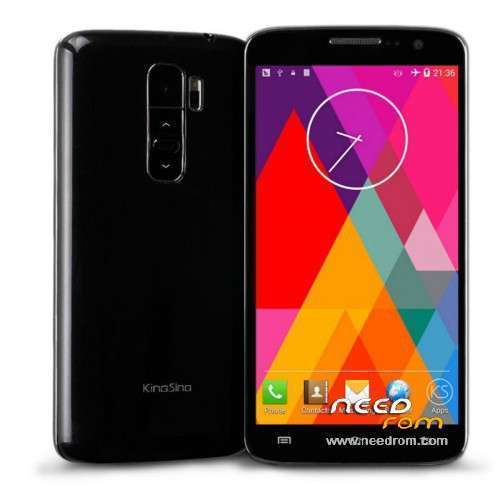
- Title: KingSing S2
- Listed: September, 2014
- Last modified: 09/11/2014 3:27 am
- Version: 4.4.2 with ROOT
You must be logged for ROM download.
32403 total views, 1 today
4 Total favorites
 Member Info
DESCRIPTION
Full "Read Back" dump/ROM from KingSing S2
For SP Flash Tool
- 4.4.2 KitKat
- Prerooted
- Playstore
Hardware : MT6582
Model : lcsh82_cwet_kk
Build number : ALPS.KK1.MP1.V2.10
Build date UTC : 20140812-115927
Android v : 4.4.2
Baseband v: MOLY.WR8.W1315.MD.WG.MP.V34.P4, 2014/06/14 15:28
Kernel v : 3.4.67 (rs@rs-ThinkStation-D30) (gcc version 4.7 (GCC) ) #1 SMP Tue Aug 12 19:56:25 CST 2014
Uboot build v : —–
LCD Driver IC : 0-otm9605a_qhd_dsi
Check more tech videos/guides & reviews from s7yler on: https://www.youtube.com/s7yler
KingSing S2 discussion thread
http://forum.xda-developers.com/android/general/kingsing-s2-lg-g3-g2-clone-knockon-4-4-t2864848
How to install? - check also this GUIDE here for more help:
http://forum.xda-developers.com/showthread.php?t=2730031
You flash it on your own risk! – flash with Spflashtool
Dont flash it on a wrong phone! your risk to brick it!
I do NOT recommend to flash the "Preloader" so please untick that part in SP Flash Tools before you flash! ALWAYS have a working backup of your original ROM before you flash a new unknown ROM.
- MAKE A BACKUP OF YOUR IMEI NUMBER, JUST IN CASE!
- TO AVOID PROBLEMS PLEASE UNTICK THE "RECOVERY" IN SP FLASH TOOL BEFORE YOU FLASH! (HIT DOWNLOAD).
- Unpack FlashTools, and Click on Flash_tool.exe
- Select a the scatter_emmc.txt in ROM
- Wait file to be added into Flash Tool
- Turn off your phone
- "Press F9 (hit Download button)"
- and connect your phone into the computer via USB data cable. (try with or without battery)
- The process will start and a red progress bar will appear after color purple, yellow.
- And green circles display
- Finish !
- You can now safely disconnect your phone and turn it on.
※Please make a backup of your device before installing or updating ROM
THANKS!!!!
could someone make a video of the procedure?
Press F9 (hit Download button)" OR " if upgrade ROM Firmware->Upgrade
Can you tell me wich of the two options above do i have to choose in order to put your rom in my phone?
Can you please make cwm version sir.
Or just upload METAINF
this is a good ROM for me, i got a Kingsing s2 at $109.99 from 1949deal, and they hold a giveaway about kingsing s2 and kingsing w8 http://goo.gl/93X8Kf , i share with you, hope i get it soon and flash it.
can you make miui rom for this?
error update, error scatter file . helppppppppppppppppppppppppppppppppppppppp please
dopo aver fatto la procedura passo passo mi da questo errore "PTM changed for the ROM; it must be downladed" qualcuno sa dirmi come posso risolvere?
You need to make a backup of your ROM first using MTK_Droid_tools. Use the scatter file created in the backup in the SP Flash Tool and you should be okay.
Ciao, ho anche io il kingsing s2 preso da un mese e volevo sapere se vale la pena montare questa ROM oppure ce n'e' una migliore?
Sai se è possibile monrare una Cyanogenmod 11?
Hi,
I cant update with this description – after shut down my phone and reconnecting to USB I only see the charging sign.
The SPFT doesnt do anything, is only waiting.
What do I wrong?
cu – Rudi