
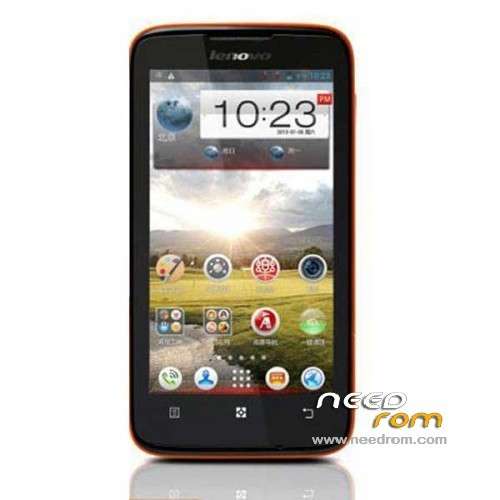
- Title: LENOVO S750
- Listed: July, 2013
- Last modified: 07/29/2013 12:19 am
- Version: ROM Android 4.2.1
You must be logged for ROM download.
50921 total views, 1 today
3 Total favorites
 Member Info
DESCRIPTION
ROM Phone LENOVO S750 – ROM Android 4.2.1
Based on Official ROM Lenevo S750 version: S750_S026_130517
Gapps include – Rooted
Language support : Multilang
Rom install :
- Unpack FlashTools, and Click on Flash_tool.exe
- Select a the MT6589_Android_scatter_emmc.txt in ROM
- Wait file to be added into Flash Tool
- choose Option->USB Model,click USB Model
–> Choose Option->DA DownLoad All->Speed->High Speed, click High Speed
- Turn off your phone, remove the battery.
- "Press F9 (hit Download button)" OR " if upgrade ROM Firmware->Upgrade "
- and connect your phone into the computer via USB data cable.
- The process will start and a red progress bar will appear after color purple, yellow.
- And green circles display
- Finish !
- You can now safely disconnect your phone and turn it on.
※Please make a backup of your device before installing or updating ROM
Thank you very much. This ROM is stable and light – no chineese programms, Apex launcher instead of Lenovo launcher.
Dear Transcosmio
I could not figure how to deactivate the adblock just like the instruction mentioned.
How to deactivate those ad block ?
Kindly advice
is possible to instal via CWM ?
Works like charm, thx.
Email and Calendar not working!
here is the fix + Notes how to resolve issue with calender problem on android lenovo s750 v4.2.1 custom rom or other
Unzip and read Text File
http://downloads.ziddu.com/dow.....er-fix.zip.html
2 mickeyf This may be useful for you. http://forum.xda-developers.co.....047&page=3 Calendar and Email is working me, And do not forget set permissions on copied files
I can not instal.Do not locatedmy phone.What i do…
Have this rom support mulit-language.? how many languages with it ?
I really need help!! I don´t understand a thing about, flashing, rooting, etc. The only thing I Know is that I need to remove all the china stuff from my s750 and access the play store. I have been following every tutorial I find in the net but I always fail. I have already installed the driver for my phone, and it is working good, but when running the flashing tool I am not being able to locate the MT6589_Android_scatter_emmc.txt in ROM. I am stucked and can´t even see a light.
Hi I have the same problem can.t locate MT6589 , but did not install the driver for my phone yet,
phone driver means lenovo USB Driver yes ?
and did you manage to do it at the and ? please advise thanks
Solved
HI please advise how did you do it thanks
ROm is good GAPPS work on permissions on copied files.
paano ma disable adblock para maka download dito help naman po????