
- Title: Recovery TWRP 2.7.0.0 for KingZone K1
- Listed: July, 2014
- Last modified: 07/01/2014 2:46 pm
- Version: TWRP 2.7.0.0
You must be logged for ROM download.
24487 total views, 1 today
3 Total favorites
OFFICIAL




 Member Info
DESCRIPTION
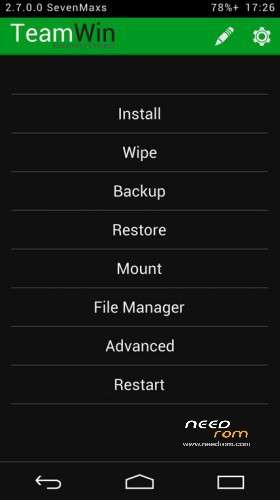
In this Recovery, I was able additionally implement:
- mounting of both flash drives – internal Emmc and removable SDcard to PC
- the USB flash drives with file systems Fat32 or exFat (for this plug a flash drive to the phone for Otg cable, and in the tab Mount put a check on against paragraph Usb Otg)
- USB mice
- support for OTA
- full functionality adb
- work battery
Thanks sevenmaxs
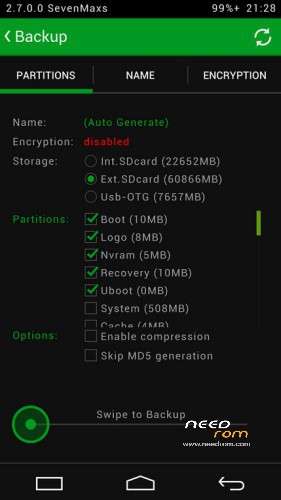
※Please make a backup of your device before installing or updating ROM
Thanks!!!

It's possible to know the procedure to load the recovery?
I also possess the model already k1turbo with 2 ram will do work well this recovery for my model?
Use VROOT to obtain root privileges. Extract the file recovery.img and copy in the root of the flash drive, use the program Mobileuncle MTK Tools for installation.
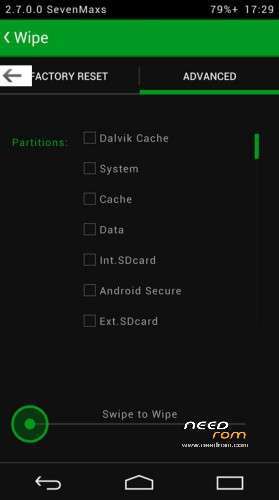
Does TWRP has wipe dalvic-cache and wipe battery stats function?
forget the answer, got it on google. thanx
Thanks for this fantastic Twrp it is brilliant.
By the way, you wrote work battery, did you mean this is fixing false battery indicator when charging off?
Do this works for K1 pro version? (1GB RAM)
work in k1 pro version plaese?????
work in k1 pro version plaese?????
I dont get it.
I rooted my phone
Then downloaded unclemobile tools
downloaded this TWRP folder and copied the the recovery image into my root.
Went to the unclemobile tools > flash recovery from SDcard > selected recovery and it rebooted to the default recovery.
What am I doing wrong?
realized I was using the wrong unclemobile not from the playstore
We need more information to differentiate between K1 Pro and K1 Turbo, please, I have the Pro version K1 1 GB RAM (TWRP + kitkat ROM or higher for K1 Pro). Thanks!