
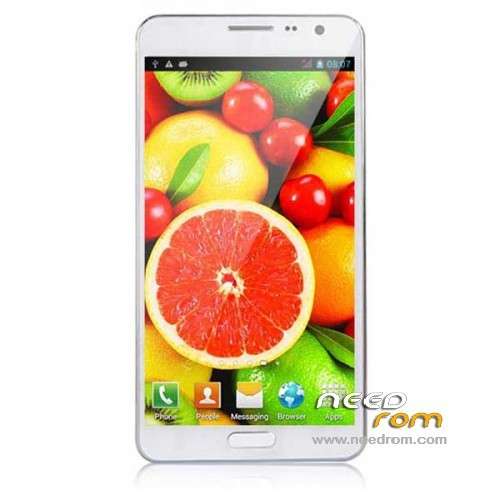
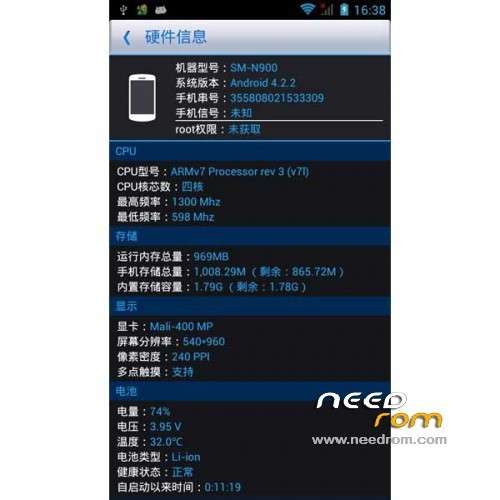
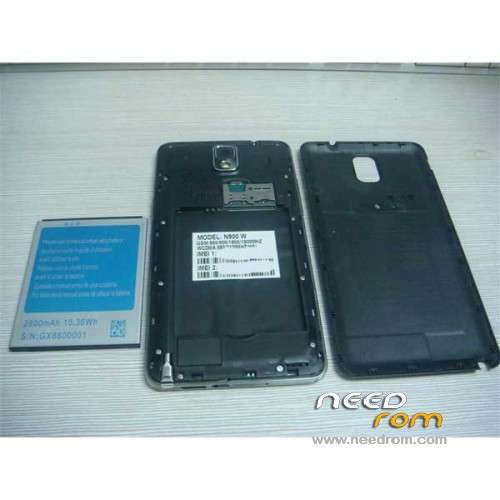
- Title: STAR N900W
- Listed: December, 2013
- Last modified: 04/23/2014 6:08 pm
- Version: ROM Android 4.2.2
You must be logged for ROM download.
24298 total views, 1 today
4 Total favorites
 Member Info
DESCRIPTION
ROM Mobile STAR N900W – ROM Android 4.2.2
Update Official STAR N900W version: SM-N900HA 20131207-205529
——————————————————————————————————————————————
add same version but Rooted
Official STAR N900W version: SM-N900HA 20131108-183023
Gapps include - No Rooted
Language support : Multilang
Install ROM :
- Unpack FlashTools, and Click on Flash_tool.exe
- Select a the MT6582_Android_scatter_emmc.txt in ROM
- Wait file to be added into Flash Tool
- choose Option->USB Model,click USB Model
–> Choose Option->DA DownLoad All->Speed->High Speed, click High Speed
- Turn off your phone, remove the battery.
- "Press F9 (hit Download button)" OR " if upgrade ROM Firmware->Upgrade "
- and connect your phone into the computer via USB data cable.
- The process will start and a red progress bar will appear after color purple, yellow.
- And green circles display
- Finish !
- You can now safely disconnect your phone and turn it on.
※Please make a backup of your device before installing or updating ROM
any compatible rom 4.3 for this phone??
i have a sound in conversation problem , the other party hears some unwanted noise..do you have the same problem?
great rom . thanks ..solved my sound problem ..don't buy from mixeshop.com .. very unsatisfied
Hi tell me after change rom you dont have problem with strange noice ( the person receiving the conversation ). Some time is no possible to talk
Hi.
Which ROM did you use?
I have the same terrible problem only by calling at device microphone, headset and bluetooth works.
I already installed the new stock ROM SM-N900HA 20131207-205529 but didn't solve the problem.
So now would try this rooted ROM (second link)….?
hi there for this phone miui rom ?
I found little mistakes in instruction to install ROM.
You write REMOVE BATTERY, THAN connect to USB…
My phone is not responding after connecting to USB without battery, so, I do next:
- I turn off phone
- unplugged from USB
- remove battery,
- wait 5-10 sec.
- push "download" button on laptop
- insert battery to its place
- connect to USB.
And all works!
P.S. but ROM is not very good – many chinese program, but – I have ROOT!
Thanks a LOT for your work!
I have the same problems as Sorinminu wrote but this ROM didn't solve my problems.
And I got all this china app waste what contains malware and trojans.
So now I will try the other ROM here on needrom but if this don't work too, I need to send back my device to Geekbying.com, my seller.
I've used this for the root.
http://hexamob.com/it/come-roo.....ting-framaroot/
Then Link2SD
Hello David
For latest tech updates visit galaxyoftech.com
Hi!
Interested to know the Hungarian language contains the firmware?
Hello, can I flash this on a SHENGDA SM-N900 or Phone goes to heaven ?
sorinminu
How did you solve the sound problem?
I think I've just found the solution for the sound problem. After hundreds paremeters tried in MTK audio enginner, I eventually copied the same parameters than the mic hedaphones, and IT'S WORKING very well after two days using it.
Mobile Uncle Tools, MTk Enginner MTK, Hardware, Audio, Normal, Mic levels:
0-255, 1-192, 2-192, 3-180, 4-192, 5-192, 6-196, 7-184, 8-184, 9-184, 10-184, 11-0, 12-0, 13-0, 14-0
I hope it works for all of you!!