
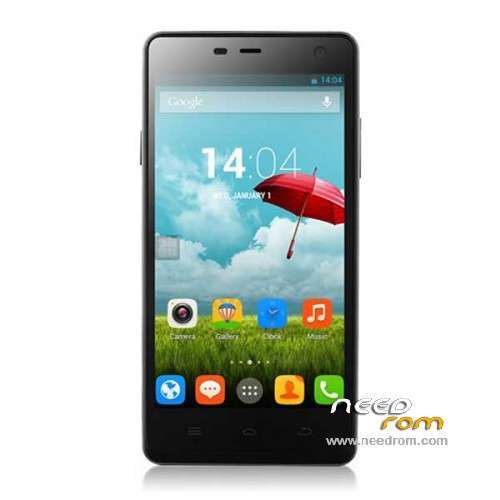
- Title: ThL 4400
- Listed: June, 2014
- Last modified: 10/18/2014 4:10 am
- Version: ROM Android 4.2.2
You must be logged for ROM download.
29004 total views, 1 today
6 Total favorites
 Member Info
DESCRIPTION
ROM Mobile ThL 4400 - ROM Android 4.2.2
ONLY MT6582
Update Official ROM ThL 4400 version: thl.4400.007C.20140918.JB5.HD.EN.COM.8P32_MT6582M_V1.0.11
—————————————————————————————————————————————————–
Official ROM ThL 4400 version: thl.4400.007C.20140912.JB5.HD.EN.COM.8P32_MT6582M_V1.0.10
Gapps include – No Rooted
Language support: Multilang
Install ROM:
- Unpack FlashTools, and Click on Flash_tool.exe
- Select a the MT6582_Android_scatter.txt in ROM
- Wait file to be added into Flash Tool
- choose Option->USB Model,click USB Model
–> Choose Option->DA DownLoad All->Speed->High Speed, click High Speed
- Turn off your phone, remove the battery.
- "Press F9 (hit Download button)" OR " if upgrade ROM Firmware->Upgrade "
- and connect your phone into the computer via USB data cable.
- The process will start and a red progress bar will appear after color purple, yellow.
- And green circles display
- Finish !
- You can now safely disconnect your phone and turn it on.
OR OTA
※Please make a backup of your device before installing or updating ROM
how to install OTA Rom for THL 4400 ?
1.copy ****.zip to root folder of the phone SD card (no need to unzip).
2.Turn off the phone, then keep pressing power button and volume+ button until the robot icon appear, then press power button again and it will show as below
3.Press the volume- to move up and down to choose“wipe data/factory reset”, then press volume+ button to confirm.
4.Choose “yes—delete all user data”, then press volume+ button to enter the page as below.
5.It will enter below page after finishing delete all user data.
6.Then choose“apply update from sdcard”
7.Find and select the ROM, press volume+ to enter the page as below.
8.Please make sure the power is sufficient during the upgrading. It will showed as below when the upgrading finished.
9.Choose “reboot system now”,then press volume+ button to reboot your phone.
If i use OTA i get "installation aborted". I have 1.0.6. May be at first i need 1.0.7 and after 1.0.8 ?
same here
Somebody can upload 1.0.6 rom? Higher versions are date/time bug :(
Make factory reset and ejoy!
when will custom firmware?
This ROM is routed?
No
Very nice instruction, but how to remove the battery??
It's a very good question. Anybody knows how to do it?
This phone have "reset" button its same as remove battery.
After installing the ROM, I can not make calls. The mobile network is not available. What can I do?
Check IMEI.
is possible to install app on sd?
what did you guys did to solve the problem of app and data storing to phone memory instead of sd card even after changing app storage to phone???? I love lewa but the only problem with it is just that it didn’t support otg
i tried OTA for "thl.4400.007C.20140918.JB5.HD.EN.COM.8P32_MT6582M_V1.0.11" and i got this:
—-beginning of the message—-
Installing update…
Verfying current system…
assert failed; apply_patch_check("/system/app/Calendar.apk", "e669ed8c29
dcae792482bac36301862d6f7d278e", "ac6caee60f05f536fc7eb7e7e0250dfe90b0df
3f")
Update.zip is not correct
Instalation aborted.
—-end of message—-
so, any idea?
and yes i rooted THL4400 with Kinguser (if you think/know i wrote something wrong, please feel free to correct me)