
- Title: TWRP Recovery for Jiayu S3
- Listed: February, 2015
- Last modified: 02/11/2015 6:19 pm
- Version: 4.4.4
You must be logged for ROM download.
36598 total views, 1 today
7 Total favorites
CUSTOM


 Member Info
DESCRIPTION
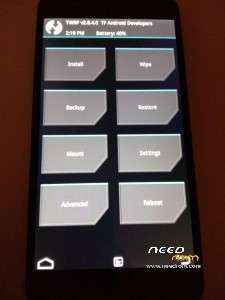
Recovery TWRP for Jiayu S3.
What's new in 2.8.4.0:
- Add flashing of boot and recovery images via the TWRP GUI (Find the Images button on the Install page)
- Fix some MTP related crashes and bugs¡
- Eliminate TWRP toggling USB IDs during boot if MTP is enabled
- Fix various adb sideload issues
- Improve threading of actions
- Eliminate separate thread for screen timeout
- Update libblkid to 2.25.0
- Use power button as back button on watch themes for easier navigation
- Add mutex locking to data manager
- Improve custom theme handling on encrypted devices
- Allow the stock theme to be offset by build flags so we can center a lower res theme on a higher res screen especially for watches with round screens
More info Team Win
If you want to support and enable the continued development of new roms and constant updates makes your donation via PayPal. Thank you.
※Please make a backup of your device before installing or updating ROM
thanks for yout share
with mobile uncle?
How to? Tutorial? Maybe? Please.
http://forum.xda-developers.co.....-jiayu-t3028488
Here all tutorial and guide
Method of installation TWRP recovery without using the PC. .
.
1. Settings – Security – superuser – enable (get root)
2. From the site aptoid.com download the application jiayu.es.
m.n101ii-2.store.aptoide.com/app/market/es.jiayu.jiayuid/55/8408762/Jiayu
3. In this app: Downloads – TWRP 2.8.4.0 – download starts.
4. After you download: Tools ROMs – Device Tools – Install Recovery – Recoverys downloaded – choose twrpS3Brecovery.Zip – installation Recovery will beginning.
Then app asked to restart in the set recovery – to accept or reject at your discretion.
Everything! TWRP installed! And this without having to use a PC .Method of installation TWRP recovery without using the PC.
1. Settings – Security – superuser – enable (get root)
2. From the site aptoid.com download the application jiayu.es.
m.n101ii-2.store.aptoide.com/app/market/es.jiayu.jiayuid/55/8408762/Jiayu
3. In this app: Downloads – TWRP 2.8.4.0 – download starts.
4. After you download: Tools ROMs – Device Tools – Install Recovery – Recoverys downloaded – choose twrpS3Brecovery.Zip – installation Recovery will beginning.
Then app asked to restart in the set recovery – to accept or reject at your discretion.
Everything! TWRP installed! And this without having to use a PC
I can confirm that the above 4 steps work — super easy and no PC required.
Thank you you very much !
HEY!
GR8 tip , thx thx it`s work perfect
Does anyone know how to use this for Jiayu S3 advanced. I tried using this TWRP version but it only works for the basic version s3b.
What problem you have on s3a?
Great!
please help….i download twrp but i cant push Install Recovery to setup the twrp..what to do?
it sais that i am not root but i have open the super user…what to do to be root?
Just turn it on in the settings in the Security section
i did that and is still sais that i am not root…please help…
@xalkias,
go to playstore download and install busybox,(stericson),root checker basic and superSU,install busybox…reboot,install superSU and update binaries,(normal not via TWRP),…reboot…this should get you working
@TEAM FORCE,
maybe you should update the OP and specify which version of the device that this TWRP is compatible with…just my 2 cents… : )