
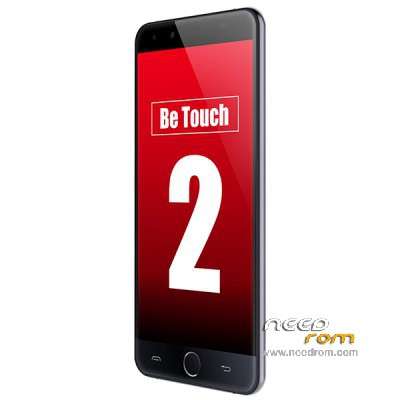
- Title: Ulefone Be Touch 2
- Listed: July, 2015
- Last modified: 07/08/2015 9:17 pm
- Version: Android 5.1
You must be logged for ROM download.
36464 total views, 1 today
12 Total favorites
OFFICIAL
 Member Info
DESCRIPTION
Ulefone Be Touch 2
"Be Touch 2_150702_s7yler.zip" = from 15/07/02
"Be Touch 2_150618_s7yler.zip" = from 15/06/18
Official ROM Ulefone Be Touch
Gapps/Play Store included – Not Rooted
Flash Instructions:
Unzip the ZIP file, inside the file all files are included and also tool/flashing instructions.
Instructions: (you flash 100% at your own risk!)
Do NOT format your phone with the flashing tool, that can result in lost IMEI.
ROM(s) uploaded by s7yler
More techvideos on https://www.youtube.com/s7yler
More techinfo on http://s7yler.blogspot.com
※Please make a backup of your device before installing or updating ROM
Any idea how to root this thing? There is no custom recovery yet…
I was wondering the same thing. Trying to figure out how to port custom recovery over from another phone with similar hardware (like the K3 note or P7000), so far no luck.
Have you tried the Ulefone Be Touch? Theres a carliv custom recovery for it, though the phone itself is not Full HD but all specs are 100% same.
I have the Ulefone Be Touch phone and am using this Ulefone Be Touch 2 Rom (Android 5.1) on it, just edited build.prop to have the right density (HD)
Yes. Use one for be touch 1. will work. I have installed camera driver to my be Touch from P7000 /After some good people have made a comparisson of a camera quality on original P7000 and on Ulefone BE TOUCH 1 WITH p7000 camera driver instaled, and got unexpected result Ulefone be TOUCH with p7000 cam.driver picture quality better than on P7000 itself. ! Killua can you please write short manual. for me in how you edited build.prop to have the right density (HD)
Hi k0sm0s,
Can you elaborate on the camera thingy? Would like to improve some camera quality
Hello,
Forgive me for my English.
Have you a link P7000 drivers of the camera please?
Thanks good
how to installation this file??
my be touch 2 "signature verification failed" T_T
Hi I wanted to know if this ROM is clean only with applications that come factory Ulefone Be my phone is gray and Touch 2 file I have to download both thank you very muchisn't 5.1 lollipop
It only have SDK 21 = Android 5.0 Lollipop
So you are saying that the 5.1 ROM on my be Touch 2 is actually Android 5.0 ? :O
yes watch the build.prop and search the string that define the SDK version
is 21
21 is lollipop 5.0
22 is lollipop 5.1
23 is Android M
Root:
1. Get the stock ROM and flash tool ('Be-Touch-2_150702_s7yler.zip') from here: https://www.needrom.com/downlo.....one-be-touch-2/
2. Get custom recovery (recovery.img) from here: https://www.needrom.com/downlo.....ad/cwm-…ne-be-touch-2/
3. Extract 'Be-Touch-2_150702_s7yler.zip', replace recovery.img file in 'One Key Flashing(Be Touch 2_150702)\software' with the one from point 2.
4. Install the MTK drives, flash the ROM (follow the included docs in the zip file) – this will wipe your data!! Modify config file or use 'proper' SP Flash Tool to flash only recovery.img if you want to prevent it.
5. After flashing, enter custom recovery (power + vol up on boot), flash this ZIP: https://download.chainfire.eu/.....740/Su…etrieve_file=1
6. Done, enjoy your root!
Hi Folks,
I failed with the method of rooting my Ulefone Be Touch 2 and the installation of the CWM recovery written above by 'snowboard' but managed to do it with TWRP as written below:
Disclosure: No responsibility taken or accepted by kzoli429 in any form if the following process fails.
1. Prepare a PC with Windows 7 installed and the automatic Windows driver update lookup function disabled.
2. Download BETA-SuperSU-v2.49.zip (appr. 4 MB, from https://download.chainfire.eu/.....;etrieve_file=1 and copy it to the phone's SD card or to an external micro SD card.
3. Download the latest stock ROM and flash tool packed together (e.g. 'Be-Touch-2_150702_s7yler.zip') from here: https://www.needrom.com/downlo.....one-be-touch-2/
4. Download TWRP recovery image file from here:
https://www.needrom.com/downlo.....-2-twrp-2-8-7-0
(CWM downloaded from https://www.needrom.com/downlo.....;ne-be-touch-2/ does not work.)
Extract the rar archive and rename recoverye.img to recovery.img
5. Extract 'Be-Touch-2_150702_s7yler.zip' and replace the recovery.img file in the "Be-Touch-2_150702_s7yler\One Key Flashing(Be Touch 2_150702)\software" folder with the one from the TWRP archive (see point 2).
6. Install the MTK chipset driver (it works on Win7 only at the present time):
- Navigate to the "Be-Touch-2_150702_s7yler\One Key Flashing(Be Touch 2_150702)\Driver Auto Installer" folder
- Open a Command Window to see what happens on the command line
- Run Install.bat with real Administrator priviledges (in most cases Run as Administrator is not enough – refer to UAC).
- Wait until the driver installation is finished. You will see on the screen if the drivers were installed successfully (e.g. "Driver install done").
7. Flashing ROM
Notes:
- Flashing ROM will wipe all your data if you have not done a backup before!
- The doc file containing pictures included in the zip file can also be followed.
- For anvanced users: the flash_tool.exe in the Smart Phone Flash Tool package can also be used only to flash recovery.img using an enclosed scatter.txt file.
a/ Open the Be-Touch-2_150702_s7yler\One Key Flashing folder and run SP_Facility_DL_Tool.exe
b/ Turn off the phone, take out the battery, press the Scan button in the SP_DownLoad window then connect your phone to the PC via USB.
c/ After the text "N/A+COM(x)" appears on the left hand side of the window disconnect your phone, reinsert the battery, press the Start button and reconnect your phone via the USB cable.
d/ Wait until the flashing utility finishes updating the phone (e.g. the process bar shows 100 % on yellow background and "DL OK" can be read to the left of the process bar).
8. After flashing enter TWRP recovery: press vol up + power together for a few seconds then install BETA-SuperSU-v2.49.zip from your (external) SD card.
9. You are done with your rooting.
TWRP recovery is in Chinese language . Please help. How can I install it in English? I do not know how to install BETA-SuperSU-v2.49.zip . Or who knows a translation of TWRP ? Thank you
Szia Zoli,
Köszi a leírást. Teljesen amatőr vagyok a témában és nagyon megörültem, hogy találtam egy magyart, aki már végigcsinálta a ROM-olást ezen a telefonon. Előljáróban: 1-2 héttel a emgvásárlás után tapasztaltam, hogy fagy a telefon főleg a bejövő hívásoknál, de olyan is van hogy simán nem csöng ki, vagy csak úgy magától újraindul. Te tapasztaltál hasonlókat? Illetve ha megcsinálom a fent leírt folyamatot várhatom, hogy ettől javulni fog szerinted? Előre is köszi, Ákos (ha válaszolsz, akkor kérlek ide: akoserdesz@gmail.com)
Thank you for the instructions kzoli429, rooted successfully!
For step 6, the driver is in "\Be Touch 2_150702_s7yler\drive\Driver Auto Installer" directory..just a minor correction
how can i installed camera driver to my be Touch from P7000
I am also interesting about it