
- Title: Z11Max NX523J 1.28 ComboRom V5.2
- Listed: October, 2016
- Last modified: 11/27/2016 2:25 pm
- Version: 5.1.1 V1.28
You must be logged for ROM download.
14651 total views, 1 today
7 Total favorites

 Member Info
DESCRIPTION
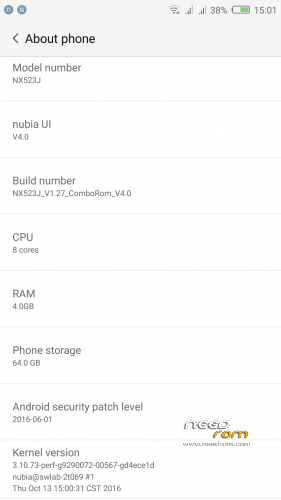
25/11/2016 ComboRom 5.2 for Nubia Z11 Max NX523J based on stock 1.28 (Multilanguage)
27/11/2016 ***update to 5.3***
MD5: 9fce12aeefc5ece64f80455d37a50dae
Features:
- Dual Instance (double account on same app) *improved from ComboRom 5.3
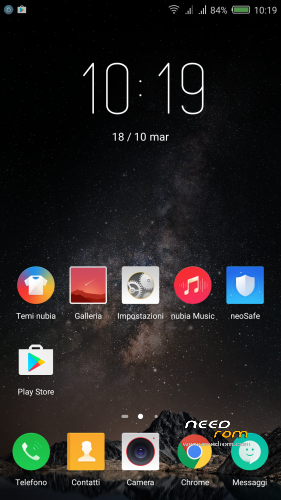
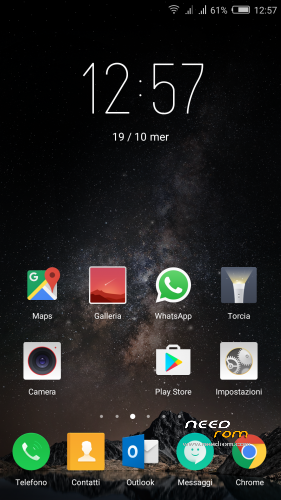
- NubiaUI 4.0
- Safety Update to June 2016
- Gapps installed (basic package)
- ROOT (Powered by SuperSU)
- Added some useful app and features (eg. Reboot – Font Change…)
- Added Italian language (and multi-language support) in the framework
- Removed not necessary App and Chinese capabilities
- Miscellaneous amendments to facilitate the use of the ROM
- Translated ringtones
- MULTILANGUAGE***
Changelog 1.27 -> 1.28
- Optimization of Google apps
- Improved system stability and app compatibility
- Improved system speed
- Solved bluetooth problem when connected with car audio system
Changelog 1.26 -> 1.27
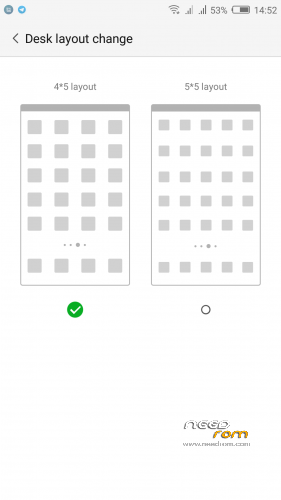
- Launcher layout 4×5 and 5×5
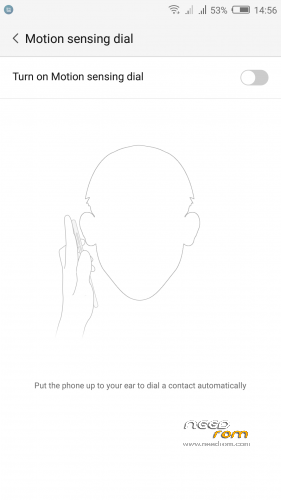
- New function to answer or dial by put up to your ear the phone
- Solved Gapps problem (Gmail works perfectly)
- Audio bug fix
Changelog 1.23 -> 1.26
- FiT 2.0 new 3D edge gestures
- Performance Mode for Games
- Better battery performance
- Better camera experience
- Updated SuperSu to 2.78 and Gapps to 30/09/2016
How to install:
****Remove any password on lockscreen; before update set Slide to Unlock****
- Make a TWRP backup first*
- Download the zip of the ROM in the internal memory
- Go into TWRP recovery (Power off and then Power On and volume + on startup) or by other settings – reboot options menu if you have a ComboRom already installed.
- Wipe cache, Dalvick cache and Wipe data. (ONLY WIPE CACHE AND DALVICK CACHE IF YOU HAVE THE PREVIOUS COMBOROM)
- Then install the ROM ZIP
* When you do the backup just Data - System – Cache – (Boot optional)
*** I'm available to add languages in the ROM if not available, or in case you want to modify your language, I pass to you strings.xml, you translate and I will do a patch ***
Update to 5.3 via OTA (follow instruction on video for how to update to 5.3)
Please remove check from clear cache before update
Changelog 5.2 -> 5.3:
Added support for dual instance for these app:
- Skype; Facebook; Messenger; VK; VK coffee; Whatsapp; Instagram; Viber; Telegram; Twitter and more…
FAQ Instruction Videos: LINK TO YOUTUBE PLAYLIST
Z11Max_NX523J_1.27_ComboRom_v4.0.zip still available on download link
※Please make a backup of your device before installing or updating ROM
THANKS!!!!!!!!!!!!!!
teşekkürler.
Yes I think was clear it is on the first red line.
PARFAIT…merci ,mai je n'arrive pas a mettre OTA en 4.1
Hi, what is exactly the problem?
hello! I would like to know if you have already available the rom cyanogemmod to our model (zte z11 max nx523)
Amigo Wushu25 tudo bem? Te fiz umas perguntas no pv e infelizmente não me respondeu.
Qual tutorial seguiu para instalar o TWRP no Z11 Max?
and in a matter of rom, it's great, even very good, congratulations.
Thanks… It’s an hard job…
bonjour,rom installée ,pas de bug,sera t'ellle mis a jour
et encore merci pour votre travail
Thanks merci
Hello, my gmail doesn't work. Please help me. Thanks alot.
sur mon max il fonctionne !!
Please follow the video to activate notification, in the video there's an example with telegram, do it with gmail.
Hi there, after veridon 1.23, in all versions neosafe.apk crashes when entering permissions option. Anyone got the same problem?
Ok I solve it in the next update
What language?
spanish
With English works well
Ok I solve it in the next update