
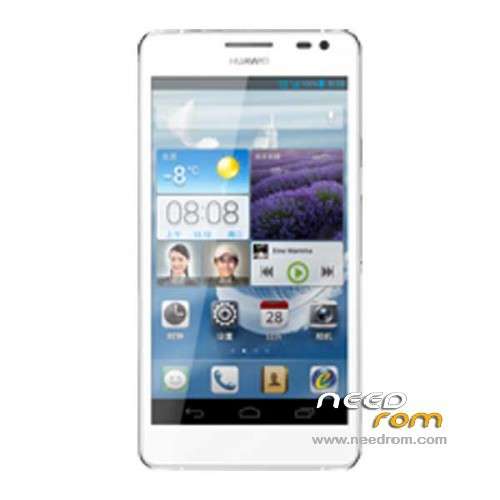
- Title: Ascend D2 Single sim
- Listed: November, 2013
- Last modified: 12/03/2013 7:09 pm
- Version: ROM Android 4.2.2
You must be logged for ROM download.
17768 total views, 1 today
 Member Info
DESCRIPTION
ROM HUAWEI Ascend D2 Unicom single sim – ROM Android 4.2.2
Update ROM SINGLE SIM Version D2-0082_EmotionUI_1.6_V100R001CHNC00B906
—————————————————————————————————————————————–
ROM SINGLE SIM Version D2-0082_EmotionUI_1.6_V100R001CHNC00B905
Changelog:
New default theme – taste (taste)
Desktop MeWidget increase Sohu news component to facilitate real-time view news
Increase the power management features that make the phone more power
Increased authority management function to facilitate the control of access to third-party applications
Add gesture control feature that allows users to operate the phone through gestures
Increase the background monitoring function power applications, power management background always remind the user program
Game Center Mall and increase Huawei two applications to enrich the lives of users
Function Optimization
Calendar / Email / status bar interface, such as a greater optimization, more unified style
Dial Contact usability optimization, can be individually set contact ringtone, add merge duplicate contacts
Password, pattern lock screen PIN code adds backup to restore the function
Gapps include – No Rooted
Language support: Multilang
ROM install :
Step one: Prepare an SD card, it is recommended to use Sandisk, Kingstone, or Kingmax, size is recommended that more than 1G.
Step Two: Formatting SD card (optional).
The step three: copy a large package path UPDATA.APP to the SD card dload UPDATA.APP.
Step four: Check the root directory of the SD card you dload UPDATA.APP.
Step 5: SD card into the phone is switched on in the main screen, press the Menu key, the system updates -> SD card upgrade -> confirm -> upgrade, backup data, select the backup data; upgrade.
Step Six: The upgrade process progress bar shows after the finish of the pending progress bar, the phone automatically restart.
or
Step one: Prepare an SD card, it is recommended to use Sandisk, Kingstone, or Kingmax, size is recommended that more than 1G.
Step Two: Formatting SD card (optional).
The step three: copy a large package path UPDATA.APP to the SD card dload UPDATA.APP.
Step four: Check the root directory of the SD card you dload UPDATA.APP.
Step Four: cell phone turned off, insert the SD card, while pressing the volume up button + volume down key switch button, the phone automatically enters the upgrade mode, and then begin the upgrade in Figure
Step Five: After the progress bar to go full fixed, the phone will automatically restart If you do not manually remove the battery.
※Please make a backup of your device before installing or updating ROM
One question: How can you run an update with SD card? Ascend D2 does not have a SD card slot?
Just place it in your phone's root directory. I.e. Phone/dload/UPDATE.APP.
After rooting my phone, I placed the downloaded folder in my phones root directory Phone/dload/UPDATE.APP, launched the System Update app on my phone and it worked.
The problem I got was the error "Unfortunately, the process android.process.media has stopped," however this was fixed with a factory reset, and it works perfectly now. It's 4.2.2 as it says.
Thanks.
I have experienced greatly improved battery life, but is missing the virtual keys about hiding games coz u prevents full use of the entire display, please advice how to hide the panel, or functional update, thank you!
HOW I WILL FIND Phone/dload/UPDATE.APP ? I ROOTED MY D2 ALREADY
This is multilanguage? What is included?
English, Czech, Slovak, …? Thx
very good. thanks.
86 downloads and no one is able to answer? Neither the developer?
Language support: Multilang šak to tam je napsane
hiii my phone stuck aatt logo how to flash plz tell it doesnt have card slot plz reply
Hello I got was the error "Unfortunately, the process android.process.media has stopped".
How to fixed ?
where is sd slot
how to open place it in my phone's root directory. I.e. Phone/dload/UPDATE.APP. ?? My handphone while brick, can any one tell me, Please . . .