
- Title: HUAWEI U9508 B706 style N3
- Listed: January, 2014
- Last modified: 01/09/2014 3:13 am
- Version: ROM Android 4.2.2
You must be logged for ROM download.
18591 total views, 1 today
 Member Info
DESCRIPTION
ROM Mobile HUAWEI U9508 B706 – ROM Android 4.2.2
Features ROM:
- The ROM is based on the latest EMUI B706
- added sliding menus, more energetic
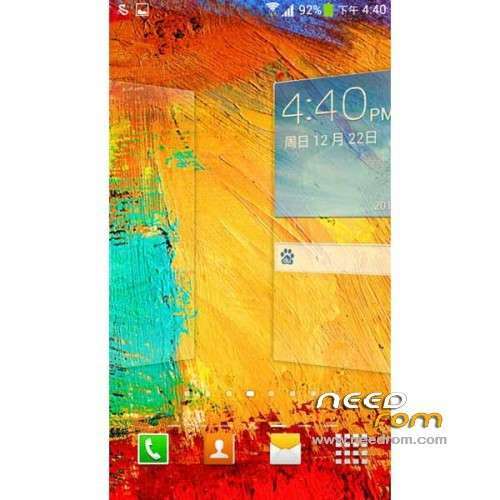
- transplant Samsung S4 desktop and weather, and the glory of two decompile adaptation
- transplant Samsung framework
- pages, then you need to edit the desktop, the desktop can merge two fingers
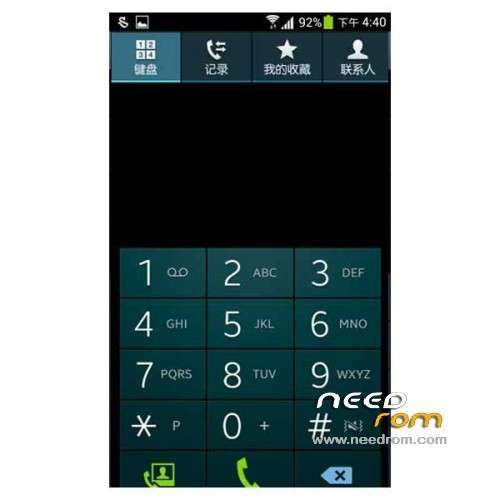
- added imitation Samsung dial and address book, simply select Samsung topic in the dial settings can be
- Samsung S4 boot animation
- Samsung Samsung UI tone ringtone
- Samsung boot animation
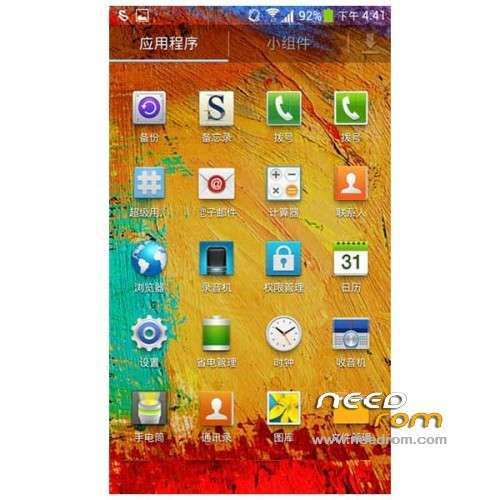
- Samsung app icon
- settings interface imitation Samsung
- Samsung signal icon, Samsung WIFI icon
- Replace Samsung memo notepad
- beautification much to say we plug it
- ROOT permission to use the superuser
- zipling optimization, taking up less memory
- optimize overall system stability
Gapps not include – Rooted
Language support: Multi lang
ROM install :
1, Download recovery unzip
2, the phone turned on USB debugging mode. Settings – Developer options – check USB debugging
3, the phone off, hold down the "volume down" and "Power" button, wait for the emergence Logo Huawei has entered fastboot mode at this time
4, Run the flash_all.bat and tap just enter
into the recovery:
– Wipe Data / Factory Reset -> delete all user data
– Wipe Cache Partition -> Wipe cache
– Advanced -> Wipe Dalvik Cache
Return to recovery main interface Install zip from sdcard -> choose zip from sdcard -> Select your ROM
Brush complete, restart the phone Patience required – first boot takes a while
※Please make a backup of your device before installing or updating ROM
Hi, this Rom is installed with recovery chinesse or recovery English, I can´t install it
Very good. Thanks!!
hi,
I don't understand how to install the rom
I unpack the recovery zip to my computer, then run the phone in USB debug mode, then turn off the phone and turn it on on fast boot mode, then connecting the phone to my computer? and then run the bat file?
when I run the bat file, what option to chose?
cna you please explain me the hole process.
thanks
thank you
good… it works ok.