
- Title: iOCEAN X7 HD LeWa os5
- Listed: March, 2014
- Last modified: 04/21/2014 4:53 am
- Version: ROM Android 4.2.2 LeWa
You must be logged for ROM download.
20007 total views, 1 today
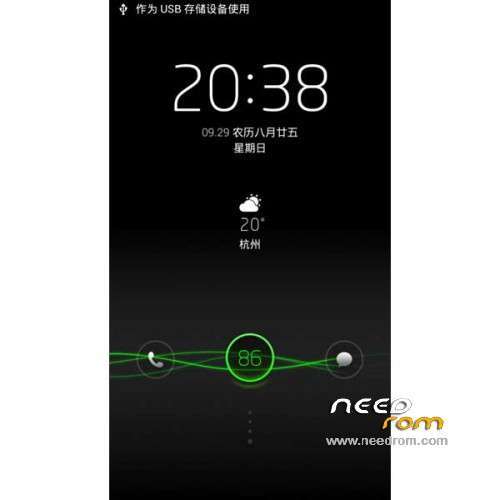
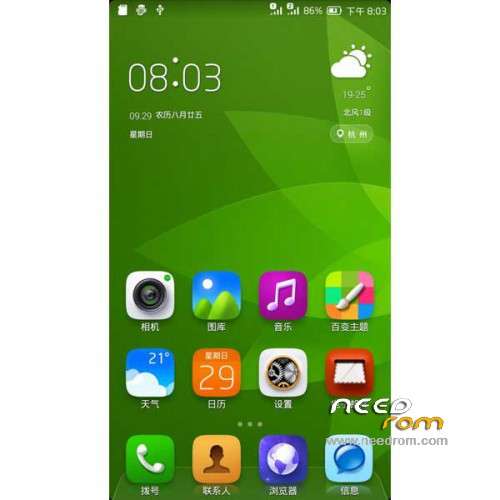
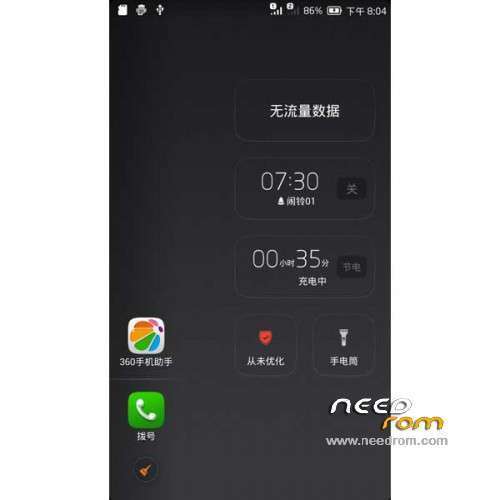
 Member Info
DESCRIPTION
ROM Mobile iOCEAN X7 HD – ROM Android 4.2.2 LeWa
Features ROM:
Update LeWa os5.1 version: 14.04.20
———————————————————————————————————————————————
Update LeWa os5.1 version: 14.04.04
———————————————————————————————————————————————
Update based on LeWa os5 version: lewa.1393829185_117
The camera has been replaced with the official original camera, flashlight normal
Lewa rejoin off the bottom part of the package is to streamline the system application
Join re Manager v3.1.6 and v4a sound latest version v2.3.2.6
In the bottom of the package based on the perfect add OTG support
Default Baidu input method
Brightness adjustment system optimization, RF optimization
gps profile optimization, hosts advertising shield
Add v6 script, init.d support, and built-series optimization scripts, boot automatically load optimization
———————————————————————————————————————————————
LeWa os5 version: eng.lewa.1392687963_115
Gapps include - No rooted
Language support: EN/CN
ROM Install :
CWM (CN)
Step 1: Download the custom ROM copied to an external SD card root directory
Step 2: the shutdown state. While holding down:
– Power button + volume button up, to enter the recovery mode.
– Wipe Data / Factory Reset -> delete all user data
– Wipe Cache Partition -> Wipe cache
Step 3: Return to recovery main interface Install zip from sdcard -> choose zip from sdcard -> Select your ROM
Step 4: Brush complete, restart the phone Patience required – first boot takes a while
※Please make a backup of your device before installing or updating ROM
What is instalation time? I wate 1h and still have only green logo "lewa"
Ye it's something wrong with this rom. My phone stucked on green inscription "Lewa" too.
tanks brother
Is it possible for translation english recovery image?
Two of the four responses above had trouble with this ROM. Has anyone had success yet?
So far no problem with this ROM. Only problem I had was selectih ASO{ keyboard; gave me FC's. I installed swift keyboard and have no problems
Why the phone there are no other languages???
is there a english recovery ? this one is in chinese….or it possible to traduce it ? or a explain ?
Russian language will be?
xposed works ?
SoCr@Te
I tried to install this and it also failed to install
Then I noticed that the scatter file included has the wrong dimensions
here is my info if you have the time to consider it
[quote]adb shell cat /proc/dumchar_info
Part_Name Size StartAddr Type MapTo
preloader 0x0000000000c00000 0×0000000000000000 2 /dev/misc-sd
mbr 0×0000000000080000 0×0000000000000000 2 /dev/block/mmcblk0
ebr1 0×0000000000080000 0×0000000000080000 2 /dev/block/mmcblk0p1
pro_info 0×0000000000300000 0×0000000000100000 2 /dev/block/mmcblk0
nvram 0×0000000000500000 0×0000000000400000 2 /dev/block/mmcblk0
protect_f 0x0000000000a00000 0×0000000000900000 2 /dev/block/mmcblk0p2
protect_s 0x0000000000a00000 0×0000000001300000 2 /dev/block/mmcblk0p3
seccfg 0×0000000000020000 0x0000000001d00000 2 /dev/block/mmcblk0
uboot 0×0000000000060000 0x0000000001d20000 2 /dev/block/mmcblk0
bootimg 0×0000000000600000 0x0000000001d80000 2 /dev/block/mmcblk0
recovery 0×0000000000600000 0×0000000002380000 2 /dev/block/mmcblk0
sec_ro 0×0000000000600000 0×0000000002980000 2 /dev/block/mmcblk0p4
misc 0×0000000000080000 0x0000000002f80000 2 /dev/block/mmcblk0
logo 0×0000000000300000 0×0000000003000000 2 /dev/block/mmcblk0
ebr2 0×0000000000080000 0×0000000003300000 2 /dev/block/mmcblk0
expdb 0x0000000000a00000 0×0000000003380000 2 /dev/block/mmcblk0
android 0x000000002bc00000 0x0000000003d80000 2 /dev/block/mmcblk0p5
cache 0x0000000007e00000 0x000000002f980000 2 /dev/block/mmcblk0p6
usrdata 0×0000000040000000 0×0000000037780000 2 /dev/block/mmcblk0p7
fat 0×0000000159380000 0×0000000077780000 2 /dev/block/mmcblk0p8
bmtpool 0×0000000001500000 0x00000000ff3f00a8 2 /dev/block/mmcblk0[/quote]