
- Title: New One M7
- Listed: July, 2013
- Last modified: 07/08/2013 3:58 pm
- Version: ROM Android 4.2.1
You must be logged for ROM download.
24966 total views, 1 today
1 Total favorites
 Member Info
DESCRIPTION
ROM No brand New One M7 – ROM Android 4.2.1
Same version but Rooted !
Official ROM New One M7 Version: K29W-user_One_M7_20130625-183610
ROM: "16G/32G"
RAM: "1.5G"
PROC: "MTK6589"
SCREEN: "720*1280 IPS"
BATTERY: "2300 mAh"
NETWORK: "gsm wcdma"
Gapps Lite include – No rooted
Language support: Multi Lang
Install ROM:
- Unpack FlashTools, and Click on Flash_tool.exe
- Select a the MT6589_Android_scatter_emmc.txt in ROM
- Wait file to be added into Flash Tool
- choose Option->USB Model,click USB Model
–> Choose Option->DA DownLoad All->Speed->High Speed, click High Speed
- Turn off your phone, remove the battery.
- "Press F9 (hit Download button)" OR " if upgrade ROM Firmware->Upgrade "
- and connect your phone into the computer via USB data cable.
- The process will start and a red progress bar will appear after color purple, yellow.
- And green circles display
- Finish !
- You can now safely disconnect your phone and turn it on.
※Please make a backup of your device before installing or updating ROM
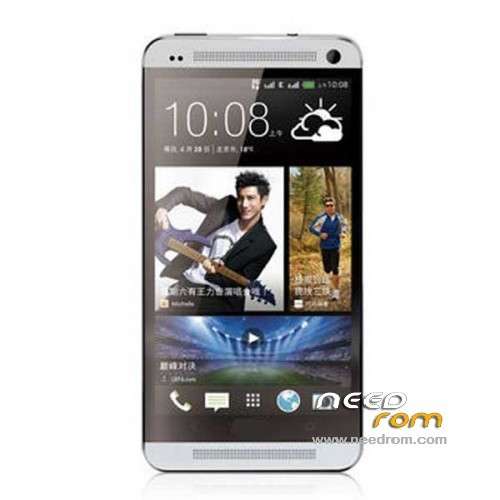
this screenshots is from HTC One Original , i bet that this device not looks like this nor that OS
btw good sharing soon trying it
help me error 4032
use the "firmware update" not "download"
thanks
reset please link to drivers for Firmware
firmware is not on this phone because after flashing knocks error 4032
Hàng ngon phết ^_^
Hi,i'm new here and i'm a new ONE M7 'user. I followed the steps but i can not upgrade my phone to 4.2.1.When i press F9 and connect my phone into pc nothing happend..Can someone please help me?
по всей видемости это не твой телефон
after you connected your phone to pc and switched off your phone…. hold and release the power button it will automatical starts the flash
после прошивки не включается
что делать?
большое спасибо работает отлично