
- Title: 1:1 HDC N9000 Note 3
- Listed: October, 2013
- Last modified: 10/24/2013 8:23 pm
- Version: ROM Android 4.3
You must be logged for ROM download.
128459 total views, 2 today
6 Total favorites
 Member Info
DESCRIPTION
ROM Mobiles 1:1 HDC N9000 Note 3 - ROM Android 4.3
ONLY For 1:1 1G Ram + 4G Rom Or HDC 1G Ram + 4G Rom ( Not 8G Rom )
——————————————————————————————————————————————–
Not Update Version: JDQ39.N9000XXUAMDF_wingtech89_we_jb2_09/24/2013 ( I do not know the changelog )
Add other version of 09/24 , in this ROM you find : 3 ROMS , install with Flashtools + install with OTA + Install in CWM
——————————————————————————————————————————————–
Add same version but Rooted
Update Version: JDQ39.N9000XXUAMDF_wingtech89_we_jb2_10/22/2013 ( I do not know the changelog )
——————————————————————————————————————————————–
Update Version: JDQ39.N9000XXUAMDF_wingtech89_we_jb2_10/17/2013 ( I do not know the changelog )
——————————————————————————————————————————————–
Add same version but Rooted
Update Version: JDQ39.N9000XXUAMDF_wingtech89_we_jb2_10/08/2013 ( I do not know the changelog )
——————————————————————————————————————————————–
Features ROM:
Official Version : JDQ39.N9000XXUAMDF_wingtech89_we_jb2_10/05/2013
Gapps include – No Rooted
Language support : Multilang
Install ROM:
- Unpack FlashTools, and Click on Flash_tool.exe
- Select a the MT6589_Android_scatter_emmc.txt in ROM
- Wait file to be added into Flash Tool
- choose Option->USB Model,click USB Model
–> Choose Option->DA DownLoad All->Speed->High Speed, click High Speed
- Turn off your phone, remove the battery.
- "Press F9 (hit Download button)" OR " if upgrade ROM Firmware->Upgrade "
- and connect your phone into the computer via USB data cable.
- The process will start and a red progress bar will appear after color purple, yellow.
- And green circles display
- Finish !
- You can now safely disconnect your phone and turn it on.
Video of Mobile
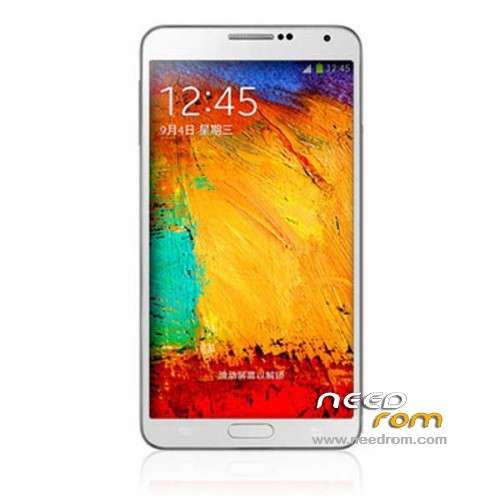
Perfect Galaxy N9000 Note3 Smart High copy
Perfect 1:1 HDC Perfect Galaxy Note III phone
MTK6589 Quad cores 1.2GHz Cortex A9 + SGX544 GPU
5.7 inch HD multi-touch Capacitive screen, 1280*720 resolution IPS screen
3G ,Air gesture
G-sensor, Light sensor, Distance Sensor, Motion Sensor
Build-in GPS Navigation+AGPS
1GB Ram
4G ROM ( Support TF Card up to 32GB)
Android 4.3 jelly bean
WiFi 802.11b/g, GPRS/EDGE/3G, Bluetooth 2.1, FM Radio
Size: 151.2×79.2×8.3mm
Camera: Front 1.3MP/ Rear 12MP with Flash Light, Support Video record
Network :Unlocked 2G GSM 800/850/1800/1900MHz , 3G WCDA 850/2100Mhz
SIM Card: Single SIM/ DUAL SIM Cards
Battery: 3200 mAh
※Please make a backup of your device before installing or updating ROM
Google play services fow few google apps not resolved…..youtube….s planner etc…..
perhaps need to find latest g apps
anyway good rom !!! thx
this rom alredy fix bug now facebook,Whatsapp,Youtube is work but still problam Google Play Service can t install
wich rom you are installated??
new rom thx you
I"M NOT SURE TO BE HONEST BUT I HAVE CHOSEN 6582 SCATTER FROM DOWLOADED ROM
Hi, Hope some one can help me I'm trying to flash this ROM but nothing is happening in SP Flash Tools
Ive downloaded the ROM extracted it then selected scatter.txt
Turned my phone off removed battery and plug in USB
But nothing happens, am I doing it right
Thanks for your help
1:1 HDC N9000 Note 3 – Update 10/08/2013 – Rooted
how can i fix it is showing like this when i'am put USB in
Try with this version HERE
so what is the different the link with "rooted" words or not? mine still stock ROM. Can't use smart stay and on fastcardtech they said it will be updating rom soon to work the smart stay perfectly. Is this rom I can use the smart stay? Thanks for the reps.
Fake…it's 4.2.1….
build.prop:# begin build properties
# autogenerated by buildinfo.sh
ro.build.id=JOP40D
ro.build.display.id=JDQ39.N9000XXUAMDF
ro.build.version.incremental=eng.linux.1380939703
ro.custom.build.version=20130910V001
ro.build.version.release=4.3
ro.build.version.sdk=17
ro.build.version.codename=REL
ro.build.version.release=4.2.1
ro.build.date=2013年 10月 05日 星期六 10:24:44 CST
ro.build.date.utc=1380939884
ro.build.type=user
ro.build.user=linux
ro.build.host=XzServer
ro.build.tags=test-keys
ro.product.model=GT-N9000
ro.product.brand=SAMSUNG
ro.product.name=wingtech89_we_jb2
ro.product.device=wingtech89_we_jb2
ro.product.board=wingtech89_we_jb2
ro.product.cpu.abi=armeabi-v7a
ro.product.cpu.abi2=armeabi
ro.product.manufacturer=SAMSUNG
ro.product.locale.language=zh
ro.product.locale.region=CN
ro.wifi.channels=
ro.board.platform=
ro.build.hardware.version=
ro.build.customer=
ro.build.innner.version=
# ro.build.product is obsolete; use ro.product.device
ro.build.product=wingtech89_we_jb2
# Do not try to parse ro.build.description or .fingerprint
ro.build.description=wingtech89_we_jb2-user 4.2.1 JOP40D 20130910V001 test-keys
ro.build.fingerprint=SAMSUNG/wingtech89_we_jb2/wingtech89_we_jb2:4.2.1/JOP40D/20130910V001:user/test-keys
ro.build.flavor=
ro.build.characteristics=default
# end build properties
Why fake ?
SoCr@te i will try you sent me new link
SoCr@te your new link you are give to me i try to work still have same problam how can i fix it
Hi!
Please, how can I root the stock ROM? There is a version of CWM flashable? Thanks
learn to root and install CWM using MTK droid tools….google the the tutorial …..easy