
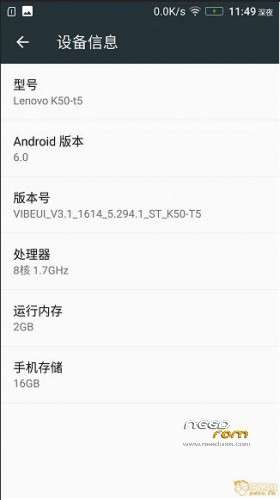
- Title: 1614 V3.1 ST Rooted Updated
- Listed: April, 2016
- Last modified: 04/06/2016 6:56 am
- Version: 6.0
You must be logged for ROM download.
18404 total views, 3 today
3 Total favorites
OFFICIAL



 Member Info
DESCRIPTION
Changelog:
1. Optimization of power consumption, improve phone standby capacity.
2. A lot of useless software and resources to streamline official.
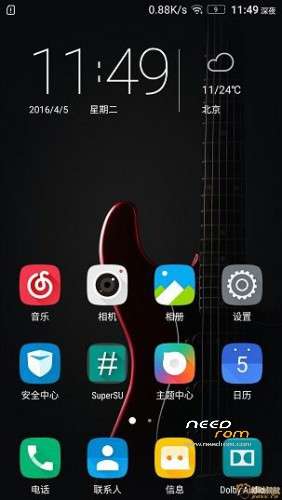
3. Open ROOT permissions, authorization to use SuperSU.
4. Add busybox instruction set, advanced users may need.
5. New Dolby sound, you can use the boot.
6. The status bar ON OFF Dolby sound support.
7. Optimization framework to enhance fluency, rapid and smooth
8. Optimize network performance optimization global touch response.
9. Improve the smooth sliding effect, touch sensitivity.
Install Instructions:
1. Boot into recovery mode TWRP Recommended.
2. Now select wipe – Advance wipe, dalvik cache, system , cache , data.
3. Select install & select downloaded zip file.
4. Install success & reboot.
Gapps:
1. Use any of the older version dev supported Gapps and flash it allow all permissions.
※Please make a backup of your device before installing or updating ROM
When i try to use TWRP to install the zip file, it first says ' no md5 found', then it display format system, and it keep going on for quiet sometimes, the last line of the message is 'unmount of /system failed: no such volum. it is the same way i have been flashed many roms, but only this one failed on me. what could be wrong? …….FYI, i wiped Dalvik/system/eache/data before installing this rom, i did not wipe internal storage…as i dont want to lose something like IMEI or other apps backup. if i did anything wrong? please help
@swlenovok3 you doing all good. When it says unmount of /system failed just click on reeboot. The software already installed. It will boot into your new rom.
Let me know if it works for you
Why do not you take a multilingual ROM
updater process ended with error 7
error installing zip file VIBEUI_V3.1_1614_5.294.1_ST_K50-T5
Why the Chinese version not inatall
Why the Chinese version not installing VR mode?? Indian version got it
Someone could put the link of GAPPS? All I used have failed and loop. I would also like to know what you guys were successful method to install root
Can't setup. it say unfortunately wifi has stopped :3 i vote 1star for this rom.
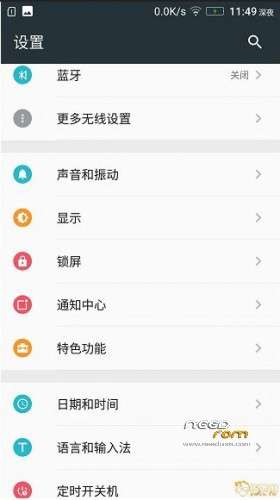
Anyone know how to enable "Date Format" in Setting? It is missing there! Or any workaround solution to change date format from "MM-dd-yyyy" to "dd-MM-yyyy"?
doesit support english
how can i flash gapps ???/
I have some problem with my first boot – it is so long!!! Very long Lenovo logo on black background!!! What is it??? What I have to do??! Please help