
- Title: 20150507 Be Pro Lollipop Root + CTR recovery
- Listed: May, 2015
- Last modified: 05/11/2015 4:08 am
- Version: Android 5.0 prerooted
You must be logged for ROM download.
23737 total views, 3 today
15 Total favorites
 Member Info
DESCRIPTION
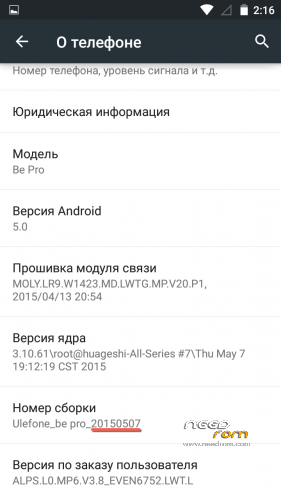
Based on official ROM 20150507.
Prerooted. Multilanguage.
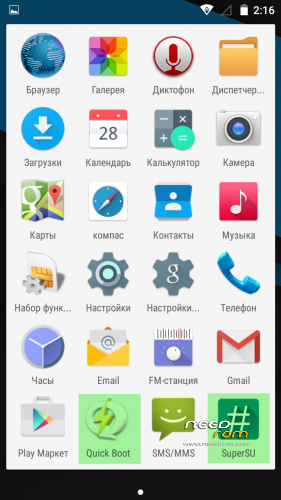
Added Apps: SuperSU and QuickBoot.
Fixes: SDFix (writeable external storage), Phone storage fix (/storage/sdcard0 is now always phone storage).
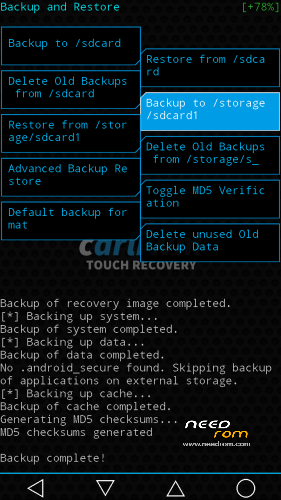
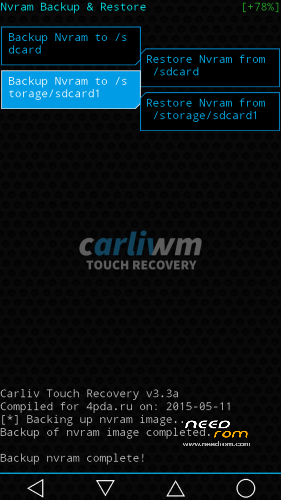
Recovery: Carliv Touch Recovery 3.3 with NVRAM support.
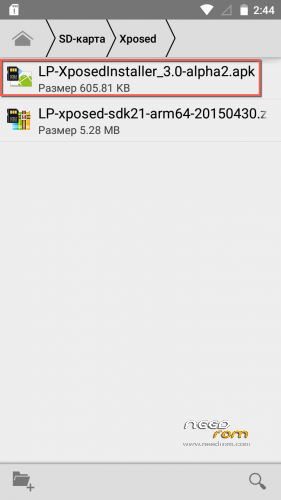
Xposed LP: Possible to install (first – install LP-xposed-sdk21-arm64-20150430.zip using recovery, second – install LP-XposedInstaller_3.0-alpha2.apk).
OTA: Not known to work, not tested.
How to install:
1) Download and install drivers.
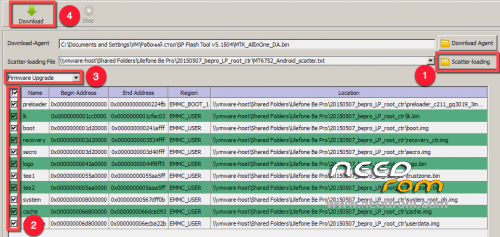
2) Unpack and run SP Flash Tool v5.1504 flash_tool.exe.
3) Load scatter MT6752_Android_scatter.txt.
4) Check all checkboxes and select Firmware Upgrade.
5) Power off your phone and disconnect it from PC.
6) Hit Download and connect your phone to PC.
※Please make a backup of your device before installing or updating ROM
Great work.
Only one problem I cannot connect phone to my pc, even if i go to sttings->storage->usb computer connection nothing happens.
Diferent cables, diferent coomputers.
And in recovery i can mount perfect.
Any help?!?!?
Have you try connecting as a Media device (MTP). When you plug in your USB cable to PC, you should see the usb icon at the top of your phone screen. Drag it down and should see possibly two usb notifications- USB dedugging connected (if enabled) plus one other notification – such as Connected as media device or connected as USB Storage.You should connect your phone as media device and you should be OK.
Can i use this rom to rebranded device named Firefly mobile Intense 64 lte?
Much appreciated – this is working great – everything except torch ah ah its not in there lol
No,seriously this is amazing-noticable battery gets better each day
Anyone not getting the full working rom flash it twice – I always flash twice -sometimes flashtools throws one and jinxes the load
5 STAR perfection
Observation:
1. Flashing with Spflash v5.1452.00.000 failed
2. Flashing with Spflash v5.1352.01 succeded
Battery life while in sleep is much better, but animations and scrolling works slower/sluggish, in Android 4.4.4 they work great..
nice rom thanks!
Off-screen gesture is bugging. double -tap to wake would stop functioning by itself unless toggled off and on.
New official update. Now just hope that there is a new rom with root and recovery.
I am not to leave this magnificent rom.
ulephone have new update http://www.ulefans.com/product.....ate-for-be-pro/
i was trying to update the it via OTA but i got an error " your system was damaged wireless update is disabled"
Is this because of the root access on this version of lollipop.
Can we update it manually without OTA.
HELP PLEASE
I would like you to do the rom update version 20150529 of ulefone be pro with the super user or digeras as super user can do since I've tried all the programs thank you