
- Title: 3G 4G Fix MIUI 9 ROM
- Listed: September, 2017
- Last modified: 09/19/2017 7:42 pm
- Version: 7.8.28
You must be logged for ROM download.
15274 total views, 5 today
7 Total favorites
CUSTOM



 Member Info
DESCRIPTION
Features
Multilanguage
More Smooth
Performance &Battery optimized
Added Google camera
SuperSU updated to latest
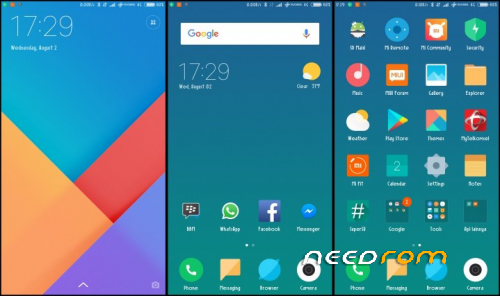
Added some apps for better use.
Fast Charge Guaranteed
Please Follow Each and Every Instructions for best and Great Result
Clean and Smooth Instructions will be found here - Fast Flash
Gapps Installation Procedure
Clean Gapps Installation Procedure and also check ROM Speed. Its pretty fast. 
※Please make a backup of your device before installing or updating ROM
IS VOLTE WORKING?
Maybe, Option showing – VoLTE enabled, but I using idea, and BSNL so its said – not supported for this data sim card. try with geo sim. maybe it will work. else wait, i will test and tell u the same
MIUI 9 REVIEW : https://youtu.be/-Zu7rNUqluA
For voLTE TRY fix:
VOLTE patch http://www54.zippyshare.com/v/.....3uDnc/file.html
L84d is working ,, wana take it.
Fake
Buddy, @panandriy its not fake, download and install as per instructions provided. all working fine. enjoy
Thanks Everything working, Just tell me one thing. How to remove those system chinese apps?
IS VOLTE WORKING?
Yup , its pretty simple download App – System app remover(ROOT) from google play. after uninstall any app, restart your mobile. to take effects
Is there any bugs
Not yet buddy @ vinod a
moba legend lag bro????
@jp2186 ……..Nop
wifi is not connecting and not showing the option to connect the phone with sim, so not starting
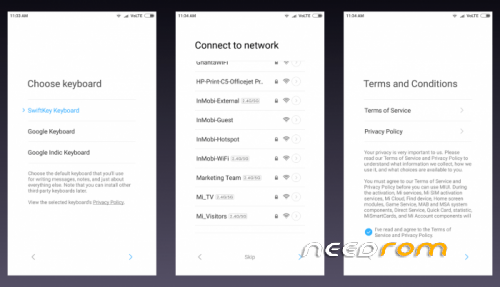
Buddy, everything is working fine. thats why ROM posted here. at first setup, you need to connect wifi. becoz here no any role of Gapps at first setup so you can't connect to data sim card network.
back button and home button not working
Sounds strange Flash ROM again.
Brother, i followed instructions, extract Google apps at given folder (created AllBackup) folder but unable to locate anythig to restore when go to setting….
@MUHKASHIF Sry buddy for the late reply. first, create the backup, and then go to internal storage – MIUI – Backup – Allbackup – you will see, a backup folder you have created, paste our gaps backup folder with that folder. then go to settings and restore it. that's it
@MUHKASHIF I have made a video , How to install Gapps. check the same in descriptions. Thanks
Android Oreo?
No Oneos.
Nop, its android nougat
Custom rom is not working for download miui 9.
What issues you facing buddy?