DESCRIPTION
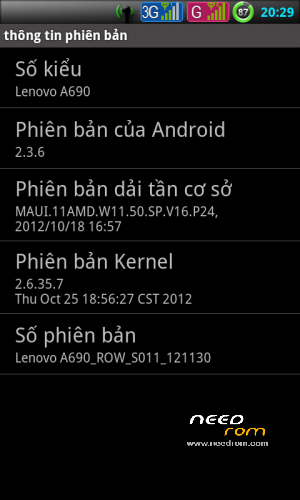
The S011 rom most complete just fine.
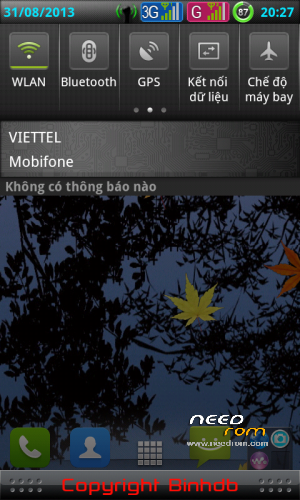
- Sony Xperia S interface
- Fixed all the errors.
- Add root. Init.d…
-Take the memory card to phone memory.
-Memory partition before installing rom.
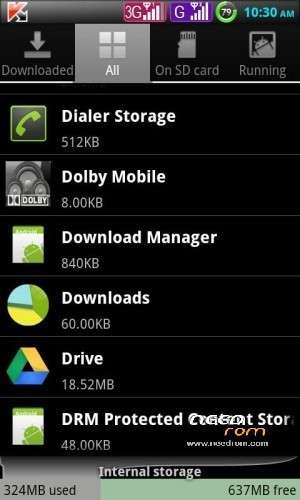
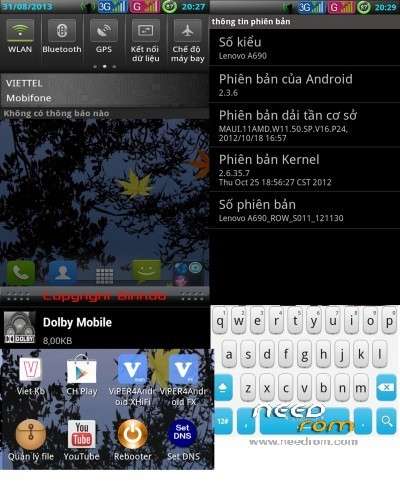
- Integrated Camera Snap, Viper4Anadroi, Dolby Mobile, youtube HD ….
- Experience the difference in the music and video
HOW TO INSTALL
- INSTALL VIA RECOVERY MODE/CMW
- WIPE DATA/FACTORY RESET
- WIPE CACHE PARTITION
INSTALL FROM ZIP. WAIT UNTIL FINISH.
- REBOOT
Try listening to any music first before installing this one .
And after this installation How to install and use the following Viper4android fx hifi .
Dow is one of
http://www.mediafire.com/download/z13ljaa7aqa1d4o/ViPER4Android-2013-08-29.zip
unzip and copy to the memory card .
Open Viper4android fx it requires root privileges to allow select / ok ….. cotexA9 choose … ok . It takes ok to reboot it .
Open up Viper4android similar hifi … it requires root access on select Allow / ok ….. cotexA9 choose … ok . It takes ok to reboot it .
Now shutdown and reboot .
Start tweaking :
| Hidden-text |
SelectShow |
Open up Viper4android fx
Choose phone to hear ear
1 . Master Power : ✔
2 . Playback Gain Control
( 1 ) Enable checkbox : ✔
( 2 ) Select Effect Strength : Slight / / Moderate
( 3 ) Max Gain : 4x / / 8x ( 4 ) Max Output : – 1.9dB
3 . FIR Equalizer
( 1 ) Enable checkbox : ✘
( 2 ) Select Preset : Acoustic
( 3 ) Linear Equalizer graphic : default
4 . Convolver
( 1 ) Enable checkbox : ✔
( 2 ) Impulse Response : PopEQ / / DBX 160SL Blue – Medium Ratio / / JoeMeek SC2 Impulse , Htc one X , +3.6 db …… sony …… depending on each person
5 . Field Surround
( 1 ) Enable checkbox : ✘
( 2 ) Select Surround Field Strength : Extreme
( 3 ) Select Mid Strength Image : Extreme
6 . + Headphone Surround
( 1 ) Enable checkbox : ✘
( 2 ) Select Effect Quality : Normal
7 . Reverberation
( 1 ) Enable checkbox : ✘
( 2 ) Room Size : 25m2
( 3 ) Sound Field : 5m
( 4 ) Damping Factor : 0 Percent
( 5 ) Wet Signal : 70 Percent
( 6 ) Dry Signal : 50 Percent
8 . Dynamic System
( 1 ) Enable checkbox : ✘
( 2 ) Select Device Listening : Common Earphone ( v2 ) or Apple …..
( 3 ) Select Dynamic Bass : 0 Percent
( 4 ) Tube Simulator ( 6N1J ) : ✘
9 . Fidelity Control
( 1 ) Viper Bass checkbox : ✔
( 2 ) Bass Mode : Natural ( For headphones ) / / Pure Bass + ( For earphones )
( 3 ) Bass Frequency : > = 60Hz
( 4 ) Select Bass Boost : > = 6.0 dB > = 8.0 dB
( 5 ) Clarity Viper checkbox : ✔
( 6 ) Clarity Mode : XHiFi +
( 7 ) Select Clarity : 3.5 dB
10 . Auditory System Protection
( 1 ) Enable checkbox Cure + Tech : ✔
( 2 ) Select Binaural Level: Moderate 10 , 20 … the stronger the higher the pass .
11 Master Gate ( Limiter )
( 1 ) Ouput Gain : 0dB
( 2 ) Limit Threshold : 0dB
hear speakers
1 . Master Power : ✔
2 . FIR Equalizer
( 1 ) Enable checkbox : ✘
( 2 ) Select Preset : Acoustic
( 3 ) Linear Equalizer graphic : default
3 . Convolver
( 1 ) Enable checkbox : ✔
( 2 ) Impulse Response : -
4 . Reverberation
( 1 ) Enable checkbox : ✘
( 2 ) Room Size : 25m2
( 3 ) Sound Field : 5m
( 4 ) Damping Factor : 0 Percent
( 5 ) Wet Signal : 0 Percent
( 6 ) Dry Signal : 50 Percent
5 . Extra Loud
( 1 ) Enable checkbox : ✔
( 2 ) Select Effect Strength : Slight
( 3 ) Max Gain : 4x
( 4 ) Max Output : – 1.9dB
6 . Master Gate ( Limiter )
( 1 ) Output Gain : 0dB
( 2 ) Limit Threshold : 0dB
|
※Please make a backup of your device before installing or updating ROM

 Member Info
HOW TO INSTALL – INSTALL VIA RECOVERY MODE/CMW
- WIPE DATA/FACTORY RESET
- WIPE CACHE PARTITION
INSTALL FROM ZIP. WAIT UNTIL FINISH.
REBOOT
i had 4gb sd card,…..twrp,…..but when i install it it stops at boot logo,….i did facrory,cache,davlaik achche before,….,….i think its error with sd card partion,….before installing i did 500mb ext3 and rest fat32,…..then copied to my sd card and flashed,all gives boot logo stop error…i need a fix….tried 4 times
does it has error
what?
Improved full version S011, for you are not in Vietnam
http://www.mediafire.com/downl.....Binhdb-full.zip
update via needrom not just via mediafire only.. thanks
http://www.mediafire.com/downl.....Binhdb-full.zip