
- Title: a_bait Rom Edited
- Listed: March, 2014
- Last modified: 03/24/2014 12:32 am
- Version: 23/03/2014
You must be logged for ROM download.
30139 total views, 4 today
129 Total favorites
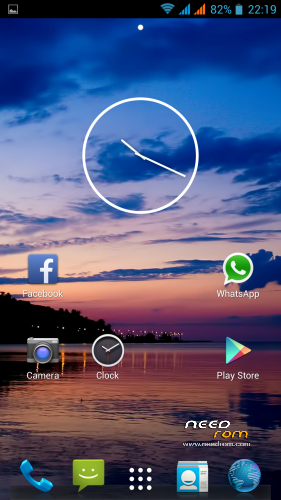
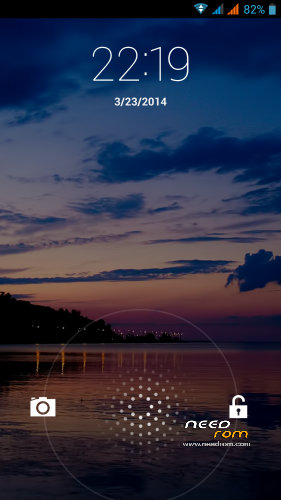
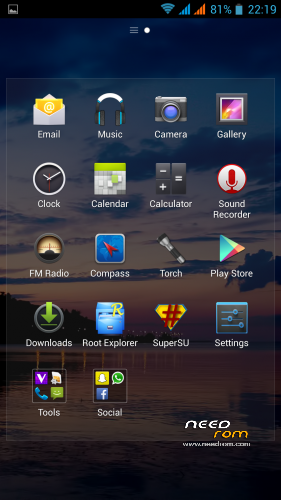
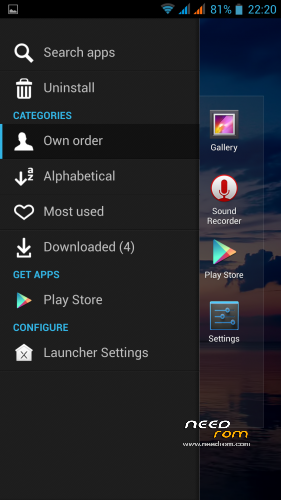
 Member Info
DESCRIPTION
This is a custom ROM made by a_bait from 4PDA forum.
Is one of the best, smooth, and without lag.
All is working perfectly
VERY VERY LIGHT ONLY 187MB AND VERY FAST AND STABLE
I only edited some things like:
Replaced Holo Launcher by Xperia Launcher from XDA
Added Viper4android
Removed:
Music Fx.apk and replaced by Viper4android Fx
File manager because it already have Root Explorer
Livewallpaperpicker.apk
Rebootmanager.apk
Wallpaper.apk
Changed default language from Russian to English
The GPS default fix is for Russia if you want to change it download GPS fix from play store to get a fix for your country
SORRY FOR POST YOUR ROM a_bait I WANTED TO ASK FOR PERMISSION BUT I DIDNT KNOW HOW TO WRITE IN RUSSIAN SO I WASNT ABLE TO SIGN IN
IF YOU WANT I WILL REMOVE IT
THE BEST ROM FOR ME UNTIL NOW THANK YOU a_bait
※Please make a backup of your device before installing or updating ROM
mmm keyboards is perfect for me maybe try flashing again
also fc with keyboard aosp…need to install a other (i ve installed 3 times)
Installed other KB now all ok..
ROM very smooth..
Do you think it could be possible in update to change the order of stockage ?
Drops pace, Dropbox cannot work because in this ROM the sd memory card is sdcard2 (not same other roms) so the default is 9Gb inside sdcard and not my 32Gb SDHC external memory card.
Download goes to 9gb too
and other programs…
Is it possible for me to change somewhere in settings or engineer settings?
I have no idea but i will look for you. i think it is possible
I installed with TWRP: fail
I installed with CWM: success!
Gps fine
I use SwiftKey fine
Wonderful ROM
THANKS a_ bait
I installed with CWM: success!
Gps fine
I use SwiftKey fine
Wonderful ROM
One question: xposed installer works?
xposed works, that says in the russian forum, i didnt test it
Hi, I tried the rom. I will say it's the best rom~!!! But only one problem, I can't install any big apps from Playstore. It says make sure external memory is installed or something like that…
MobileUncle–>App2SD can solve your problem
To get the "original" Zopo sdcard partitioning, you need the default vold.fstab, like this:
## Vold 2.0 Generic fstab
## – San Mehat (san@android.com)
##
#######################
## Regular device mount
##
## Format: dev_mount <label> <mount_point> <part> <sysfs_path1…>
## label – Label for the volume
## mount_point – Where the volume will be mounted
## part – Partition # (1 based), or 'auto' for first usable partition.
## <sysfs_path> – List of sysfs paths to source devices
######################
## Example of a standard sdcard mount for the emulator / Dream
# Mounts the first usable partition of the specified device
dev_mount sdcard /storage/sdcard0 emmc@fat /devices/platform/goldfish_mmc.0 /devices/platform/mtk-msdc.0/mmc_host
dev_mount sdcard2 /storage/sdcard1 auto /devices/platform/goldfish_mmc.1 /devices/platform/mtk-msdc.1/mmc_host
dev_mount usbotg /mnt/usbotg auto /devices/platform/mt_usb
## Example of a dual card setup
# dev_mount left_sdcard /mnt/sdcard1 auto /devices/platform/goldfish_mmc.0 /devices/platform/mtk-sd.0/mmc_host/mmc0
# dev_mount right_sdcard /mnt/sdcard2 auto /devices/platform/goldfish_mmc.1 /devices/platform/mtk-sd.2/mmc_host/mmc2
## Example of specifying a specific partition for mounts
# dev_mount sdcard /mnt/sdcard 2 /devices/platform/goldfish_mmc.0 /devices/platform/msm_sdcc.2/mmc_host/mmc1
What must i do with this ? Write something ? Where ? All this text ?
Is this the solution to get microsdcard sdcard0 like in all other rom ?
Just to be absolutly clear abot the GPS:
It is NOT better at all. It does exactly the same as all the other ROMs, places me out on the medow – whwenever it fell for that. Since it often happens on the same places, I believe that at those sites the signal is weaker, causing the position error. That I guess is more HW then SW problem.
Maybe a better kernel could give better stability with low signal, or again, maybe not.