
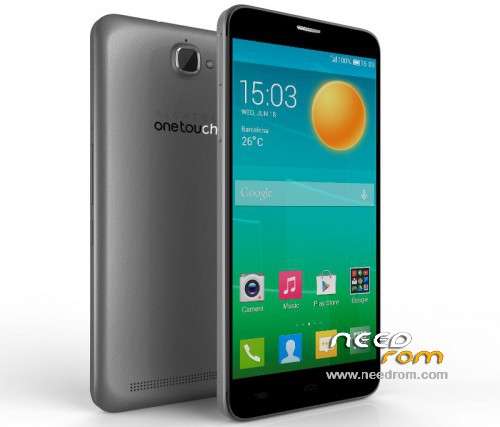
- Title: Alcatel Flash Stock ROM
- Listed: November, 2015
- Last modified: 11/24/2015 6:44 pm
- Version: 4.4.2
You must be logged for ROM download.
22356 total views, 4 today
10 Total favorites
 Member Info
DESCRIPTION
Alcatel Onetouch Flash (6042D) Stock ROM for unbricking 
Installation:
1) Download and extract ROM
2) Download SP Flash Tools
3) Power off your phone
4) Open SPFT and click on "Scatter-loading", now choose the scatter file in the ROM archive
5) Uncheck Preloader.bin
6) Click on Download button
7) Now plug in your device with USB. Download should start. Wait till it finishes flashing (5 to 10 minutes according to your computer speed).
 Unplug the cable, go to recovery mode (volume down + power till you see alcatel logo); wipe data & factory reset; then wipe cache partition.
9) Now reboot.
Troubleshooting:
- If your phone is booting and reboot (infinite loop) and so can't be powered off, just click on Download button and plug it in; SPFT will detect it when it turn off. It won't turn on when SPFT initiates the flashing proccess.
- If you're stuck on bootlogo or bootanimation (bootloop). Just click on download button in SPFT, then plug in your phone. Now press the button for 10s (or less) till SPFT detects it. Now release the button, flashing should start.
Notes:
- NEVER flash with "Preloader.bin" checked ! Unless your device is already HARD BRICKED! (Tip: If you still can boot to recovery, then your device isn't hard bricked. It's just soft bricked)
- You need MTK VCOM USB Drivers installed first! You can find plenty of tutorial on Google to do that 
※Please make a backup of your device before installing or updating ROM
buenas tardes señor yo tengo un alcatel onetouch fierce2 ot7040n lo flashee con flashyfy y me quedo mal aora nadamas prende y se apaga constantemente al arrancar ,digame si es necesario poner una room y cual para arreglarlo
Hi!
Is this rom work OT 3036y Alcatel Idol 2 mini s too?
It is also 4.4.2. version
I can use this Alcatel one touch pop c5 Tv 5037a