
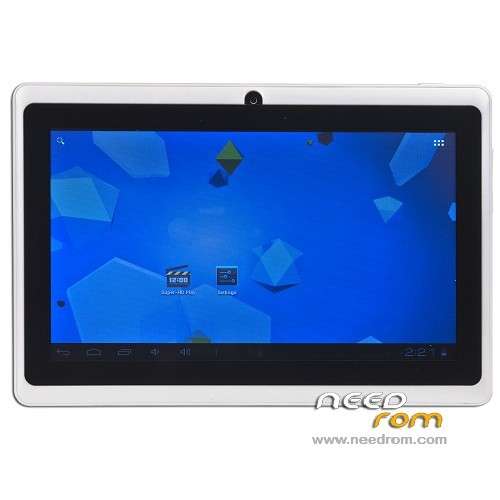
- Title: Allwinner A13.MID
- Listed: December, 2013
- Last modified: 12/21/2013 1:52 pm
- Version: ROM Android 4.0.4
You must be logged for ROM download.
44811 total views, 1 today
25 Total favorites

 Member Info
DESCRIPTION
instructions:
1 , download the driver and install the Tablet PC computer!
2 , download the flash program and then execute , as appropriate Yes Format and then Next and in the end Yes , by highlighting the downloaded firmware and Finish !
3 , the tablet PC is turned off ( unless otherwise go then press and hold the on-off switch for 10 seconds !
4 , connect your tablet PC with a USB cable to the computer, then the drivers are installed !
5 , the Tablet PC volume up or volume down button is pressed and then holding down the on – off button is pressed while you are pushing and you keep both of them until a message appears on the let go buttons !
6 , the message you with two options , Upgrade or clean install ! The program will propose the fissítést ! Not always want to choose a clean installation based on my experience !
Will take place at 7 , about three minutes to update / install and reboot your tablet pc !
8 , if all is working perfectly then close the flash program exit button if you do not then start it all over again to install another firmware !
9 Finish
The fact that two tablet pc seems to be a form does not necessarily mean that one and the same system running on it!
A common mistake phenomena : WIFI will not turn on , does not respond to touch , these problems can only be solved updates , clean installation NO!
Leírás!
Utasítás:
1, Letöltöd a tablet pc drivert majd telepíted a számítógépre!
2, Letöltöd a flash programot majd elindítod, értelemszerűen Yes majd Format majd Next és a végén Yes, kijelölöd a letöltött Firmware és Finish!
3, A tablet pc-t kikapcsolod, (ha másképp nem megy akkor 10 másodpercig nyomvatartod a ki-be kapcsológombot!
4, Csatlakoztatod a tablet pc-t usb kábellel a számítógéphez, ekkor a driverek települnek!
5, A tablet pc hangerő fel vagy hangerő le gombot benyomod és nyomvatartod majd a be-ki kapcsológombot is benyomod és addig nyomvatartod mindkettőt amíg egy üzenet jelenik meg, ekkor elengeded a gombokat!
6, Az üzenet két választási lehetőséget kínál fel, Frissítés, vagy tiszta telepítés! A program a fissítést fogja javasolni! Tapasztalatom alapján nem mindíg érdemes a tiszta telepítést választani!
7, Kb. 3 perc alatt lezajlik a frissítés/telepítés és a tablet pc újraindul!
8, Ha minden tökéletesen működik akkor a flash programot az exit gombbal bezárjuk, ha nem akkor kezdjük előröl az egészet egy másik firmware telepítésével!
9, Finish
Attól, hogy két tablet pc egyformának tűnik még nem biztos, hogy egy és ugyanazon rendszer fut rajta!
Gyakori hibajelenségek: WIFI nem kapcsolható be, érintésre nem reagál, ezek a problémák csak frissítéssel orvosolhatók, tiszta telepítéssel NEM!
※Please make a backup of your device before installing or updating ROM
how i can download this rom?
I have a allwinner for fun a13 q88e v1.2 can it work with one of the above?
i have this tablet touch panel problem
i try flash this 3 rom here the touch panel also not working…
how i can read the rom file from the tablet
DO any one know how to fix this problem…PLs…
Do any one here ???
I used the first two links…and everything's ok…but no touch working…no wifi….
Now….how we continue?
you can use ZeusToolKit_V5 to fix touch screen broblem
I used the first three links…and everything's ok…but no touch working…no wifi….
Now….how we continue?
I have swipe 3d life+ would this ram work fo rmy tablet?? I rooted it.
god day to all. ask ko lng po may pag asa ba yung tab ko na no display peru dinedetect sa pc ko??
please help me!! Jesus love us!
hep firware allwinner PROC tech a13 (C4001AA 34G) BOARD k8 mid v1.0 thans…
quedo muy bien en mi tblet gracias
¿This firmware work for my itab703B? is an allwinner a13 too