
- Title: AMOI A920W Vibe
- Listed: December, 2013
- Last modified: 12/23/2013 4:33 pm
- Version: ROM Android 4.2.2
You must be logged for ROM download.
13756 total views, 1 today


 Member Info
DESCRIPTION
ROM Mobile AMOI A920W – ROM Android 4.2.2
Features ROM:
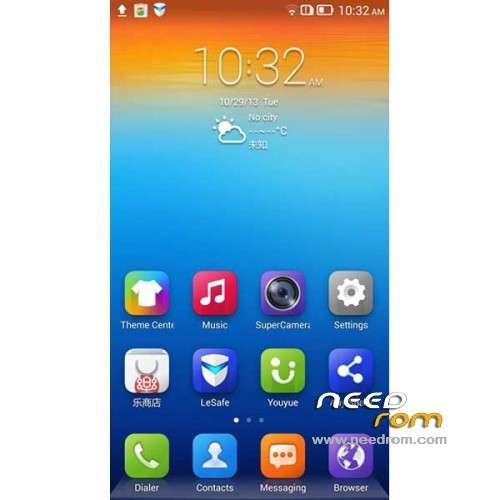
Tranplant Lenovo S920 Vibe on Amoi A920W
do all the packages are very simple, do not spam software integrated oil matter of life and death do not want some of the forum for the benefit of a heavy meal integration software
Always double clear before Brush
Perfect transplant only streamline some useless software with less than a majority of reserves, do not like their global delete multiple kinds of optimization not one description, the system smoothly, their own experience
Perfect ROOT
System
Optimization of WLAN networks can not increase the user is prompted to modify the connection
Repair repeatedly call, repeated hand-held and hands-free mode switching may occur handsfree silent bug
Failure to repair the font settings probabilistic asked to solve
Fix it under the traditional language of the browser to find the input edit box disappears asked
Repairing traditional and simplified storage interface inconsistencies ask
A period of time to repair the boot becomes unresponsive card
Repair the lock status often did not respond to touch
Repaired by computer terminal brush VIBE status lights have been lit
Fix a problem with the battery level display, restart becomes 100
S920 repair at the highest brightness Huaping
Gapps include - Rooted – Odex
Language support: Multilang
ROM Install :
CWM ( CN )
Step 1: Download the custom ROM copied to an external SD card root directory
Step 2: the shutdown state. While holding down:
– Power button + volume button up, to enter the recovery mode.
– Wipe Data / Factory Reset -> delete all user data
– Wipe Cache Partition -> Wipe cache
– Advanced -> Wipe Dalvik Cache
Step 3: Return to recovery main interface Install zip from sdcard -> choose zip from sdcard -> Select your ROM
Step 4: Brush complete, restart the phone Patience required – first boot takes a while
※Please make a backup of your device before installing or updating ROM
no multilang fakeeeeeee en cn tuhhhhhh