
- Title: AMOI N820&N821
- Listed: July, 2013
- Last modified: 07/16/2013 3:04 am
- Version: ROM Android 4.1.2
You must be logged for ROM download.
16679 total views, 1 today


 Member Info
DESCRIPTION
ROM Mobile AMOI N820&N821 – ROM Android 4.1.2
Update 3.7.12
1: Fix the previous version of the camera can not connect problem
2: Repair models show better
3: Dual SIM settings to optimize the perfect support dual card dialing!
4: Update Android 4.3 camera
ROM features:
1 repair data connection
2 perfect repair fillet Show
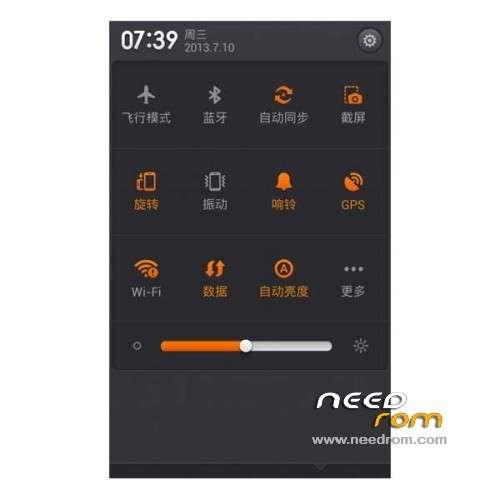
3 Perfect status bar without service
4 Replace Baidu input method
5 Perfect status bar no service
6 transplant MIUI camera, this package has two cameras, please choose
7 Fix the previous version of the status bar Caton
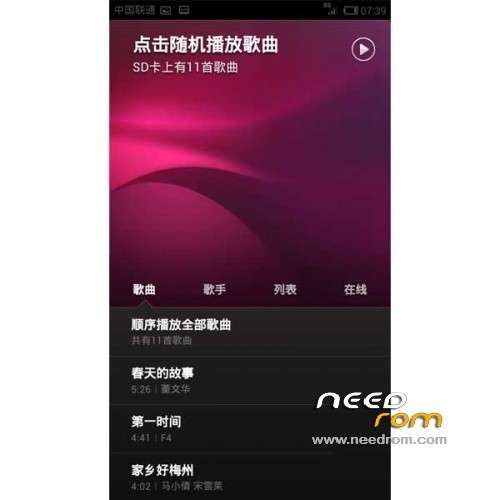
8 transplanted MIUI talk page
9 Repair set cell data (already viewed)
10 Add New Brush Script-take N821 and N820
11 Fix the previous version of the status bar with card problem (run more smoothly)
Gapps include – No rooted
Language support: EN/CN
ROM Install :
CWM
Step 1: Download the custom ROM copied to an external SD card root directory
Step 2: the shutdown state. While holding down:
– Power button + volume button up, to enter the recovery mode.
– Wipe Data / Factory Reset -> delete all user data
– Wipe Cache Partition -> Wipe cache
– Advanced -> Wipe Dalvik Cache
Step 3: Return to recovery main interface Install zip from sdcard -> choose zip from sdcard -> Select your ROM
Step 4: Brush complete, restart the phone Patience required – first boot takes a while
N821/N820 through brush machine process will be prompted to select N821 or N820!
※Please make a backup of your device before installing or updating ROM
Can you add a option for data roaming?
My provider only works if data roaming is enabled, but there is no option in this rom to enable it.
Thanks