
- Title: Androium 6 K3N
- Listed: November, 2015
- Last modified: 11/29/2015 7:35 pm
- Version: 5.1.1
You must be logged for ROM download.
39760 total views, 2 today
28 Total favorites
 Member Info
DESCRIPTION
Original post: http://forum.frandroid.com/topic/227757-dev-rom-androium-beta/page-3#entry3517668
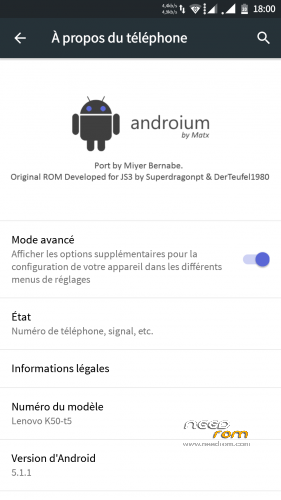
Androium 6 for Lenovo K3 Note (multilang)
Base AOSP MTK 5.1.1 x64 / Jiayu S3 DE/Miyer Barnabe (contributors: DerTeufel1980 & superdragonpt): http://jiayu.de/forum/index.php?thread/243-android-5-1-1-jiayu-de-aktuelle-beta-downloads/&pageNo=1
- Compatible Xposed + GBOX
- Dolby Sound
- Miravision
- Applications : MiXplorer; Camera/Gallery/Compass -> Lenovo ;HikiPkayer ; Calculator CM11 ; Keep
- Improved translation French
- Launcher Nova
- Added button "Delete all" in multitasking
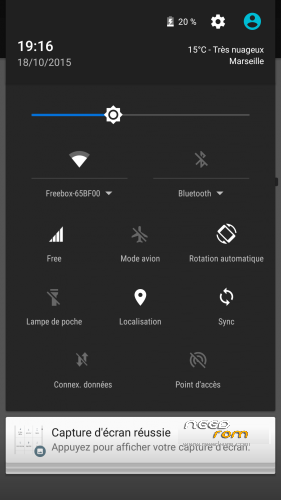
- Added speed meter in the status bar
- Fixed flaw Stagefright
- Kernel / modem / MDBB / drivers / lib will be updated with the Roma Vibe 5.1 UI (not always)
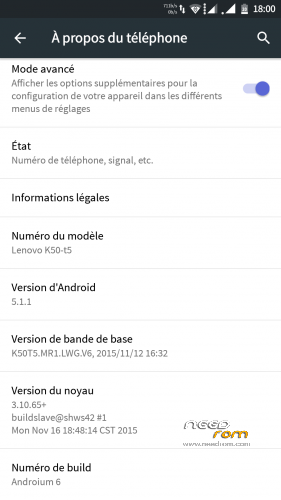
- Kernel Lenovo 5.1-1547
- Slight changes of the Android interface (green -> blue …) Settings icons …
- Modification of the interface in the SMS application / MMS
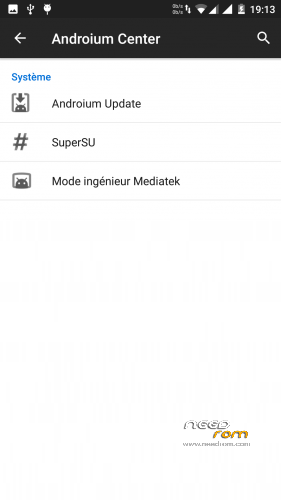
- Added Backup and Restore app Mediatek
- Maintained updated with update custom system (OTA Updater)
- No "tweaks" or in build.prop or other
Bugs:
- No LED notifications (work with light flow only)
CWM not compatible with OTA Updater, please use TWRP.
※Please make a backup of your device before installing or updating ROM
@cyberpunkk: Hi, I replied.
roaming prob.
xposed working???
Hi everyone!
I can't manage Light Flow to work. I also tried other LED managing apps and still no success. LED simply doesn't turn on. What I am doing wrong?
Thanks in advance,
king67
我是中国人。。。。
This is a verry good ROM and i give it 5 stars!
LED notifications is not a problem for me, but i hope it will be fixed in the next release.
How i can change Nova to Nova Prime?
Nova is build in, i cant replace or install the Prime apk
Hello everyone and thanks to the developper for this awasome ROM! i have only one big issue, my brightness control is not working, i change it but my brightness remains allways the same is there a fix for this? Thank you
i think adaptive brightness is turned on.
setting–>display–>adaptive brightness
I got the LED notifications to work using Lightflow.
You need to do a few things for it to work. My LED doesn't blink though, but it does turn on when there is a message. Once I view the message or remove it from notifications, it goes away.
Step 1)
Go into your android system settings –> Accessibility –> Light Flow –> Turn it on
Step 2)
Now, open light flow. Click the hamburger menu and click settings –> General Settings.
Make sure Enable Light Flow is checked. LED brightness should be 100%.
Check the following:
Show LED in priority mode
Device Admin
Reduce Wake (optional)
Enable Clear All
Accessibility Check
Step 3)
Now go back to Light Flow settings, and this time click –> Device Settings and Root –>
Check the following boxes:
Direct Mode (will restart lightflow and you will have to navigate back here)
Root Mode
Show LED while screen on
HTC alternative direct mode
Nexus 5 force LED reset (optional)
Step 4)
Go back into Light Flow settings and now click LED Control. Make sure, Main LED control is set to "Control – Light Flow controls the LED". I also checked the box for test-led-control. Its probably optional, but you can play with it and see if it makes a difference.
(OPTIONAL STEP)
In Light Flow, click the hamburger menu and click Notification Settings.
For SMS, if you are worried about privacy and don't want light flow to read your messages or contact info, scroll down to Switch on SMS monitoring method and only keep Monitor notification bar checked. Do the same under Switch off SMS monitoring method, i.e. only keey Monitor notification bar checked.
You will be limited to just green color LED, but it will work when you get messages. Tested with SMS and MMS so far. But it should work with everything else as well.
Only thing is, I could not get the LED to blink when I got a message.
Hoope this helps helps someone out. I tried a few different roms. A lot of people recommended Cuoco92 rom for this phone, and upon trying it, it was a good rom. Not as fast or fluid or light weight as this. Also on Cuoco92 Google Play just wouldn't work even after I did the authors fix by renaming LenovoGallery.apk to LenovoGaller.apk.old. No matter what rom I tried, I always found myself coming back to Androium 6. Its a light weight rom and it's very fast. The lack of LED notification is the only thing that bugged me a lot about Androium, but I am a lot happier now that I have it working (although doesn't flash – just solid led).
Can anybody tell me the diffrence between Androium 2 K3N and Androium 6 K3N.Is Androium 6 K3n just a newer version of it or is it a diffrent ROM?
How do I install xposed the zip file is not showing up in twrp