Hardware : MT6589T
Model : NO1 S6
LCD Drivers IC : 1-lg4591_dsi – 0-lg4591_dsi
DVD – Preview
Video PROMO
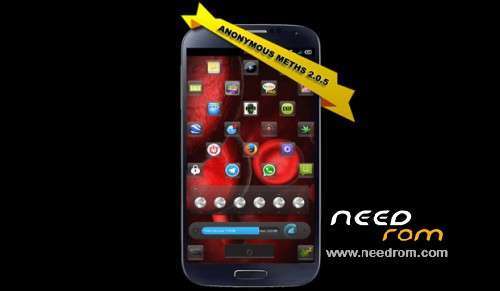
VERSION 2.0.5 – DVD ISO
IN THE FUTURE, I WILL MAYBE PORT AND CREATE ANDROID 4.4 ANONYMOUS METHS ROM, I YET TRIED IT, I JUST NEED TO FIX SOME MINOR BUGS. WILL I PUBLIC IT? DEPENDS BY YOUR FEEDBACK AND BY YOUR DONATION SUPPORT, THIS KIND OF WORK, REQUIRES A LOT OF TIME, ENERGY AND CONCENTRATION. I WORK ON IT ALONE, WITH NO TESTERS ETC, SO I NEED TO TEST IT BY MY SELF TO. TESTERS ARE APPRECIATED, DONATIONS TO, BUGS REPORT TO. ENJOY MY ROM PEOPLE.
About Default Wallpapers
- Default lock screen removed/overwrited
- Default background removed/overwrited
- Default background in the miui framework removed/overwrited
About Task Manager Icons Theme
Default Applications Icons removed/overwrited
About Firefox and Plugins
- video downloader
- ad-block
- home button
- some themes
About Internal Fixes
- 3G/2G signal fixed
- blue led fixed
- magnetic sensor fixed
- AOSP Keyboard Dictionary
About Avaiable External Fixes
- imei fix (fake nvram data)
- WiFi restore flashable zip on /data/RESTORE
- MMS Database Cleaner flashable zip on /data/RESTORE
About Hacks & Modds
- added aroma file manager
- modded aroma file manager
- modded some icons of aroma file manager
- modded loading framework screen
- modded boot splash screen
- modded splash screen
- modded logo
- modded battery charging
- modded Recovery
- modded tor icons application
- modded andosid icon application
- modded loic icons applications and splashes
- modded tethering icon
- changed the content of ImCdRom.iso
- added some smileys pack for the Xposed module
- repartition of /data
- disabled throttle
- disabled mtk logs
- disabled log dump on /sdcard
- open DNS
About Hosts
It has a 15 MB filter host file, to lock unwanted web sites
Extras SD Files
Some Anonymous Meths Screenshots
Promo Video
Some PDF Resources
Aroma File Manager
What doesn't work
*** Radio FM
*** Swipe to answer directly from the flip cover
*** i will fix them in the future
INSTRUCTIONS
- download all the parts, extract them using winrar
- burn the iso on a DVD or mount it with a iso mounter (better if you burn it at 4x speed)
- run the DVD (right click on it, select Autorun) or open the DVD and launch the Play.exe file
- follow the software How to
Home Screen Unlock
To lock the Home screen layout, and prevent accidental move of the icons and widgets,
i added a password. To unlock the layout, and customize it, in the way you want, just
press the option button in the home screen, when asked, put as unlock code five times back
spaces.
Driver Troubles?
- install the System Core
- navigate to "C:\Program Files\Atrax Robustus\DRIVERS" there are all the needed drivers
If you like this build:
- you can support my work with a donation
- you can suggest fixes and report bugs here or using the Mail Me button on the DVD
Guarda il target era generale, quindi ho dovuto per forza puntare sulla cosa in inglese un futuro magari posso tradurre un tedesco, spagnolo e italiano, per adesso rimane così perchè è per tutti, non puoi immaginare aldilà della composizione della ROM quanto lavoro ci sia voluto per creare l’installazione da DVD, stavo per procedere con i classici setup.exe che ovviamente contenevano già una mia traduzione della cosa in tutte le lingue. Poi ho pensato, no, questa build è per tutti quindi deve essere facile per tutti, a prova di click etc, e quindi ho usato l’inglese perchè l’inglese più o meno lo masticano tutti. Segui il video, non avrai difficoltà.
Machaca: de nada amigo. Esperamos que gustaría a los otros también y que estos puedan escribir cómo funciona y los bugs por actualizar in manera mejor en nel futuro. Saludos
You can't, it's build in with in the Miui System Settings APK. Keep pressed the Power Key Button you will disable it in that way… But, disconnect the phone from the USB Cable. Do you have skype or something to communicate with you? I can't help you here, the messaging system it's too slow over here.

 Member Info
thanks a lot for reup, I will try to flash tomorrow
You're welcome bro. hope you will like it and you will enjoy.
ma va solo su dispositivi con processore 6589T ?
una guida in italiano x chi come me è ignorantissimo in inglese ?
?
espero que en un futuro actualices anuevas versiones , gracias por tu trabajo.
In italiano…
Guarda il target era generale, quindi ho dovuto per forza puntare sulla cosa in inglese un futuro magari posso tradurre un tedesco, spagnolo e italiano, per adesso rimane così perchè è per tutti, non puoi immaginare aldilà della composizione della ROM quanto lavoro ci sia voluto per creare l’installazione da DVD, stavo per procedere con i classici setup.exe che ovviamente contenevano già una mia traduzione della cosa in tutte le lingue. Poi ho pensato, no, questa build è per tutti quindi deve essere facile per tutti, a prova di click etc, e quindi ho usato l’inglese perchè l’inglese più o meno lo masticano tutti. Segui il video, non avrai difficoltà.
Machaca: de nada amigo. Esperamos que gustaría a los otros también y que estos puedan escribir cómo funciona y los bugs por actualizar in manera mejor en nel futuro. Saludos
Hi Atrax,
I have flashed the ROM (via Flashtool) and also restore the CWM Backup from SD-Card.
But after reboot I have only the following screen and I am not able to unlock the phone :-/
What is wrong?? and how can I solve it?
It also would be very nice if the messages would be in englisch and not in italian language
You can change the language from the system menu.
It says
Keep pressed power off key to disable it, and ho to system settings, display settings, and lock settings to deactivate it.
To change the language you can go also in system settings, language options I’m uploading a video that shows you that
sorry but I am pressing the power for over 20-30 seconds till the display goes again off.
and there is no escape from this
can you give me the exact name of this "blocking" apk??
so I would be able to delete this apk from system folder using MTK Droid
You can't, it's build in with in the Miui System Settings APK. Keep pressed the Power Key Button you will disable it in that way… But, disconnect the phone from the USB Cable. Do you have skype or something to communicate with you? I can't help you here, the messaging system it's too slow over here.
Try this via ADB terminal
adb remount
adb shell rm -rf /data/data/com.android.settings
adb shell rm -rf /data/dalvik-cache/system@app@Settings.apk@classes.dex
adb reboot
Sorry but it doesn't work. the phone reboots with this script but always the same LOCK Screen.
I give up and go back to stock ROM.
Thank you very much for your help, maybe it would be easier with only one flashtool or CWM-ZIP package.