
- Title: AOKP 7.1.2 Oukitel U7 Plus
- Listed: October, 2017
- Last modified: 10/03/2017 5:12 pm
- Version: 7.1.2
You must be logged for ROM download.
11579 total views, N/A today
3 Total favorites
 Member Info
DESCRIPTION
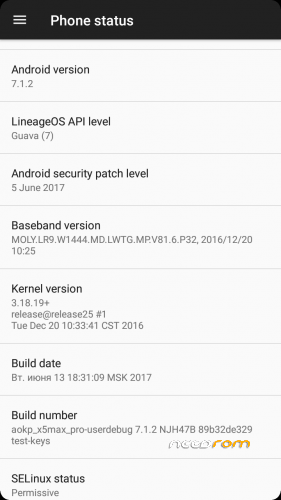
AOKP 7.1.2
Instructions:
Download a root file manager and your favourite camera app and put the apks on your SD card (I use snap camera and solid explorer, have not tried any others)
Download a SuperSU.zip and put that on your SD card
Download the AOKP.zip rom and Camerafix.zip and put on your SD card
Boot to TWRP
Do all 4 wipes, flash AOKP.zip and let ROM boot.
Change language, set up wifi, install camera and file manager but DONT OPEN THE APPS
Reboot to recovery, flash SuperSU.zip, reboot and activate SuperSU.
Reboot to recovery and flash Camera fix zip, reboot phone.
Open camera, change resolution/storage/settings… check camera saves…etc
Now, you may have no SIM, no IMEI, No baseband…etc…. no problem.
Open file manager, grant root, navigate to root/data and delete the nvram folder. Wait 20 seconds and your SIM cards may appear, maybe not. If not then reboot and they will be back working fine.
I dont use Gapps so no idea where in this process you flash them, trial and error I'm afraid,
NO BUGS!! EVERYTHING WORKS!! Without the camera fix, the camera doesnt work.
I then flash microG and Xposed SDK 25 which work fine, install substratum which also works fine. This rom has given me problems to get working but now there are no problems 
※Please make a backup of your device before installing or updating ROM
if camera still not work, try this zip instead: https://drive.google.com/file/.....DRKOC14WVE/view
se puede rootear
Auto rotate? auto rotar?
Yes, Si
El idioma no esta en castellano, deberian de ponerlo, gracias
no hay forma de que la camara funciona, es una pena
Primera foto, captura de pantalla de la cámara abierta. 2ª foto, la foto tomada. 3ra foto, foto de mí filmando un video 720p. Todo funciona bien si sigue las instrucciones
ROM DOWNLOADED = 8 times
CAMERA FIX DOWNLOADED = 3 times
Camera wont work without the fix, so 5 people the rom wont work.
He seguidos los pasos de instalacion al dedo y no hay forma de que funcione correctamente la camara, se enciende el flahs y se queda encendido no haciendo la foto, hay alguna solucion, la rom va muy bien, Gracias.
hacer 4 toallitas en la recuperación
flash rom
bota
recuperación de la reanudación, segundo arreglo de la cámara, sólo que uno
reiniciar.
USTED NECESITA SNAP CAMERA APK, NO INCORPORADO EN SNAP CAMERA
do 4 wipes in recovery
flash rom
boot
reboot recovery, flash 2nd camera fix, just that one
reboot.
YOU NEED SNAP CAMERA APK, NOT BUILT IN SNAP CAMERA
language hungarian no:( please
I have a problem with youtube colors both in default browser,chrome and youtube app.The colors are not how the should be.It mostly looks blue.
Mee too idk why
All fine here, cant replicate the issue.