
- Title: AOKP–MONTHLIES
- Listed: August, 2016
- Last modified: 08/02/2016 4:05 pm
- Version: 6.0.1
You must be logged for ROM download.
19885 total views, 2 today
9 Total favorites
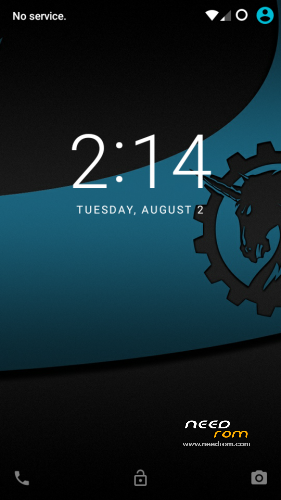
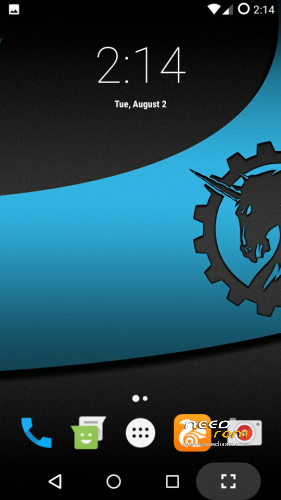

 Member Info
DESCRIPTION
Hello everyone,Today I present you the best marshmallow rom of all time with almost no bugs.
It is compulsory for everyone to read the note below before downloading the rom so as to avoid any sort of conflicts in the rom
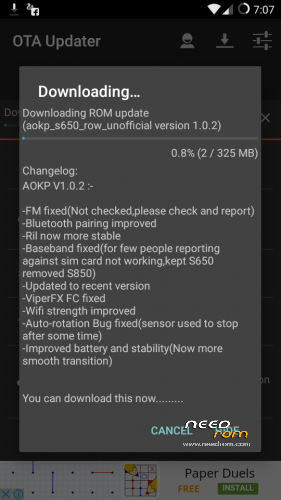
I WILL BE PROVIDING OTAs BUT DO CHECK
CHANGELOG BEFORE DOWNLOADING COZ
MAYBE I WILL WRITE DO NOT DOWNLOAD COZ I
AM TESTING IT.ALWAYS DO CHECK CHANGELOG BEFORE DOWNLOADING!!!
OTHERWISE U WILL
SCREW UP UR DEVICE….
WHEN U R FINISHED DOWNLOADING WITH UR UPDATE,DO NOT FLASH IT USING THE OTA UPDATER.GO TO RECOVERY–>INSTALL–>UR SD CARD–>OTA-UPDATER–>DOWNLOAD–>ROM–>CLICK ON THE UPDATE AND DIRECTLY FLASH IT AND AFTER FLASHING WIPE CACHE AND DALVIK CACHE–>AFTER THAT REBOOT(IF U INSTALL FROM OTA UPDATER APP THEN THE UPDATE WONT BE APPLIED,REMEMBER THIS)
Before that, I would like to thank some people who helped me learn throughout the process:-
CM for the base sources
aokp.co
Kishan Patel
Fire855 and Ferhung (who actually started CM on MTK)
Aniruddha Adhikary
Hyperion70
nofearnohappy
Varun Chitre
Team AMD
Sergey KochetKoff
Suraj Lad
nervehammer
Shreesha Murthy
Sprout developers
Anurag D Cruz
Anand Umap
Jhon Daryll Malones
MindHunter
AndyBones(for ota meta-inf)
Enigma777(for porting from sprout and fixing all bugs)
AOKP v1.0.1(20160731)
AOKP features(DONT FOLLOW THIS,THIS IS JUST OVERVIEW OF ROM,I HAVE PICKED IT UP FROM DIFFERENT DEVICE JUST FOR UNDERSTANDING PURPOSE):-
– Framework pace optimizations.
– Optimized Sound approach. Watch out with the quantity. Blood can come out of your ears…….. Not kidding…….
– Lock monitor Multi consumer interface
– rapid tender Optimization. Nothing compares to this…. Not kidding.
– super turbo De-Bloat. This thing has the AOKP base de-bloated, now not kidding…….
– Rooted-injected. No have to install supersu after set up.
– Tweak-much less. No tweaks right here, so be my visitor and install your own.
– minimum services jogging
– Zip aligned (apps and framework)
– minimal gapps integrated. No have got to set up gapps. Simply get your apps from the shop.
– spy-ware free. Nothing strikes without my authorization.
– Lag free aokp rom. Nothing like it….
– faster gentle optimized. Gentle as melted butter………. A pride…….
– pleasant sounding aokp rom, due to faster sound
– GPU optimized
– tremendous rapid zipaligned rom. Take a look at the procedure app sizes…..
– excellent battery lifestyles as a result of rapid zipalign optimizations
– extra de-bloat
– stable
What is working:-
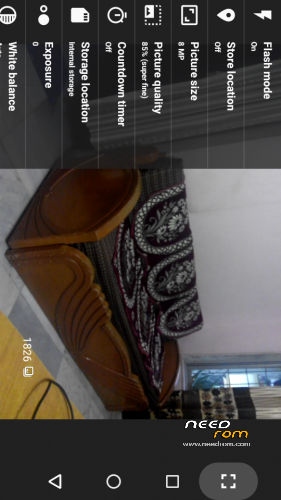
1.camera–working with flash
2.camera–video reording working(with 1080p)
3.snap camera–provided
4.hotspot–working
5.wifi–working (No disconnection)
6.bluetooth—working (pairing also works perfectly)
7.auto rotation–working (sensor bug fix provided in OTA)
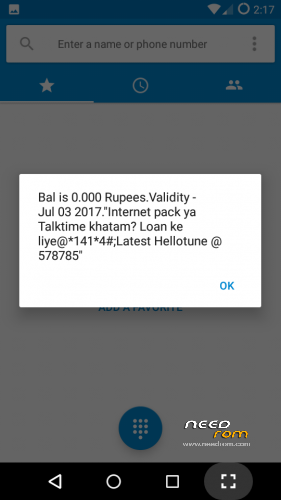
8.ussd—working
9.ril unstable—stable (No network drops)
10.call not recieving—–working (You can pickup calls now)
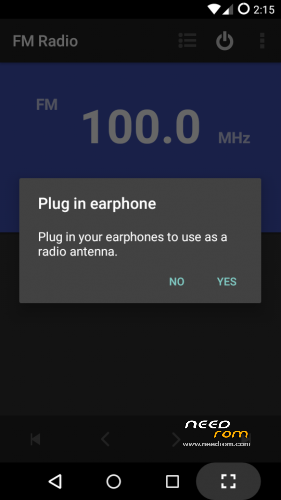
11.fm radio—working
12.gps–working
13.not recieving message—working
14.mgerrit app crashing—remove (will provide this app when its stable in future releases)
15.audio fx not working in speaker–remove(instead provided viperfx)
16.viperfx–provided
17.browser(ucbrowser)–working (very fast browser)
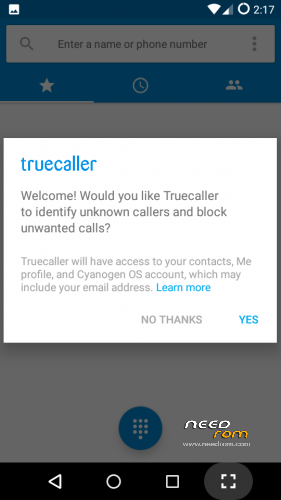
18.contacts–working
19.downloads–working
20.filemanager–working
21.gallery–working
22.music(speaker and headphones)—working
23.play store—working (If not working then go to settings->app->storage->clear data and clear cache,and then check it again,it will work)
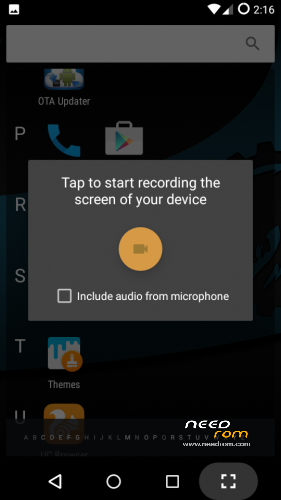
24.screencast(inbuilt screen recorder)—working
25.sound recorder–working
26.themes–working (U need to login to CM,U will get awesome themes from there)
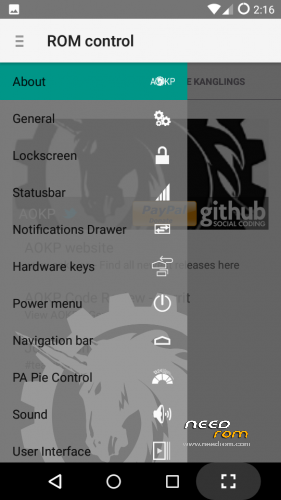
27.aokp home–working (No crashing)
28.mobile data on sim 1 and 2–working
29.vpn–working(using psiphon)
30.offline charging–working
31.youtube 720p fix–workaround fix
32.both storages mounted on mac as well as android–working
33.dual sim support–working (sim works on both sim slot)
34.sms recieve and send-working
35.led light—working (For all sort of notifications)
36.all tweaks–done (Provided many tweaks for performance and battery life)
37.internal microphone–working
38.Rom updater–working
What is not working:-
Only 2G/3G switching/toggling(will be fixed in future updates)
After downloading:-
U have to format your sdcard as SDCARD0(its zero,not O)(sdcard in capital) since all the OTAs which I will be providing will be having the storage location as this.This is compulsory otherwise U will not be able to recieve any OTA update whether it be a bug fix or next month's full OTA ROM
This we have to do inorder to save the OTA in sdcard(you cant save in internal storage)
Procedure to flash:-
1.Put the rom zip,gapps and supersu in sd card
2.First factory reset,then advanced wipe->wipe everything leaving sd card and internal storage/emmc
3.Flash AOKP rom zip
4.Then flash Gapps provided
5.Then flash super su zip fle
6.Then wipe cache/dalvik cache
7.Reboot and wait for some time as it may take time to boot
Recommendations:-
1.It is advised that after the whole procedure u should charge the phone till 100% and reset battery stats for better battery stability.
2.Use the greenify app to get awesome battery backup.
3.Updates will be provided on monthly basis as it is monthlies,so do check your ota updater app provided for OTAs
4.Any bug faced should be reported here in this page and that will be fixed in the upcoming updates.
Workaround fixes:-
A. VPN
Use VPN for wifi
1. Download psiphon from playstore and open it, choose Browser-Only mode don't tunnel whole device.
2. Go to its logs tab and check the port of http proxy.
3. Now open WiFi setting and long press to your WiFi network (from which u are connected) go to modify tab and from check the advanced options.
4. Chosen manual proxy option and put host name as 127.0.0.1 and port as the no. which you noted in step 2 (eg. 8080) and click save .
For Cellular Data-
1. Download psiphon from playstore and open it, choose Browser-Only mode don't tunnel whole device.
2. Go to its logs tab and check the port of http proxy.
3. Now open Setting>Sim cards>Sim 1/Sim 2 settings/Access Points Names and click on Connected APN
4.In Proxy put 127.0.0.1 and port as the no. which you noted in step 2 (eg. 8080) and click save .
Enjoy you have set up a VPN connection successfully.
You can open your browser and check your IP
Note: You have to undo this after you don't need VPN by changing manual proxy to none .
B.Youtube 720p playback:-
https://www.youtube.com/watch?v=J7rQnUyjIes
NOTICE:-
1.IF MANY USERS ARE FACING ONE PROBLEM THEN I WILL TRY TO FIX IT,DONT ASK ME FOR INDIVIDUAL PROBLEMS SINCE AFTER CHECKING THE ROM ONLY,I UPLOAD…..
2.IF U WANT TO SHARE THIS ROM OR PORT IT TO YOUR PARTICULAR DEVICE,THEN PLEASE GIVE PROPER CREDITS TO ME AS WELL AS THE ABOVE
MENTIONED DEVELOPERS AS THIS ROM IS THE RESULT OF MUCH HARDWORK
Want to know how I ported marshmallow ROMs from sprout device?? Click here:-
https://www.youtube.com/playlist?list=PL1mszcMTjobHD61wRg9KlKZqnqRMJdvfR
My aim is to help everyone to become a developer,hence I started a youtube channel where I will be teaching yall how to port rom from sprout(android one devices) to our Lenovo S650.So please subscribe to my channel for more android related stuff and for more porting tutorials…..Thank you….
Support me Guys….Need your help…If you like my work please help me by liking to the facebook page below and my youtube channel above:-
https://www.facebook.com/3brostech/
Want to win freebies which are legit and not fake?Visit Here and get your points on sign up:- http://viid.me/qy6LNa
※Please make a backup of your device before installing or updating ROM
Viper not vorking ((((
Ya sorry for that will try to fix it in upcoming update,but without viper too you can enjoy the songs to its fullest volume……
I installed it using twrp v2.7
everything went well on the flash, but when I rebooted it was stuck on lenovo logo screen. I let it do its job for one night, connected to the charger, and the next morning still on the same screen?
could anyone help on what I may be doing wrong?
you might have used wrong twrp,there are 2 twrp twrp cn and twrp row,so u might have twrp cn,so check with that.Also I would recommend you to flash twrp 2.6.3.0(ROW) instead of 2.7 as the latter one is unstable.you can check for twrp 2.6.3.0(ROW) in s650 section of needrom itself.
Link for Xposed please?
xposed for marshmallow:- http://forum.xda-developers.co.....d.php?t=3034811
Still the same problem.
tested with 2.6.3 cn and row,
2.7
3.0.2
all the same problem.
is there anything I'm doing wrong? I do as the procedure says.
I also delete everything, like everything, just in case nothing makes any problem. I get the successful on the recovery installing but when I reboot it gets stuck at lenovo screen!!
any helps plz?
I remember I had so many problems with lenovo l-mode rom which is listed in this forum, but finaly installed it, I don't remember how, but I deinately used the same twrp which I used to install it, but I couldnt even install that one. not even in the recovery. it says fail.
Errors I get
1. Error 7
2. Zip corrupted(which I have used before to install and copied several times to make sure there had been no troubles in the transfer.
3. stuck in lenovo screen.
plz help
Please search for how to make your phone ready for custom roms like what prerequisites are needed n all from google or youtube….You can try this rom after that….
Dear Enigma, I think I know how to do that, but thanks for the help, I do let some screen shots.
plz check
Download fileDownload fileDownload fileDownload fileDownload fileDownload fileDownload fileDownload fileDownload fileDownload fileDownload fileDownload fileDownload fileDownload fileDownload file
ok i will guide u from d start like formatting ur phone to row and after that setting up twrp and then setting up this rom,are you ready?? If yes then pm me.we will be talking in pm if u r ready….
sim card not detected
Sim card is working…..check the screenshot…. they are from my lenovo S650…if u still have probs then check for how to fix baseband or check for mtkdroidtools tuts….
how to format sdcard as SDCARD0 ?
first take backup of ur sdcard and then go to twrp-> mount->sdcard.it will show your sdcard mounted(only sdcard no internal).then right click on it,formt,check fat32 and default allocation size and give the name as SDCARD0 and then format it……
Doesn’t work vibration and sound in alarm clock
vibration works….. dint check sound in alarm clock….if anyone else faces this issue then i will try to fix it in next update….
Thanks for an excellent job! GPS works perfectly. Generally rom is good and fast
Thank you ….Please visit my youtube channel and subscribe to my channel for porting tutorials…..
Sim card problem can fix by wipe cahce/dalvik after installing without wiping sim card not found seen it solved after wiping. For me ota/rom update not working it shows stopped working.Is it compulsory to name SDcard to SDCARD0.Apps moving to SD also not working.SDcard to as internal storage not worked it shows slow SD card even its class 10! For me unlike other roms its battery saving is superb!
the ota app is crashing coz u have not set sdcard as SDCARD0.This step is mandatory and without this you wont recieve the OTA update.Already I have provided one OTA update….