
- Title: AOSP 4.4 Nitro v3 – 8297w
- Listed: February, 2015
- Last modified: 02/11/2015 6:19 pm
- Version: 4.4.2
You must be logged for ROM download.
30390 total views, 3 today
7 Total favorites
 Member Info
DESCRIPTION
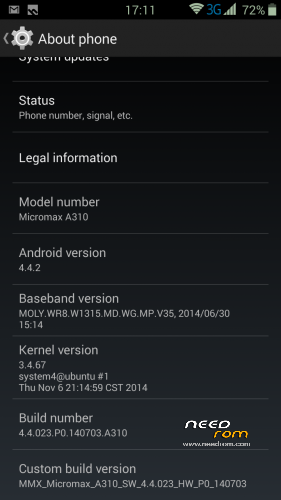
Repacked stock AOSP rom from Coolpad F1 clone – Micromax Nitro A310 (stock firmware v3).
Languages: Bahasa Indonesia, Bahasa Melayu, Deutsch, English (India), English (US), Espanol, Francais, Italiano, Portugues, Tieng Viet, Turkce, ? Indian, Chinese
Most of the loads of bloatware is removed (a game can be uninstalled)
I fixed the root, gapps are inside. Launcher is lousy and you need to replace it with something better. You need to set APN's, too.
Rom is thoroughly tested from many modaco forum (and others) members, I have it on the phone for
more than month now.
You won't a find better rom for F1.
I bet 
Topic at Modaco
※Please make a backup of your device before installing or updating ROM
It is the best rom I've tried, but if you choose the external memory as default, some programs use the internal memory (whatsapp, Real Race 3, etc …) This makes fill quickly, it does not allow applications to move SD as other rom.
Otherwise, great, thk
Hi
Auto-rotation not working for me.
You probably flashed this on Micromax phone.
This rom is for Coolpad F1 phone.
how to flash this rom
plz give step by step
CWM:
Download zip file (rom) and transfer that to SDcard
- Turn on debugging on your phone, turn off quick boot, turn off phone (some folks remove battery now:))
- Press vol. up and power button together for at least 10 seconds or use other technique (or some rebooter)
- You are in CWM now (probably)
- Wipe data/factory reset, wipe cache partition
- Mounts and storage: Format System, Cache, Data, Go back
- Advanced: Wipe Dalvik cache, Reboot recovery
- Install zip from SDcard -> choose zip -> your rom (zip)
- Reboot to system
TWRP (preferable v2.6):
Similar to CWM but wipes go like this:
-Wipe – pull the slider
-Advanced Wipe – select dalvik, system and cache
-Install zip from SDcard -> choose zip -> your rom (zip)
thanks
Luncher3 App drain my battery
cannot turn off GPS and my phone full time awake
Hi, I have one problem in this ROM – the light sensor works with big delay, about 3-4 sec. For example, when phone ringing in my pocket, there is dark and the screen is dimmed, but when I put it outside of pocket on the strong daylight, the screen continue to be dimmed for 3-4 or 5 sec and nothing can be readed on it, and I have to wait some time to make the screen lighter due to the strong light outside. Can this be fixed somehow without changing the ROM? Or I have to change to some other ROM to remove this bug?
Good
This is not offical ROM its OTA Update , dont download this useless ROM
Will work for canvas a311?