
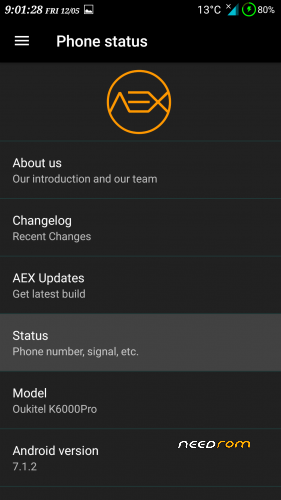
- Title: AOSP Extended K6000Pro
- Listed: May, 2017
- Last modified: 05/12/2017 1:59 pm
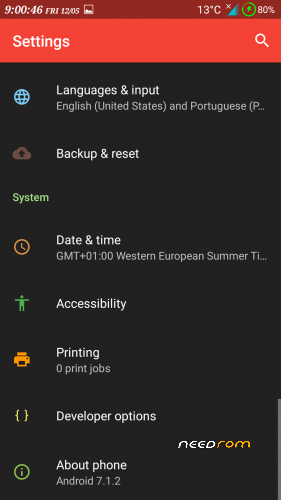
- Version: 7.1.2
You must be logged for ROM download.
18745 total views, 2 today
9 Total favorites
CUSTOM



 Member Info
DESCRIPTION
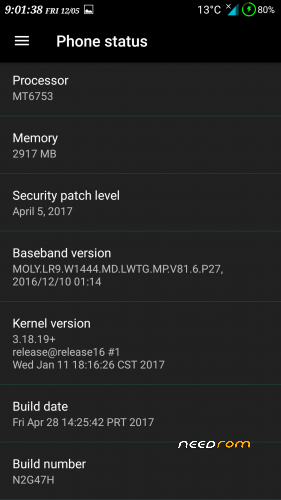
Kernel 3.18.19 64 bit
similar to RR 5.8.3 but with better video decoding
※Please make a backup of your device before installing or updating ROM
Please is the Hotspot working on this Rom
I have solved the problem of hotspot on this ROM. And other problems like storage and inability to install apks. If the Dev. agrees, I may upload the adapted version.
Whatever is done to improve the system has all my support. Upload it.
Hey man
You uploading?
I'm tired of using the stock rom, I just need a rom that works, so far all these roms had an error that made it impossible to use
Gave error 7
format data
@ftscp What version did you use for porting? I mean what base rom? And which kernel is based? Thanks!
Sorry guys, I have been offline just saw the response this morning and today is Sunday. Itried to flash the file once again to be sure. It refused to flash.After very many hours, I discovered that it wouldn't flash from Nougat. I downgraded to M late last night and successfully flashed it. So take note of this fact.I have to finish the job later today and then upload. trying to see if I can just make a patch. Thanks @ftscp
Excited about this. When will you be uploading?
Guys, I have been trying for the past three days to upload this ROM. I have wasted a lot of data plus three sleepless nights. It is taking forever to upload to Google Drive. I am going to leave it on and hope it will finish uploading on its own.My apologies.
Appreciate the dedication!
At last! here is the link to the adapted ROM:https://www.dropbox.com/s/8r1v.....000Pro.zip?dl=0
Credits to FTSCP for the ROM, kuberocks of xda for porting guide and Mad Skill for the script.
And here is the link to the fix for NVRAM error:https://www.dropbox.com/s/h9tv.....01.0_1.apk?dl=0
Thanks for your patience. With dropbox it took less than 20 minutes to upload. Shame on Google Drive.
Thank you. Downloading now….
Will you be applying these tweaks to other roms aswell?
Trying to install it but when I boot into recovery mode it shows Factory settings. I've used Smart Phone Flash to install this recovery https://www.needrom.com/downlo.....p-n70/#comments but I get the factory settings again. Any idea how to install recovery and rom?
Nevermind I managed to get into recovery mode.
I get error 7 now…
Installed it with twrp 3.0.2 prolcons.
installing with twrp 3.0.3.0 didn't work.
please, I don't want to change my phone
Managed to install it, had to wipe data, system, cache.
But I will have to revert! Same annoying error like the other Roms! ''SD card is not found'' Please help, I thought you corrected this…
I used it as my daily driver until the official Nougat came out. And I reverted to it five days ago. Note as follows:
1. You can only install from Android 6;
2. Follow the original installation instructions.
3. Use ftscp’s twrp.
ok, I'm flasing the official rom agaon 6.0 OUKITEL_K6000_Pro_V18_20161201
what are the original installation instructions, I don't see them on this page?
I'm confused again. How do I install twrp? I've used 2 scatter files so far, the one from oukitel rom 6.0 and the one from aosp I think. I get the open android error icon…
So I've installed now OUKITEL_K6000_Pro_FZ_V12.0 64bit (I think I had 32bit)
Installed SuperSU
Then installed TWRP provided by ftscp in aosp 7.1.1
Format system, cache, data
After installing your AOSP it says script succeded:result was E:unknown command [ ]]
I can't remember if I wiped dalvik/cache after this
Yet I still get the sdcard issue!!!
I think your issue is isolated, I would advice you back up your data and then use "Format and Download" mode. Reflash.
I've did this before with other roms, going to try again. If this doesn't work what do you suggest besides killing myself?
Didn't work