
- Title: Apollo X25 – AICP 12.1 Beta
- Listed: May, 2017
- Last modified: 05/15/2017 11:39 pm
- Version: Apollo X25 - AICP 12.1 Beta
You must be logged for ROM download.
10358 total views, N/A today
3 Total favorites
 Member Info
DESCRIPTION
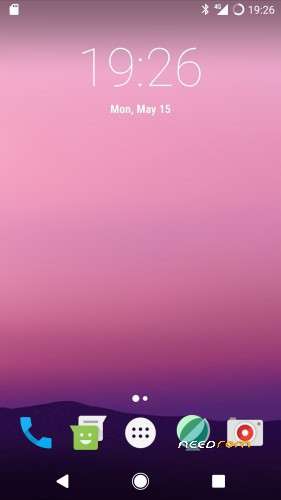
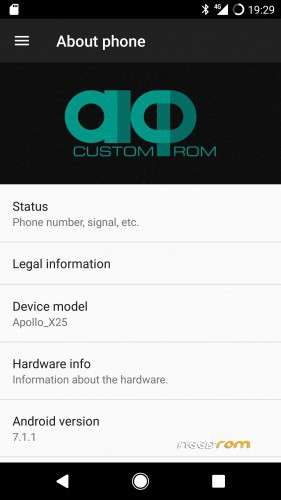
Vernee Apollo Helio X25 – AICP 12.1 Nougat 7.1.1 – Beta
based on Verevka project
- Added SuperSU-v2.79-SR3
- Added Busybox.v1.26.2
- Added Open Camera_v1.37
- Removed MagiskManager apk & zip
Charger icon bug half-fixed : beautiful icon when it is plugged in an electrical outlet.
BETA edition because there are the next issues :
1) Fingerprint bug.
2) Battery consumption can be improved.
I STRONLGLY RECOMMEND YOU A CLEAN INSTALLATION.
What do I mean by "clean installation" ? Before to install AICP,
you have to flash (by SP Flash Tool) the next stock firmware :
https://www.needrom.com/download/apollo-x25-stock-rom-2017-01-16/
Be sure to choose "Firmware Upgrade" option.
Then, unlock the bootloader.
INSTALLATION STEPS :
1) Reboot (fastboot boot recovery.img) into twrp.
2) Make a backup of Boot, System and Data into microSD.
3) Make a backup of NVRAM separately into microSD.
4) Tap on "Wipe" (main screen of twrp).
5) Tap on "Advanced Wipe".
6) Select Dalvik/System/Cache/Data/Internal Storage BUT NOT Micro SDCard.
7) Swipe to Wipe.
8 ) Return to the main screen of twrp.
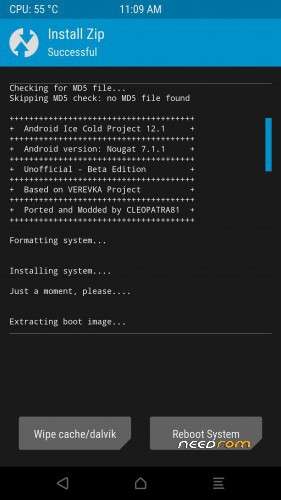
9) Tap on "Install".
10) Tap on "Select Storage" and tap on "Micro SDCard".
11) Tap on "Apo_X25-AICP_12.1.zip".
12) Swipe to confirm Flash.
13) When finished – reboot.
14) Be patient.
15) Tap on icon of SuperSU to activate it.
16) Enable Data onto SIM.
17) Setting–>SIM cards–>SIM 1 settings.
18) Disable Data roaming.
19) Developer options–>enable Android debugging.
20) Turn on Wi-Fi.
21) Flash Carliv custom recovery (SP Flash Tool).
22) Install Gapps by Carliv custom recovery.
CUSTOM RECOVERY :
Thread on XDA :
※Please make a backup of your device before installing or updating ROM