
- Title: Ascend P7 EMUI 3.0
- Listed: January, 2015
- Last modified: 01/16/2015 4:03 pm
- Version: Android 4.4.2 EMUI 3.0
You must be logged for ROM download.
24357 total views, 3 today
7 Total favorites
 Member Info
DESCRIPTION
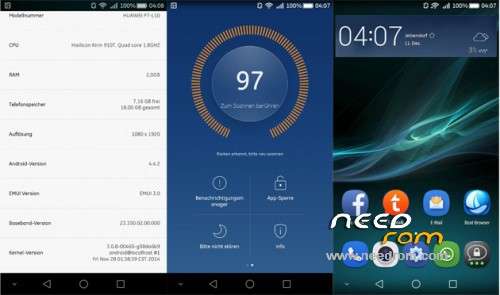
Oryginal stock rom for Huawei P7-L10 with new EMUI 3.0!
In this installation you still have your phone warranty!
ROM install :
1. You need to have installed HiSuite.
2. Open it, and plug P7 to computer (choose PC Suite on phone).
3. HiSuite will find the phone.
4. Then you need to click on EMUI ROM in application and choose LOADING ROM.
5. Choose B609.zip and wait for loading.
6. After it, you can make backup of all data on phone.
7. If you make it/or not rom will be installing to phone.
8. When it's done, phone will restart several times, wait to config screen. If you choose backup in point 6 don't do anything on it! If not, you have full working rom with EMUI 3.0
9. Now you can restore data from HiSuite from START menu.
10. Choose BACKUP->RESTORE, pick last backup file that you made and you can start it.
11. Some files can don't restore on phone, but it's normal.
12. After it, disconnect phone from PC, it's IMPORTANT!
13. You have full worked Huawei P7-L10 witch EMUI 3.0 and all data!
※Please make a backup of your device before installing or updating ROM
I cant find emui rom in my applications
Download link is not avalible, can you update it please?
i cant find EMUI ROM in application and choose LOADING ROM. in hisuite program
into the package only there a file, missing a second part, do I think? I don´t see the vendor package , somebody can explain so, apreciate your collaboration, tks
سلام مرسی رام خیلی خوبی بود
راستی این مطلبم خیلی خوبه