
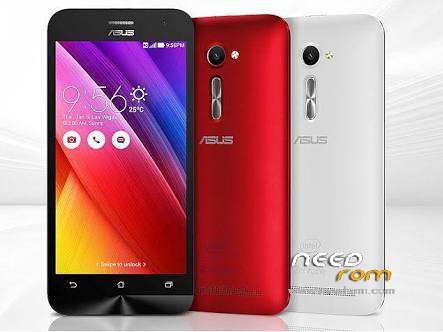
- Title: ASUS ZenFone 2 ZE550ML
- Listed: February, 2016
- Last modified: 02/26/2016 2:23 pm
- Version: Android 5 (lolipop) Versi WW 2.20.40.138
You must be logged for ROM download.
14713 total views, 1 today
2 Total favorites
 Member Info
DESCRIPTION
Versi WW_2.20.40.138
Deskripsi ASUS ZenFone 2=ZE550ML (Z008B/Z008C/Z008D)
software Image: 2.20.40.138 for WW SKU only*
Improvement Item:
1)Fixed video sound issue.
2)Fixed google play stop service .
3)Fixed SD cards issue.
4)Fixed SmartBox not read the phone issue.
5)Fixed can not control the volume of YouTube when using miracast.
6)Fixed the issue of displaying wrong operator name when roaming and searching network
7)Fixed phone hang-up issue in Russia
8)Support Android for Work
9)Improve ASUS ZenUI Launcher stability
10)Improve Cell Broadcast stability
11)Fix the failure to share Photo Collage picture via Emai
12)Several Apps update
13)Improve power usage of Email App
14)Add Screenshot sound settings
For more information please refer to:
TW:http://www.asus.com/zentalk/tw/ReleaseNotes
WW:http://www.asus.com/zentalk/ReleaseNotes
CN:http://zentalk.asus.com.cn/ReleaseNotes
Steps of Update:
1. Check software version of your device**
2. Download device software and Update SOP (From “Manual” Item)
3. Only apply to same SKU update, Example: WW->WW, CN->CN, .
4. Software update cannot transfer the software SKU and downgrade the software version.
5. Wrong SKU may cause update failure, please update the same SKU version only.
*How to know the device model?
Path: Settings->About-> Model number
Example: ASUS_T00I
**How to know the device software version?
Path: Settings->About-> software information->Build number
***System upgrade may cause part of data missing, please buckup your important data before system upgrading.
Please visit :
Blogger : panjirianto.blogspot.com
Instagram : zibon_alfonzo
※Please make a backup of your device before installing or updating ROM