
- Title: Battery Percentage Fix
- Listed: January, 2017
- Last modified: 01/22/2017 11:28 pm
- Version: Android 5.1
You must be logged for ROM download.
12480 total views, 2 today
2 Total favorites
OFFICIAL
 Member Info
DESCRIPTION
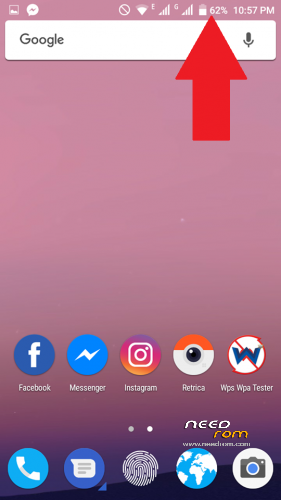
This is for Showing Battery Percentage in Status Bar ..
• Installation using TWRP :
1- Turn off the phone
2- Boot into recovery TWRP
3- Install " Percent_patch_Doogee_X5.zip "
4- Reboot (without Wipe Cache and Dalvik Cache)
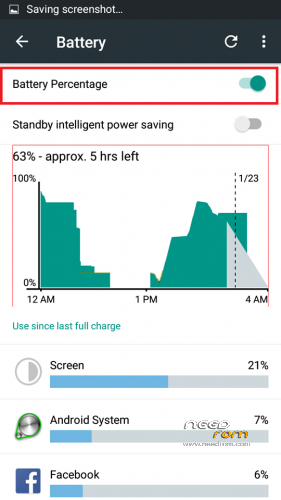
5- After Rebooting, go to Settings >> Battery >> Turn On "Battery Percentage"
That's All .. 
( This is not a calibration .. this is just for showing the battery percentage !!! )
Thanks
※Please make a backup of your device before installing or updating ROM
Does it show the percentage in lock screen?
See .. This is my phone when i'm charging
hi
Thank you
Very good , work also with x5 pro.
Thank you
Very good , work also with x5s.
great
I know that the percentage is on the lockscreen while charging. I want to know if the battery percentage is on th lockscreen when it is not pluged-in
percentage on the lockscreen while charging = ON
percentage on the lockscreen without charging = OFF
percentage after lockscreen is opened = ON
its work without root?