
- Title: Bluboo Xfire Custom Rooted
- Listed: November, 2015
- Last modified: 11/24/2015 6:14 pm
- Version: Android 5.1.1
You must be logged for ROM download.
16988 total views, 2 today
6 Total favorites
 Member Info
DESCRIPTION
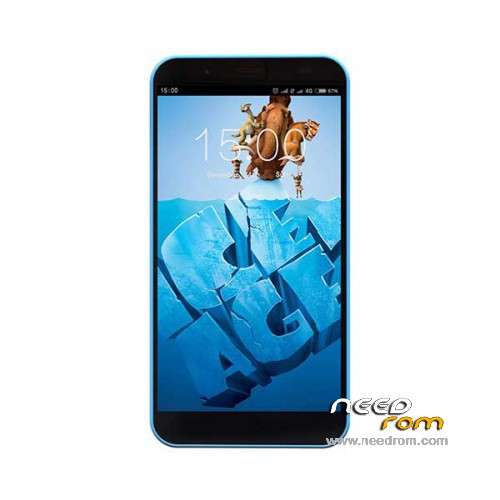
Hi, this is the Bluboo Xfire Android 5.1.1 rooted with SuperSU and without many of the china bloatware/apps, and a fix for calendar sync
Dont bother with the uncompressed size of system.img, is because of the type of dump, the /system partition has equal or more free space
In the download is the ROM folder and the SP Flash Tools v5.1452.00.000
For flash it, google has a lot of videos (Or you can see flash instructions for using SPFlash in google), but is simple, mtk (Mt6735) install drivers (Google por preloader drivers of mtk 67xx if uploaded ones doesnt work) (Check that are properly installed trying to boot in flash mode), uncompress the file, open SPFlash Tools with administrador, load scatter-file of the rom folder, disconnect battery, plug in usb in the computer, press download, and connect battery and wait. It can take 30 minutes or a bit more to load the first time after flashing.. Be very pacient, for me took 30 minutes, but only first time.
I am not responsable of problems derivate of using the rom, I use myself, it worked great, and I shared it.
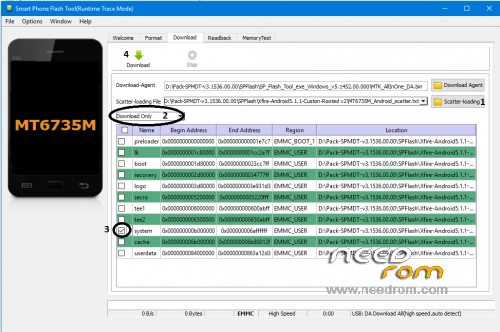
If you want only update system without losing data, almost always works doing this in spflash:

You can post in comments what can be updated or improved in the rom
※Please make a backup of your device before installing or updating ROM
intenstale the rom on my bluboo.
when you turn the phone off a blue image, you never finish loading.
my cell information
Strange.. You mean that you flash this, and then not boots? Where it stops?
The phone information is equal to me
Sometimes it can take about 30 min to power on first time. If you can make a logcat with adb I will appreciate it.. And if you flashed only the system part flash all.
Be sure that drivers are installed
Thanks
Wait 30 minutes and normally works.
thank you
Hi Kprkpr,
Please can you consider to share your secret ? I need to know how you have fixed the calendar sync problem.
Thank you
Yann
Yes
I installed and moved the GoogleCalendarSyncAdapter apk from a gapps zip for Android 5.1 hehe
Only that, bluboo forgot to include it
No matter what I do, I keep getting this error:
SetupDiEnumDeviceInfo Finish.
UpdateDriverForPlugAndPlayDevices Unknown error code.
USB\Vid_0e8d&Pid_2000 found in hDeviceInfoSet.
SetupDi[Set]DeviceRegistryProperty SPDRP_CONFIGFLAGS Unknown error
USB\Vid_0e8d&Pid_2000 PreInstallDriver Failed.
Disconnected the phone several times, removed the registry from device manager several times. I am going insane right now.
Strange.. it seems that the drivers doesnt work, maybe you are installed drivers that doesnt work in your computer / mobile.. search for mtk preloader drivers mt6735 for your os
If you search for "Vid_0e8d&Pid_2000" , i enconutred http://www.driveridentifier.co.....0E8D%26PID_2000
Maybe one of that that is for your os will work
Never mind.
I tried again. Turns out I was doing things incorrectly.
Step 1: Open Flash Tools
Step 2: Scatter Load File
Step 3: Press Download
Step 4: Plug Smartphone without Battery into USB
Step 5: Insert Battery into Smartphone
Step 6: Wait for Download to Finish and disconnect after the green OK circle
It worked without any problems.
thank you