
- Title: BrokenOS 6.0.1 Lenovo A536
- Listed: May, 2016
- Last modified: 05/24/2016 3:06 pm
- Version: 6.0.1
You must be logged for ROM download.
14762 total views, N/A today

 Member Info
DESCRIPTION
ALL THANKS GOES TO AJIT GURAYA
Link to Original Post:http://www.mtkroms.com/2016/05/aosp-layers-brokenos-mm-for-mt6582.html
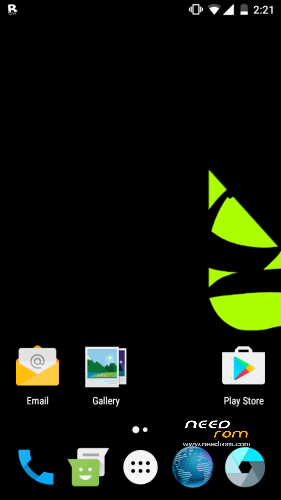
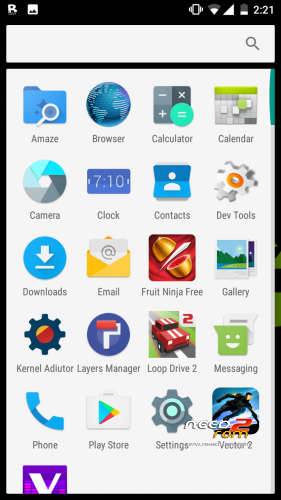
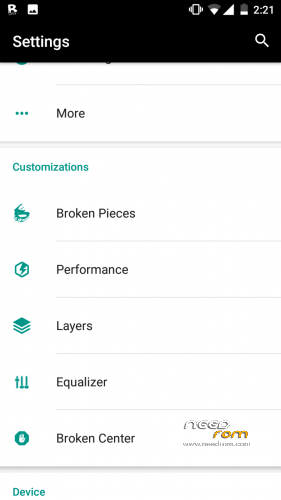
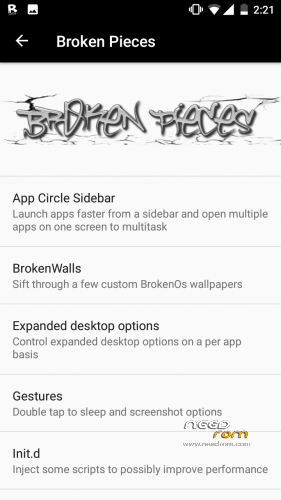
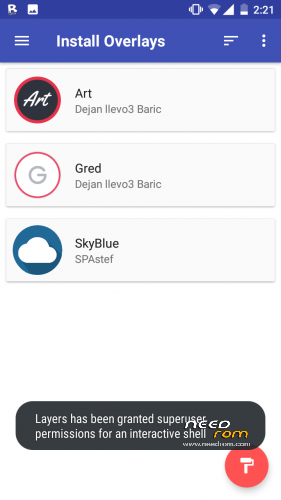
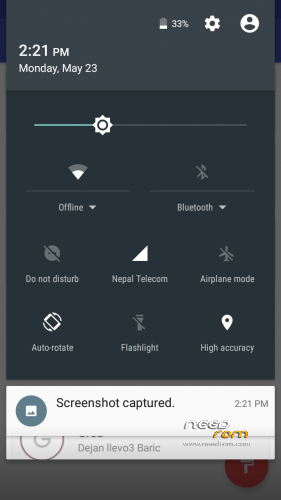
BrokenOS for MT6582 is an aftermarket ROM based on AOSP Android Marshmallow. This ROM is based on Google AOSP codes and has the ability to use RRO Layers. This ROM is super smooth and has an amazing battery backup and awesome RAM management along with tons of cool features. This ROM is very different from any of the CM based ROMs you have used before. Definitely must try this ROM. All SS and feature SS are given below. This ROM is compiled from source by Ajit Guraya(ME)
USSD, Calls, Camera, Video Recording, SMS, Bluetooth and other needed features are working in this ROM and it can be used as a daily driver.
Credits :
Ferhung - The man behind CM13 for MT6582
Fire855 - Another legend
Hyperion70
Diparth Shah
Ajit Guraya - Compiled BrokenOS for MT6582 from source and fixed camera !
Minh Quoc and Karim Gahgah – For video recording fix
Aniruddha Adhikary - For his amazing USSD Fix
Team Roger That - Ajit Guraya, Diparth Shah, Pawan Diyal, Ashutosh Dubey, Waseem Maya, Ankit Bhatangar, Rohan Taneja, Vipul Jha, Pranav Reddy
BrokenOS Developers for their one of a kind ROM -
Required blobs (Really huge thanks) :
nofearnohappy, Varun Chitre, Ariafan, Vald.masti, Fire855, Alex
What's Working :
Camera
Video recording in stock/google camera is working with 1080P !
Audio in calls
Bluetooth
USSD
Audio
Mic
RIL
SMS (Receive and Send both working)
WiFi
Data
RIL is now more stable
Dual SIM
Gapps
Hotspot
Screen Recording
Both storages (SD and Internal) mounting in both Phone and PC
Gapps
720P working in youtube
Bugs :
GPS – Partially working
VPN
NOTE : Do Not Update Layers App from play store ! Use the existing Layers Manager in the ROM without updating
Installation:
1) Wipe Data, Cache, Dalvik Cache
2) Flash ROM
3) Flash GAPPS Directly After Flashing The Rom
4) Once The Rom Has Booted, Go To Settings
5) Turn ON Advanced Reboot from Settings>Broken Pieces>Power Menu
6) Reboot your device to Recovery Mode
7) Flash the SuperSU ZIP from the above BrokenOS Download Link
8 ) Reboot
9) Enjoy
For some strange reason, this rom doesn't have a music player or a audiofx app. So, you will have to install divine beats.
If you want to install another rom, you will need to flash the stock rom of the phone, using SP Flash Tools. Otherwise, your phone will crash when you put it on offline charge.
※Please make a backup of your device before installing or updating ROM
Hi JohnSmith, the previous Resurrection Remix was awesome. So I'm going to try this one too. Okay So I have some questions:
1. Does this ROM have a default SD Card Patch? If yes please provide the download link
2. Does the screen stays on while offline charging? In the other MM builds for A536, the screen used to stay on, displaying the battery while the phone is switched off and charging.
3. Can we have multiple pages for quick settings in the notification drawer?
Thanks
1. Yes, there is a SD Card as default patch. I forgot to add the link
2. Yeap. I think there is a fix for it. I will have to test it first and if it works, I will post a link for the fix here.
3. Unfortunately no. I think there is a xposed module for that but I'm not 100% sure.
So scratch that. Unfortunately, there is no fix for the offline charging. It's the same thing with all Mashmellow roms.
Link for sd card as default storage added.
Mobile network not available fix pls
You mean mobile data? Or your phone can't connect to a network?
Try this. After the first boot, turn off your phone and the on again. There is a weird bug with some custom roms that it will be impossible to unlock the sim card on the first boot or connect to a wifi network.
I don't have mobile network ie. I can't call or send text messages, I've had this problem with all custom roms since I got Temasek's CM 13 (It works fine on that one). I really have no idea how to fix this so yeah.
The only thing I can suggest is to start from scratch. I had also flashed Teamasek's CM13 but then every other rom didn't work properly. What I did was I flashed the stock rom with SP Flash Tools and then after flashing TWRP Recovery, every other rom worked perfectly.
I mean yeah I can do that, but I already did flash the stock ROM but mobile network wasn't available on it either! I really have no idea how to fix this Xd
Can you send me a link to the stock YOU used?
Nice work johnSmith..
Hopefuly this time wifi connection does not have any bugs because this is not CM rom.great work.i hope someday i can port too johnSmith.do you have a stockrom of a536?
I have tested this rom myself. Started completely from scratch. Flashed stock rom "With SP Flash Tool". Then flashed TWRP Recovery. And then the rom. Everything worked out of the box. Wifi, bluetooth. Even data connection. And yes I have a stock rom for the A536 but it is for the dual sim version. Not that it doesn't work for the single sim one, but you will always have the notification that there isn't a sim card on slot number 1.
How can i get the stockrom of lenovo a536?i just want to knowhow to port this rom.BTW yes no wifi drop down.but the other thing is im not yet finish to check it.
Data still can’t change of what preferred network you want but data is still working.only in power is my problem if you do not check all of the option in it,the position of it is in the bottom. Thats all for tonight thanks johnSmith you are good man!
That's the rom style. It is not a bug.
Dialog box must be in the center.when you turning it off you can see the dialog box.thanks
It is there by design. It isn't a problem with the rom.
I succesfully ported Aicp 11 for a536. Faster than cm13, temasek, rr5.6.8.
Is youtube 720p working
Yes, but do not use the play store version. Download it fron another site, lioe uptodown
Like* not lioe
Can you post rom AICP ROM in needrom