
- Title: Cagabi ONE TWRP
- Listed: June, 2017
- Last modified: 06/30/2017 5:01 pm
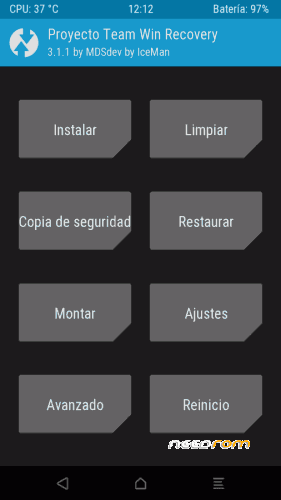
- Version: TWRP 3.1.1 para Cagabi ONE by MDSdev&Iceman-IT
You must be logged for ROM download.
11838 total views, 2 today
5 Total favorites
 Member Info
DESCRIPTION
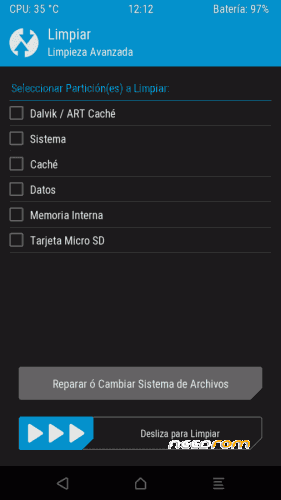
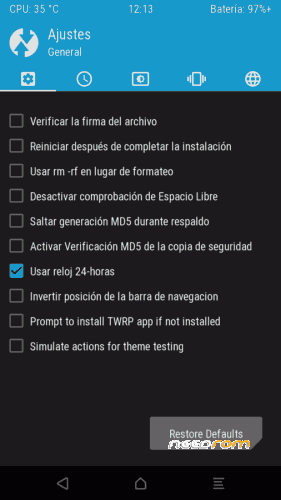
Hello dear colleagues today I have to present to you a creation of the MDSdev stoves and it is nothing less than the TWRP for our Cagabi ONE.
Thanks to the teachings of the teacher Iceman-IT it is possible this work that I hope will be useful.
Characteristics:
Compiled from sources for the ONE.
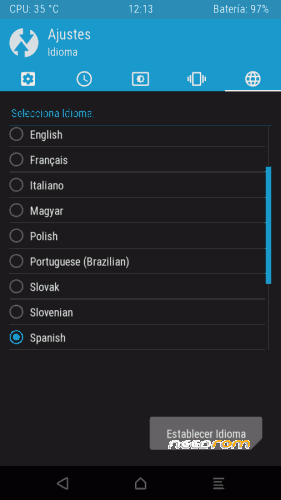
Spanish by default
Supports ExtFat
Multi-Language
Thanks
To my teacher Iceman-IT for his great teachings.
To my MDSdev gang for being there forever.
To my family staff and to the breixo boss for putting up with this madman.
To my beautiful wife and dear children for allowing me to steal a little of their time.
Installation:
Auto-installer
1.- Download the link's zip.
2.- Unzip the .zip.
3.- In Cagabi ONE activate in the options of developer the USB debugging.
4.- Connect the phone to the PC, wait for the drivers to install and recognize it.
5.- Execute the .bat that is in the folder that you previously decompressed.
6.- At the ONE, accept the request for ADB permits to start the operation.
7.- Once you finish you must disconnect the ONE and start in recovery to avoid that with the restart the stock is reinstalled.
Warning. If you decide to use this method you should know that deletes all user data or said otherwise clean the data partition, if you already have configured and with apps your ONE is better to install via flashtools.
FlashTools
1.- Download the link's zip.
2.- Unzip the .zip.
3.- Extract the recovery.img and flash it by Flashtools
Support: https://www.movilesdualsim.com/tema/twrp-3-1-1-para-cagabi-one-by-mdsdev-iceman-it.175077/
※Please make a backup of your device before installing or updating ROM
MDSdev is the best. Great.
Everything is possible thanks to what you taught me master
how to install with sp flash tool and without scatter file?